# Privacy Preference Center (/docs/privacy-center/privacy-preference-center)
## Overview [#overview]
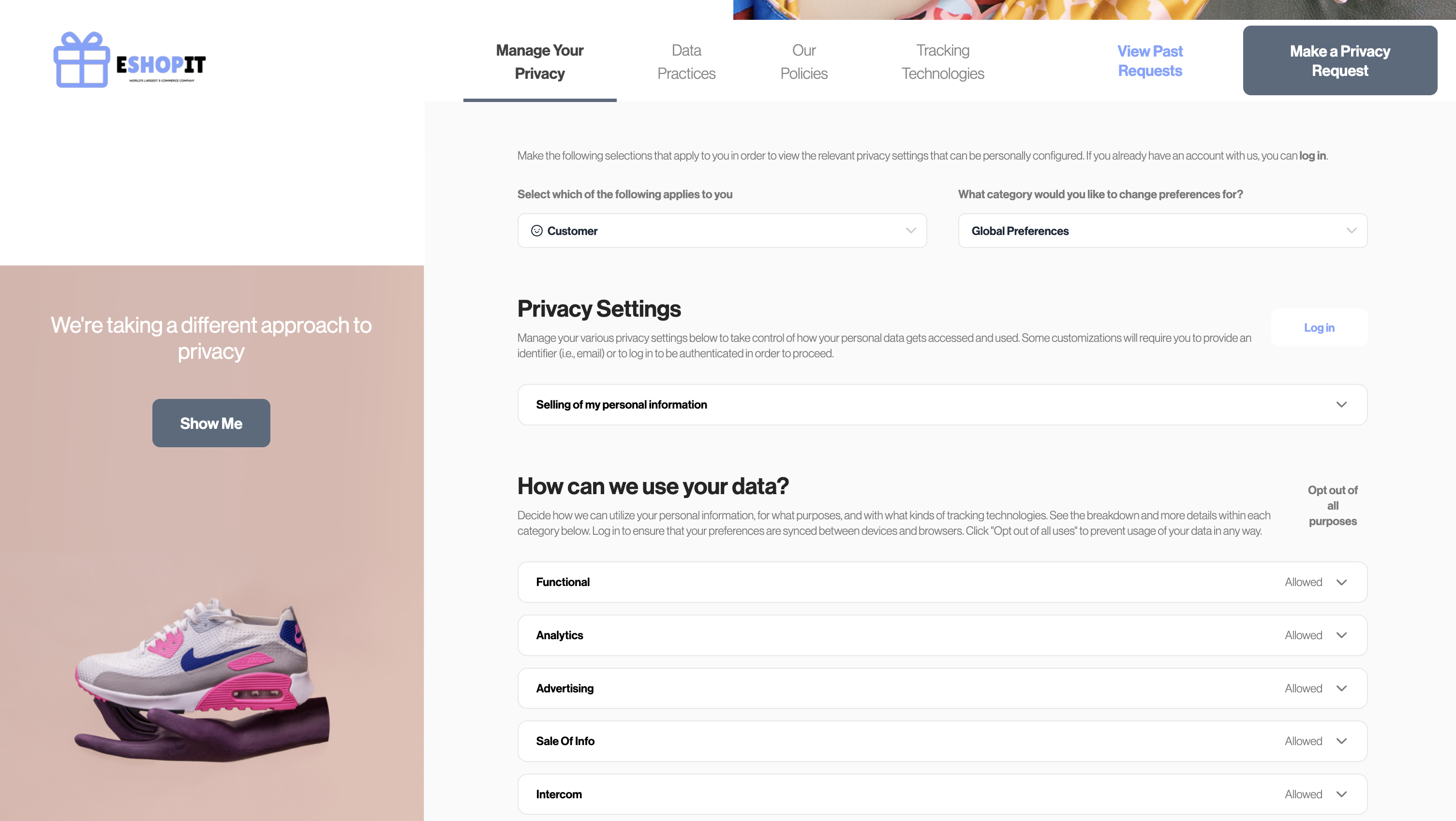
The Privacy Preference Center empowers users to control their preferences, including consent and marketing choices. It also provides an option for unauthenticated/anonymous users to opt-out of "Do Not Sell My Personal Information" (DNSMPI) to comply with CPRA.
## Prerequisites [#prerequisites]
Before you start, make sure you have the following prerequisites in place:
- Enable Preference Store.
- If you are self-hosting Sombra, please refer to the [Preference Management documentation](../preference-management/index.mdx) for a detailed guide.
- If you are using Transcend-hosted Sombra, refer to the [following section](../preference-management/storing-consent-preferences.mdx#retrieving-your-keys) to enable this feature.
- Your [consent manager's](https://app.transcend.io/consent-manager/developer-settings) allowed domains list must include your Privacy Center domain. This is already true if your Privacy Center is on a subdomain of your primary domain (e.g. `privacy.your-site.example`)
## Setup Guide [#setup-guide]
### Do Not Sell My Personal Information (DNSMPI) [#do-not-sell-my-personal-information-dnsmpi]
#### Self-Hosted Sombra [#self-hosted-sombra]
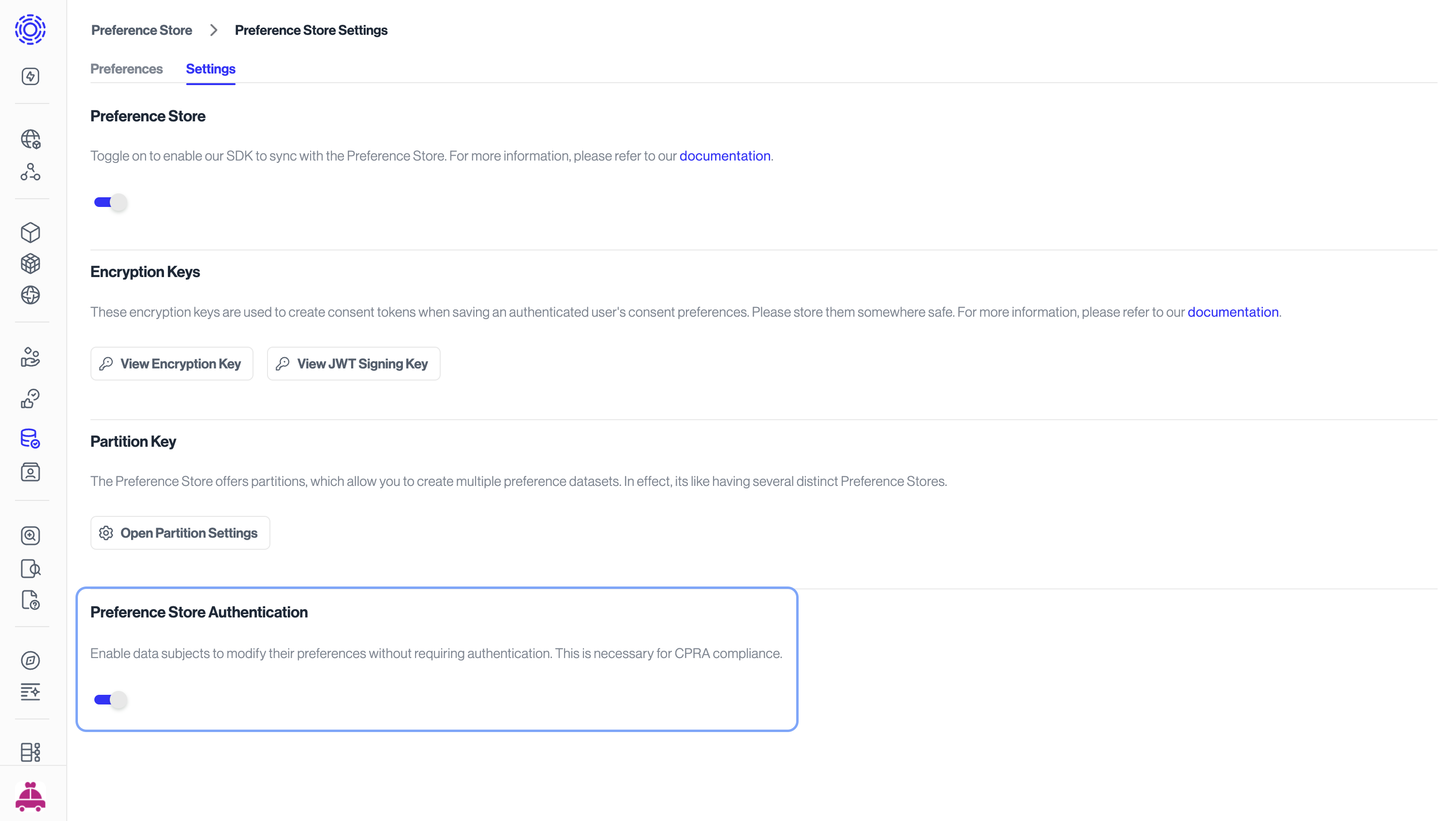
If you're self-hosting Sombra, ensure that your instances are updated to version `v7.197.0` or higher. Additionally, configure the environment variable `ALLOW_UNAUTHENTICATED_PREFERENCE_UPDATES` to `true`. This setting will enable anonymous users to opt-out of sale of personal infromation.
#### Multi-Tenant Sombra [#multi-tenant-sombra]
If you are using Transcend-hosted Sombra, you can enable this configuration in [Preference Management settings](https://app.transcend.io/preference-store/settings).
#### Update Privacy Center configuration and publish [#update-privacy-center-configuration-and-publish]
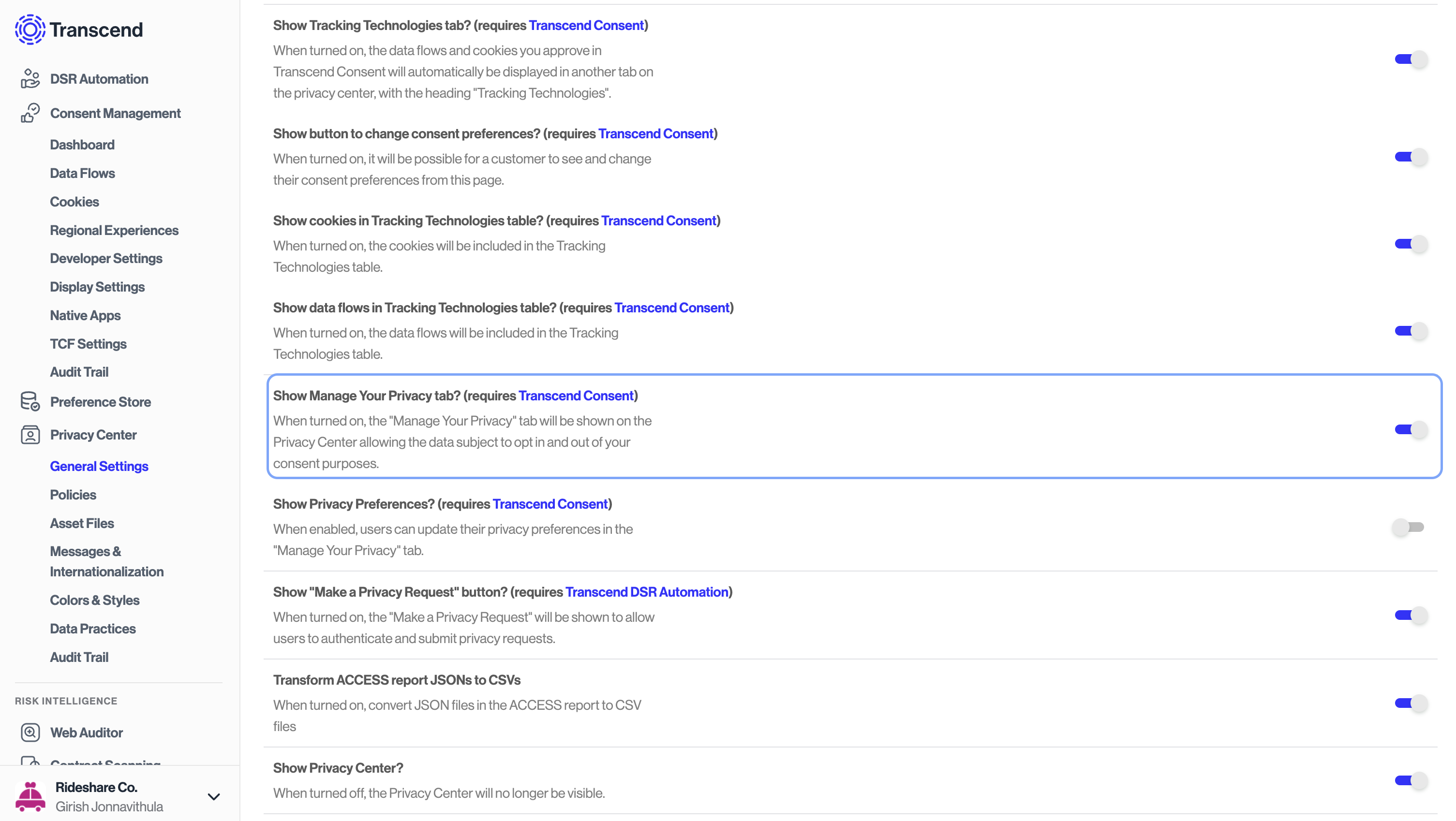
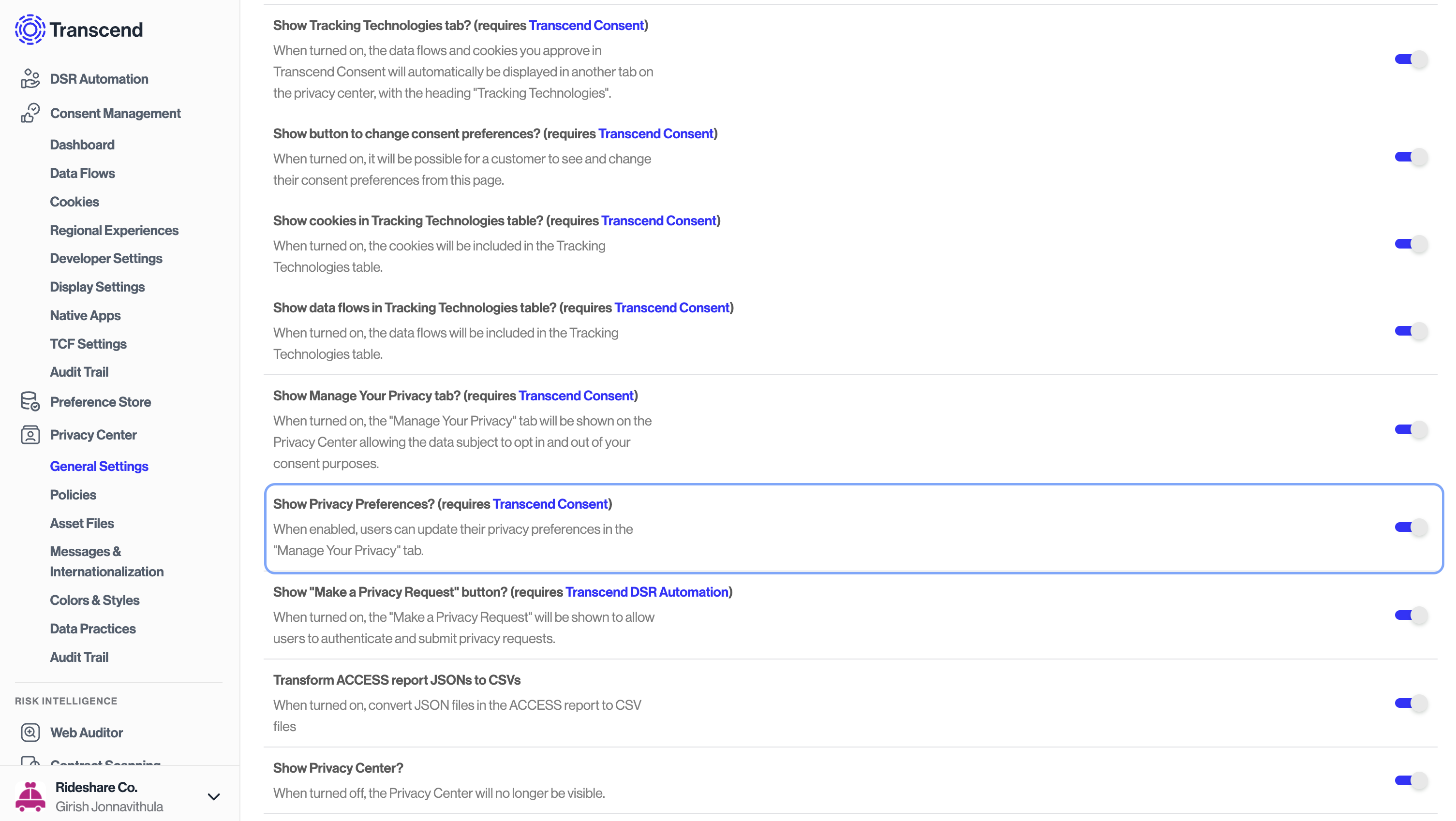
To enable the Privacy Preference center, update the Privacy Center configuration to include `Show Manage your privacy` tab, under `Privacy Center > General Settings` on the Admin Dashboard. Once you've updated the configuration, publish the changes to make them live.
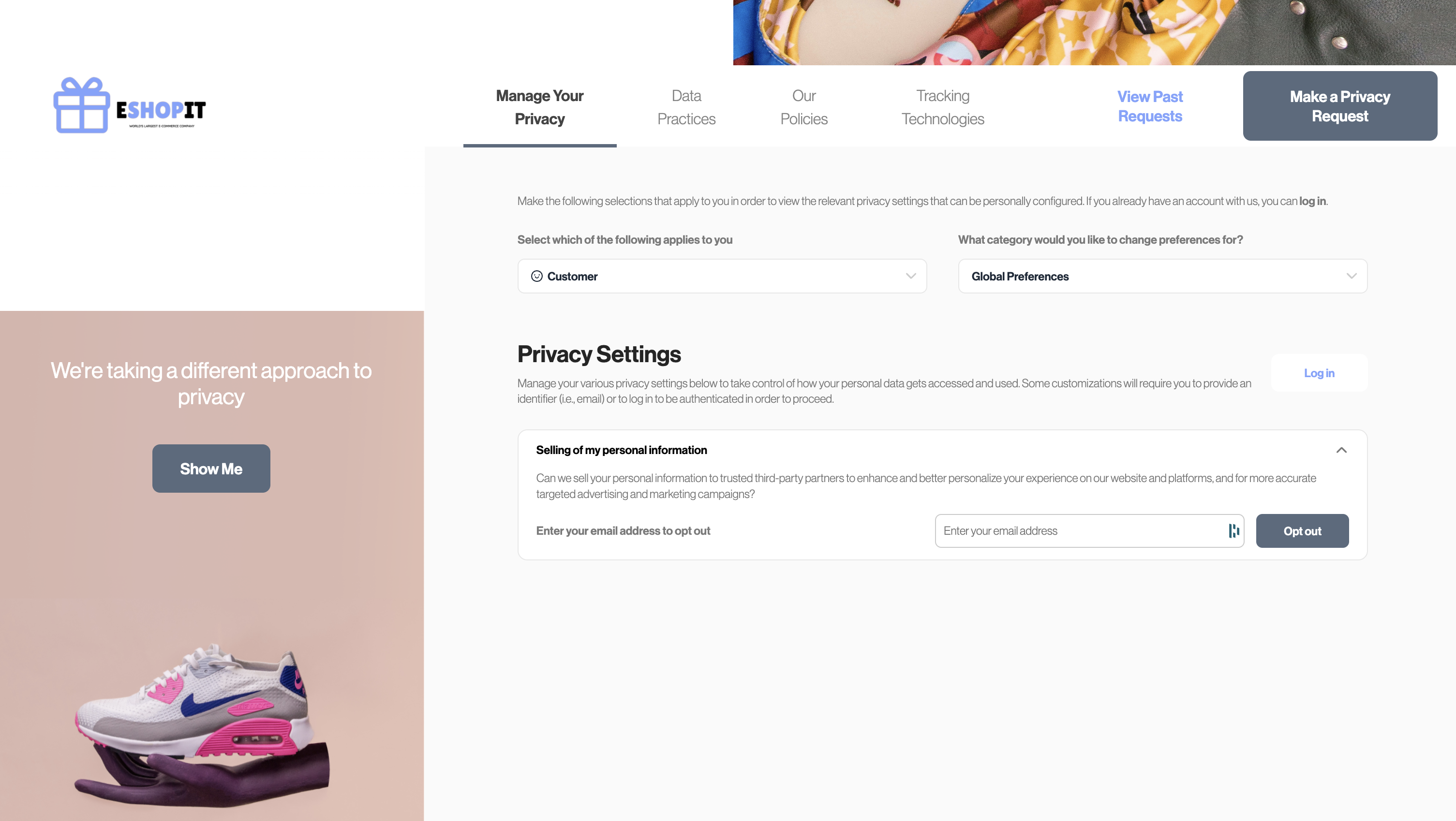
Once these steps are completed, users will see the `Manage your privacy` tab on the Privacy Center. This tab will allow users to opt-out of sale of personal information. Once a user opts out, their preference will be stored in the Preference Store and a DSR workflow will be triggered.
### Consent and Marketing Preferences [#consent-and-marketing-preferences]
In addition to DNSMPI, authenticated users can manage their consent and marketing choices on the Privacy Center. To enable this feature, update the Privacy Center configuration to include `Show Privacy Preferences`, under `Privacy Center > General Settings` on the Admin Dashboard.
#### Note [#note]
If a user is not logged-in, the consent and marketing preferences will not be stored in the Preference Store and thus will not trigger a DSR workflow. However, the user's preferences will be stored on the browser's local storage or through Transcend [XDI sync](../consent-management/reference/xdi.mdx).