# AWS EKS with Terraform (/docs/sombra/deploying/deployment-options/eks-terraform)
The [Terraform snippet](#terraform-code) below contains all the code needed to:
1. Create a new VPC in AWS
2. Create a new EKS cluster in that VPC
3. Deploy Sombra to the cluster
4. Deploy the LLM Classifier to the cluster with a GPU node pool
**Prerequisites**
Follow our [Getting Started guide](../getting-started.mdx#step-1-create-a-transcend-api-key) to get access to our container registry, and get all the environment variables you'll need when configuring Sombra.
Fill in the following values in your Terraform configuration:
- ``
- ``
- ``
- ``
- ``
- ``
- ``
If you don't need the LLM Classifier for data classification, you can save resources by changing `llm-classifier = { enabled = true }` to `llm-classifier = { enabled = false }`.
## Terraform Code [#terraform-code]
```terraform
provider "aws" {
region = "eu-west-1"
default_tags {
tags = {
# AWS Partner Revenue Measurement tag for Transcend Marketplace listing attribution
aws-apn-id = "pc:qr1idavg3tjmhbta7ff8hpvc"
}
}
}
module "vpc" {
source = "terraform-aws-modules/vpc/aws"
version = "~> 5.1.2"
name = "sombra-vpc"
cidr = "10.0.0.0/16"
azs = ["eu-west-1a", "eu-west-1b"]
private_subnets = ["10.0.101.0/24", "10.0.102.0/24"]
public_subnets = ["10.0.201.0/24", "10.0.202.0/24"]
enable_nat_gateway = true
enable_dns_hostnames = true
enable_dns_support = true
}
module "eks_cluster" {
source = "terraform-aws-modules/eks/aws"
version = "~> 20.31.6"
cluster_name = "sombra-eks-cluster"
cluster_version = "1.32"
vpc_id = module.vpc.vpc_id
subnet_ids = module.vpc.private_subnets
cluster_endpoint_public_access = true
enable_cluster_creator_admin_permissions = true
cluster_compute_config = {
enabled = true
node_pools = ["general-purpose"]
}
}
###################################################################################
# Everything below here depends on the above kubernetes cluster already existing, #
# so you may want to comment out the below resources during the first apply #
###################################################################################
provider "kubernetes" {
host = module.eks_cluster.cluster_endpoint
cluster_ca_certificate = base64decode(module.eks_cluster.cluster_certificate_authority_data)
exec {
api_version = "client.authentication.k8s.io/v1beta1"
args = ["eks", "get-token", "--cluster-name", module.eks_cluster.cluster_name]
command = "aws"
}
}
provider "helm" {
kubernetes {
host = module.eks_cluster.cluster_endpoint
cluster_ca_certificate = base64decode(module.eks_cluster.cluster_certificate_authority_data)
exec {
api_version = "client.authentication.k8s.io/v1beta1"
args = ["eks", "get-token", "--cluster-name", module.eks_cluster.cluster_name]
command = "aws"
}
}
}
resource "kubernetes_manifest" "allow_gpu_node_pool" {
manifest = {
apiVersion = "karpenter.sh/v1"
kind = "NodePool"
metadata = {
name = "default"
}
spec = {
template = {
spec = {
nodeClassRef = {
group = "eks.amazonaws.com"
kind = "NodeClass"
name = "default"
}
requirements = [
{
key = "eks.amazonaws.com/instance-gpu-manufacturer"
operator = "In"
values = ["nvidia"]
},
# The A10G GPU has been tested to work well with our LLM Classifier
{
key = "eks.amazonaws.com/instance-gpu-name"
operator = "In"
values = ["a10g"]
}
]
}
}
limits = {
cpu = "16000"
memory = "64Gi"
}
}
}
}
resource "helm_release" "sombra" {
name = "sombra-servers"
namespace = "sombra"
chart = "sombra"
create_namespace = true
repository = "https://transcend-io.github.io/helm-charts/"
version = "0.5.0"
timeout = 900 # 15 minutes for any helm operation
values = [yamlencode({
imageCredentials = {
registry = "docker.transcend.io"
username = "Transcend"
password = ""
}
replicaCount = 1
envs = [
{
name = "ORGANIZATION_URI"
value = ""
},
{
name = "SOMBRA_ID"
value = ""
},
{
name = "TRANSCEND_URL"
value = ""
},
{
name = "LLM_CLASSIFIER_URL"
value = "http://sombra-servers-llm-classifier.transcend.svc.cluster.local:6081/"
}
]
envs_as_secret = [
{
name = "SOMBRA_REVERSE_TUNNEL_API_KEY"
value = ""
},
{
name = "JWT_ECDSA_KEY"
value = ""
},
{
name = "INTERNAL_KEY_HASH"
value = ""
}
]
llm-classifier = { enabled = true }
affinity = {
nodeAffinity = {
requiredDuringSchedulingIgnoredDuringExecution = {
nodeSelectorTerms = [{
matchExpressions = [{
key = "eks.amazonaws.com/instance-gpu-manufacturer"
operator = "DoesNotExist"
}]
}]
}
}
}
})]
}
```
## Test the Transcend Ingress [#test-the-transcend-ingress]
Go to the [Sombra Gateways](https://app.transcend.io/infrastructure/sombra/sombras) page and click the "Test" button under "Test Gateway Connection" to make a GET request to the `/test` endpoint of the Sombra Gateway.
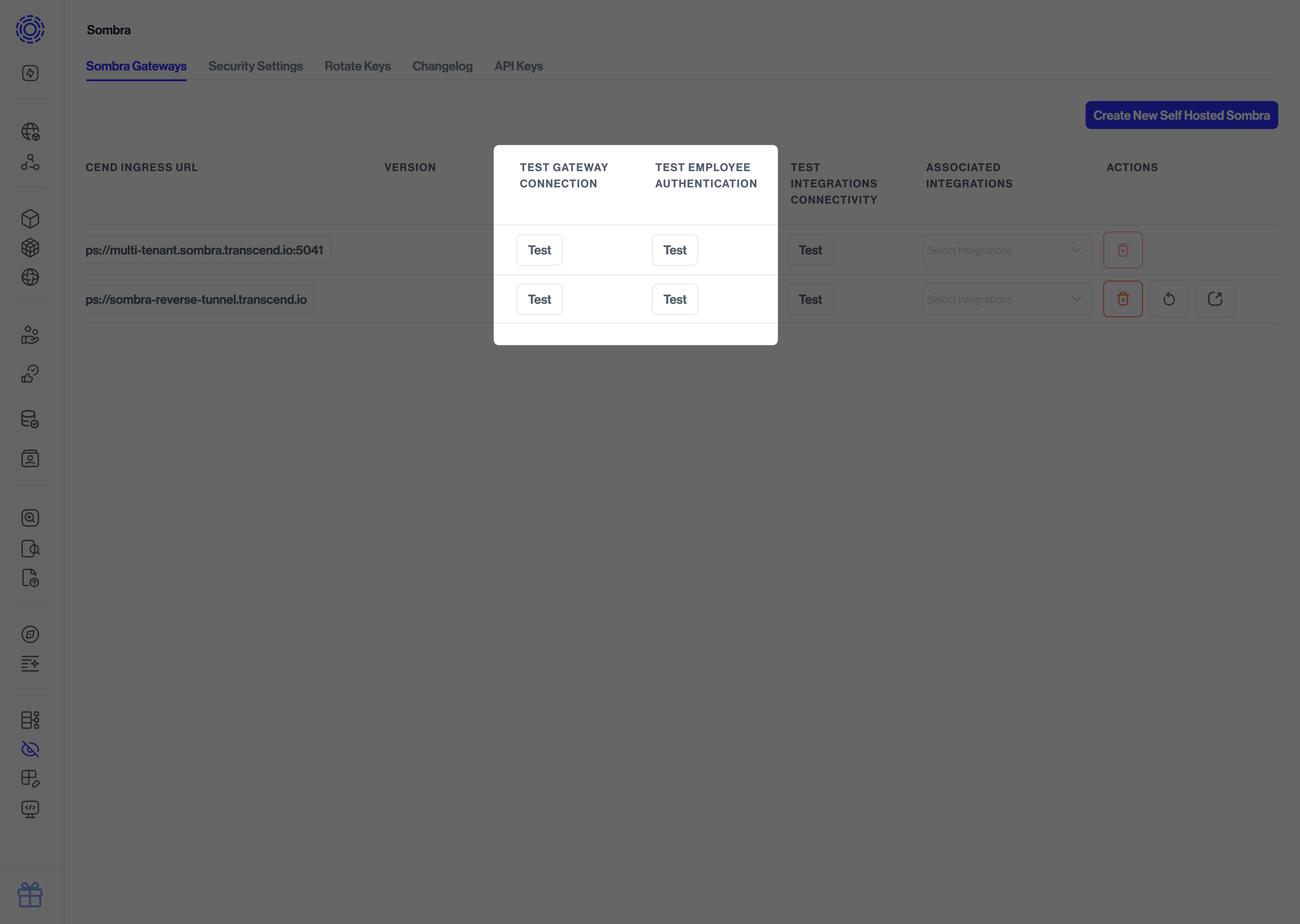
You should see a successful message if the connection is working. Congratulations on successfully deploying Sombra!