Block unknown requests
Move a site from report-only mode to Block, so airgap.js stops requests and cookies from hosts you have not approved.
After this guide, airgap.js blocks requests and cookies from every host that you have not approved. You can also turn the change off again.
This guide follows Inventory a site in report-only mode. For how the pieces fit together, see the overview. To keep these settings in a file that your team reviews, see Manage consent config as code.
Try it: a runnable example lives in the Airgap security demo in the transcend-io/examples repository.
Block can break a page
A host that is still in Triage counts as unknown. Block stops it, even when it is a tool that your site needs. Approve every host that you need before you deploy to production, and test on a test bundle first.
Before you start
- You ran the site in report-only mode and reviewed its hosts and cookies. See Inventory a site in report-only mode.
- You approved every host and cookie that the site needs. See Guide to triaging data flows and cookies.
- If your site sends its own CSP header, you added the Transcend hosts to it. See Keep an existing header CSP working.
Choose the policies
Two settings decide what happens to something that matches no data flow or cookie rule. Both live in the Advanced Settings tab.
| Dashboard option | transcend.yml value | What airgap.js does with unknown requests or cookies |
|---|---|---|
| Allow through | ALLOW | Always allows them |
| Allow with full consent | REQUIRE_FULL_CONSENT | Allows them only when the user consented to every applicable purpose |
| Block | BLOCK | Always blocks them |
- Unknown Request Policy covers network requests.
- Unknown Cookie Policy covers cookies.
Picking Block for the request policy also turns on the generated CSP in lax mode. Picking either other option turns the generated CSP off. The generated CSP and Allow through cannot run together: with a CSP on, airgap.js never allows an unknown request.
Move from report-only to Block
-
Open Consent Management → Data Flows and Consent Management → Cookies. Approve what the site needs, or mark the rest as junk.
-
In the site's airgap.js tag, remove
data-report-only="on". Leavedata-monitoring="export"in place if you want to keep checking withairgap.export(). -
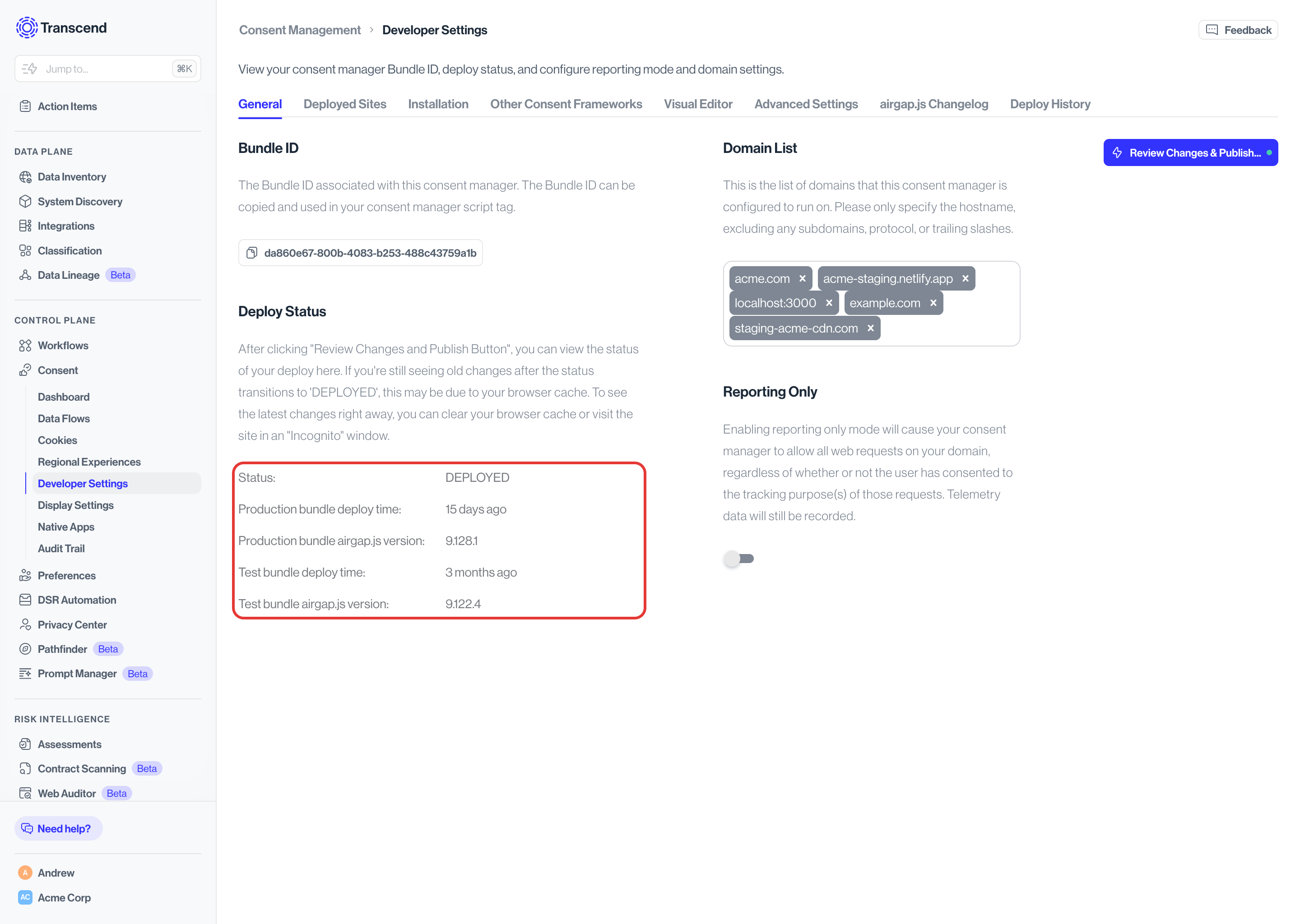
Check the Reporting Only switch in the General tab of Consent Management → Developer Settings. Turn it off. When it is on, the consent manager allows all web requests on your domain.
-
In Consent Management → Developer Settings → Advanced Settings, set Unknown Request Policy to Block. Set Unknown Cookie Policy to Block.
-
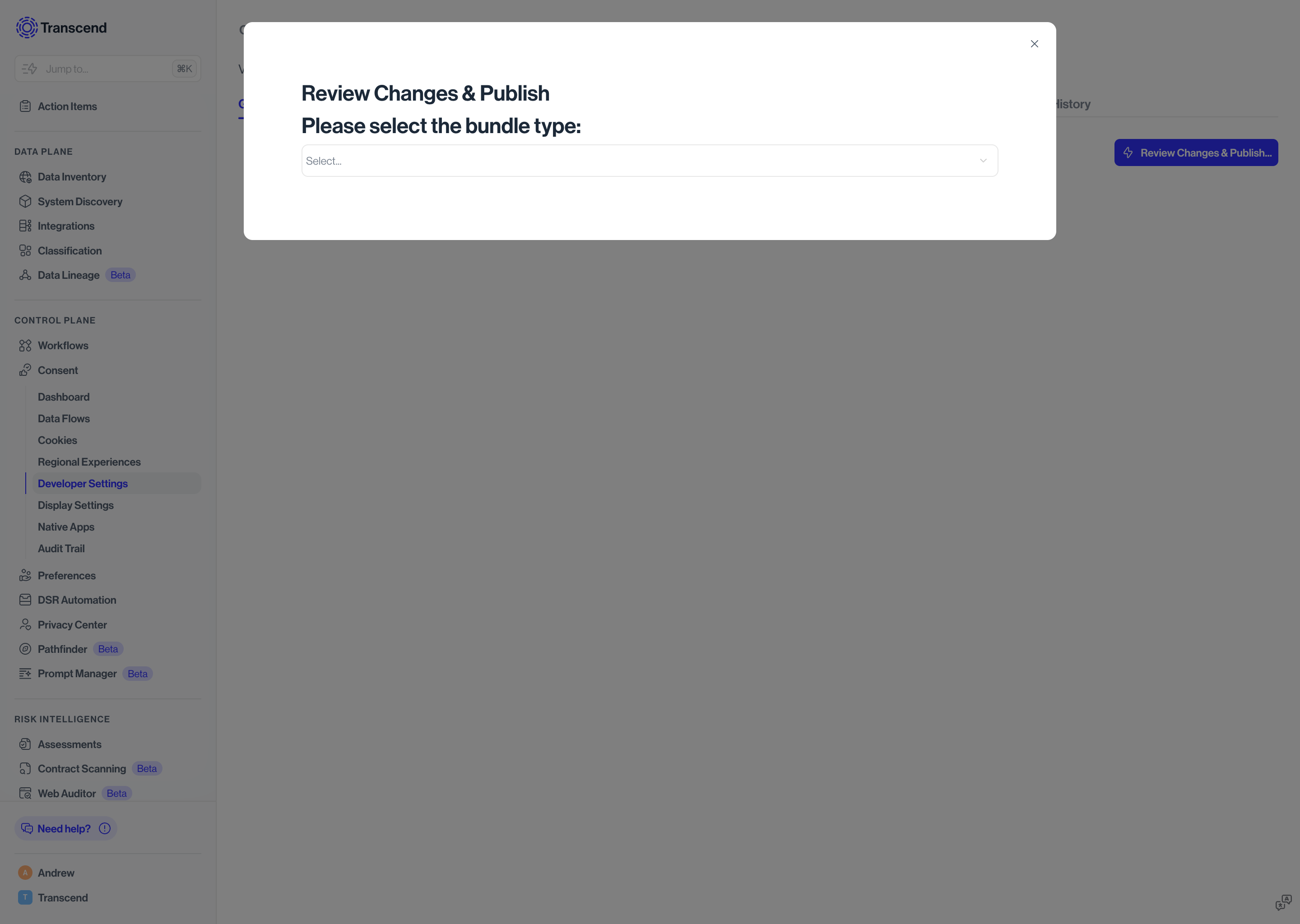
Select Review Changes & Publish..., pick the Test bundle type, and deploy. Load a staging copy of the site with the test bundle and click through the key flows. See Testing with Test Bundle.
-
Deploy to the Production bundle the same way.
To make steps 3 and 4 a reviewed change instead, set both policies in transcend.yml:
consent-manager:
  unknownRequestPolicy: BLOCK
  unknownCookiePolicy: BLOCK
Then preview, push, and deploy to the test bundle. These commands need an API key. See Manage consent config as code for the key, its scopes, and the US API URL.
transcend inventory push --file=./transcend.yml --dryRun
transcend inventory push --file=./transcend.yml
transcend consent update-consent-manager --bundleTypes=TEST --deploy
Set both policies together. In CLI 13.4.0, a push applies the cookie policy only when the file also sets the request policy.
What the generated CSP is
When the request policy is Block, airgap.js adds one Content Security Policy (CSP) to the page. It is a <meta> tag in the <head> with a single default-src directive. It looks like this:
<meta
  http-equiv="Content-Security-Policy"
  content="default-src airgap://test 'self' data: blob: cdn.example-vendor.com *.cdn.example-vendor.com 'unsafe-inline' 'unsafe-eval';"
/>
The hosts in your tag differ. The list holds:
'self',data:, andblob:.- The hosts of your approved data flows. Lax mode adds each host's subdomains too.
'unsafe-inline'and'unsafe-eval', so existing site code keeps working.airgap://test, a marker that airgap.js adds so it can tell its own violations from other CSPs.
Because the rule is default-src, it covers every request type that falls back to it, such as images, styles, and scripts. airgap.js sees most requests at runtime. The CSP is the backstop for requests it does not see directly, such as CSS and SVG subresources.
The generated CSP has limits:
- It has no rule for navigations or form targets. See Turn on navigation control.
- It allows inline scripts and
eval. It does not replace a nonce-based or hash-basedscript-srcin your header. - Browsers ignore some directives in a
<meta>CSP, such asframe-ancestorsandreport-uri. Send those in a header.
For the full list of limits, see the overview.
Choose lax or strict
| Mode | Tag attribute | What the CSP allows | When consent changes |
|---|---|---|---|
| Lax (default) | data-csp="allow-known-hosts allow-subdomains" | Every host in your data flows, and its subdomains | Takes effect with no page refresh |
| Strict | data-csp="strict" | Only the hosts that the user consented to | airgap.js refreshes the page |
Start with lax. It blocks hosts that you have never reviewed, and airgap.js still applies consent at runtime.
Use strict when you need the browser to enforce consent as well, for example for CSS and SVG subresources. The dashboard sets lax when you pick Block, so add strict on the tag:
<script
  data-cfasync="false"
  src="https://transcend-cdn.com/cm/<your-bundle-id>/airgap.js"
  data-csp="strict"
></script>
Keep an existing header CSP working
A browser enforces every CSP on a page. A request must pass your header CSP and the generated CSP. Add these hosts to your header:
| Host | Why |
|---|---|
https://transcend-cdn.com | Loads airgap.js and its modules |
https://telemetry.transcend.io | Telemetry for EU-hosted organizations |
https://telemetry.us.transcend.io | Telemetry for US-hosted organizations |
https://cdn.transcend.io | Older CDN host. Add it if your snippet uses it |
For example, a header can name them in script-src and connect-src:
Content-Security-Policy: script-src 'self' https://transcend-cdn.com; connect-src 'self' https://telemetry.transcend.ioCheck the Installation tab to see which CDN host your snippet uses. See Integrating with an existing CSP.
Without these hosts, telemetry stops
If your header blocks the telemetry host, new hosts never reach Triage, and you lose the view of what Block stopped.
Turn on navigation control
Navigation control is off by default. Without it, a script on an approved host can still send data away by changing location to another site. The generated CSP has no rule for that.
- Add
data-regulate-navigation="report-only"to the tag. airgap.js lists navigations in telemetry and changes nothing. - Check Triage for the places users go.
- Change the value to
on. airgap.js now treats a navigation like a request. It cancels a navigation to an unknown host.
<script
  data-cfasync="false"
  src="https://transcend-cdn.com/cm/<your-bundle-id>/airgap.js"
  data-regulate-navigation="on"
></script>
Most coverage needs the Navigation API. Without it, navigation control covers only form submissions and window.open(). See Navigation control.
See what airgap.js stopped
airgap.js reports hosts to telemetry, so a new host appears in Triage. See Find the hosts in Triage.
The browser reports CSP violations too. airgap.js listens for the browser's securitypolicyviolation event and sends the blocked host to telemetry. It marks the host as a violation only when the generated CSP caused it. A violation from your own header CSP is reported without that mark.
The CSP catches what the runtime does not see, such as a stylesheet that loads an image from an unknown host. In the browser, the Network tab shows no request to a blocked host.
To learn more about what telemetry reports, see Telemetry configuration.
Test that a request is blocked
A blocked fetch never settles
When airgap.js blocks a fetch, the call returns a promise that stays pending. It does not reject. airgap.js resolves it only if the request is allowed later. Code that waits on it waits forever.
In a test, add a timeout. Treat a timeout as "blocked":
const outcome = await Promise.race([
  fetch('https://unapproved.example.com/data').then(() => 'allowed'),
  new Promise((resolve) => setTimeout(() => resolve('blocked'), 3000)),
]);
console.log(outcome); // "blocked"
Roll back
Choose the way that fits how fast you need to act.
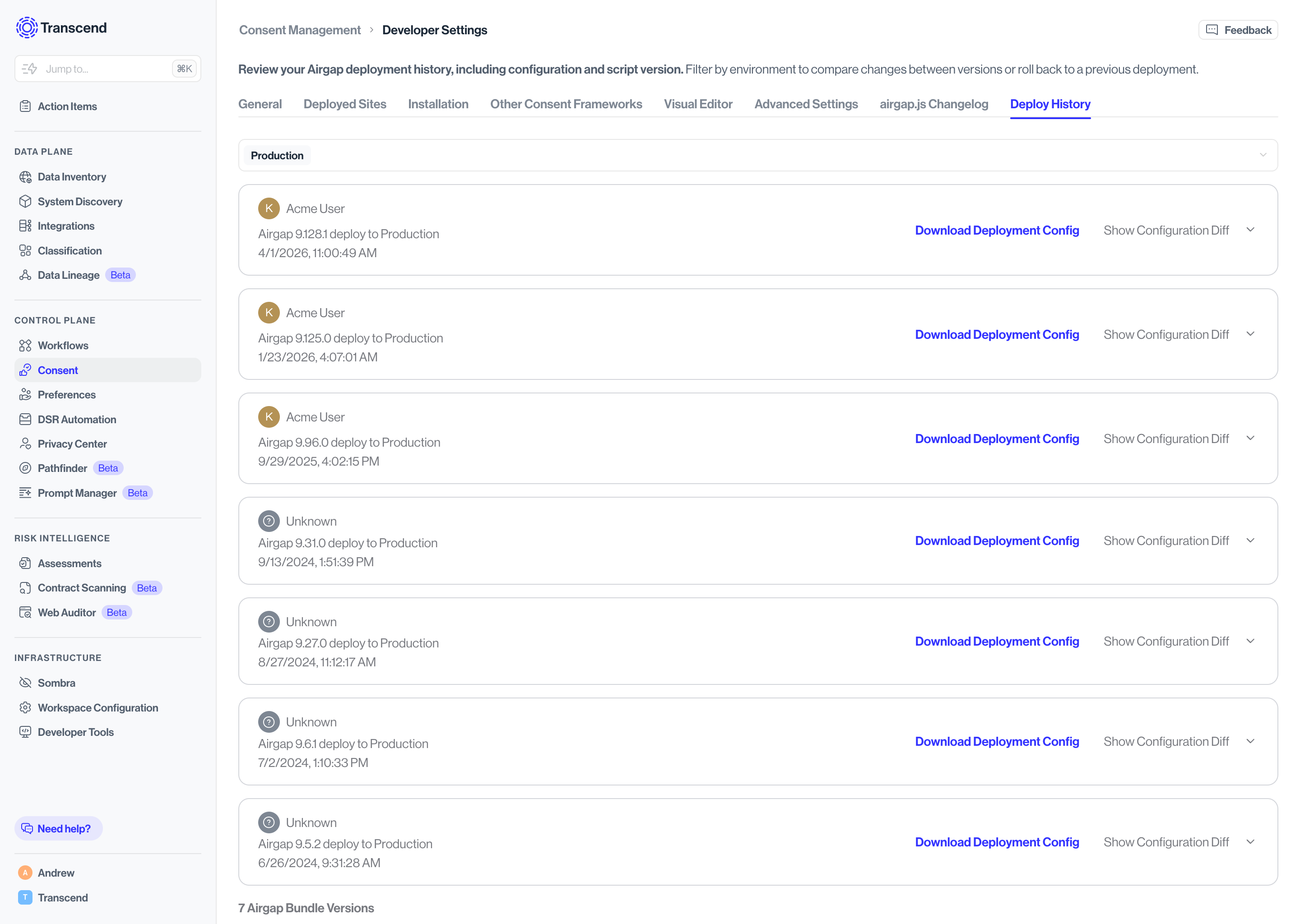
Roll back the deployed bundle. Open Consent Management → Developer Settings → Deploy History. Select Rollback under the deployment to restore. Changes that are staged in the Admin Dashboard stay in place. See Rollback airgap bundle versions.
Set the policies back to Allow.
-
In
transcend.yml, set both policies toALLOW. Or set both to Allow through in Advanced Settings.consent-manager: unknownRequestPolicy: ALLOW unknownCookiePolicy: ALLOW -
Push the file. Skip this step if you used the dashboard.
transcend inventory push --file=./transcend.yml -
Deploy to the test bundle and then to the production bundle.
transcend consent update-consent-manager --bundleTypes=TEST --deploy
transcend consent update-consent-manager --bundleTypes=PRODUCTION --deploy
In the dashboard, select Review Changes & Publish... and then Deploy Changes.
Setting the request policy to Allow through also turns the generated CSP off.
A push does not deploy
A push stages your change. Visitors see it only after a deploy. Until then, Block stays on.
Report only on one site. Add data-report-only="on" to that site's tag and ship the page. This turns off blocking for that site only.
Next steps
- Keep the policies in a reviewed file. See Manage consent config as code.
- Go back to the first step. See Inventory a site in report-only mode.
- Read how the controls fit together. See the overview.