Manage consent config as code
Pull your Consent Management settings into a transcend.yml file, preview changes, push them, and deploy with the Transcend CLI or an MCP server.
After this guide, your Consent Management settings live in a transcend.yml file. Your team can review a change, preview it, push it, and deploy it.
Try it: a runnable example lives in the Airgap security demo in the transcend-io/examples repository.
Versions checked
The commands on this page match @transcend-io/cli 13.4.1, @transcend-io/mcp-server-config 0.2.0, and @transcend-io/mcp-server-consent 1.6.0.
Before you start
-
Install the Transcend CLI.
npm install --global @transcend-io/cli -
Create an API key in Developer Tools → API Keys. See Authentication for the steps.
-
Give the key the scopes for the resources in your file.
Resource in the file Scope for a push consent-manager,partitionsManage Consent Manager Developer Settings data-flows,cookiesManage Data Flows purposesManage Consent Manager and Manage Preference Store Settings consent-sitesManage Consent Manager Deploy a bundle Deploy Consent Manager (or Manage Consent Manager) A pull and a dry run need view access to every resource in the file. See Scopes and permissions.
-
Set the key and your region in your shell. Never commit the key.
export TRANSCEND_API_KEY=<your-api-key>
# Only if your organization is hosted in the US. The EU API is the default.
export TRANSCEND_API_URL=https://api.us.transcend.io
| Hosting | API URL |
|---|---|
| EU | https://api.transcend.io |
| US | https://api.us.transcend.io |
The CLI uses the EU URL when you set nothing. For EU hosting you do not need TRANSCEND_API_URL or --transcendUrl. For US hosting, set the variable or pass --transcendUrl=https://api.us.transcend.io on each command.
Pull your current settings
Name the consent resources. The default pull does not include them.
transcend inventory pull \
  --resources=consentManager,purposes,dataFlows,cookies,consentSites \
  --file=./transcend.yml
Commit the file to Git. This gives you a baseline to diff against.
Edit the file
Add what you want to change. This example sets the unknown request and cookie policies to block, lists the site hosts, approves one data flow, and names the site owner.
consent-manager:
  unknownRequestPolicy: BLOCK
  unknownCookiePolicy: BLOCK
  domains:
    - example.com
    - app.example.com
data-flows:
  - value: cdn.example-vendor.com
    type: HOST
    description: Script host for the example vendor.
    trackingPurposes:
      - Analytics
    status: LIVE
consent-sites:
  - host: app.example.com
    site: Example app
    description: Customer dashboard.
    owners:
      - owner@example.com
Five rules keep the file safe:
- Transcend trims each
domainsentry to its site plus at most one subdomain, and drops a leadingwww.. It saveswww.example.comasexample.com. Write the trimmed form so a later pull shows no diff. - Set
unknownRequestPolicyandunknownCookiePolicytogether. In CLI 13.4.0, a push applies the cookie policy only when the file also sets the request policy. - A field that you leave out is not changed. A field that you include overwrites changes made in the Admin Dashboard.
- A push does not delete or rename resources.
- Do not rely on a push to set
default-consenton a purpose. See What a push does not do.
Preview the change
transcend inventory push --file=./transcend.yml --dryRunA dry run reads your current state and compares it with the file. It lists what the push would create, update, and delete. It changes nothing. Add --json for output that scripts can read.
In CI, run the dry run on every pull request. Run the real push after merge.
Push the change
transcend inventory push --file=./transcend.ymlWhat a push does not do
A push does not deploy
A push stages your changes. Visitors see them only after you deploy a bundle. See Deploy the bundle.
A push replaces the whole domains list
The domains list in consent-manager replaces the list in your organization. A domain that is missing from the file is removed. The API rejects an empty list. Always start from a fresh pull.
default-consent on a purpose is ignored
A push never writes default-consent on a purpose, and it gives no warning. A pull does read the value. Set the default in Consent Management → Regional Experiences → Purposes.
Deploy the bundle
Deploy to the test bundle first. Check it. Then deploy to production. See Testing with Test Bundle.
In the Admin Dashboard, select Review Changes & Publish..., pick the bundle type, and then select Deploy Changes.
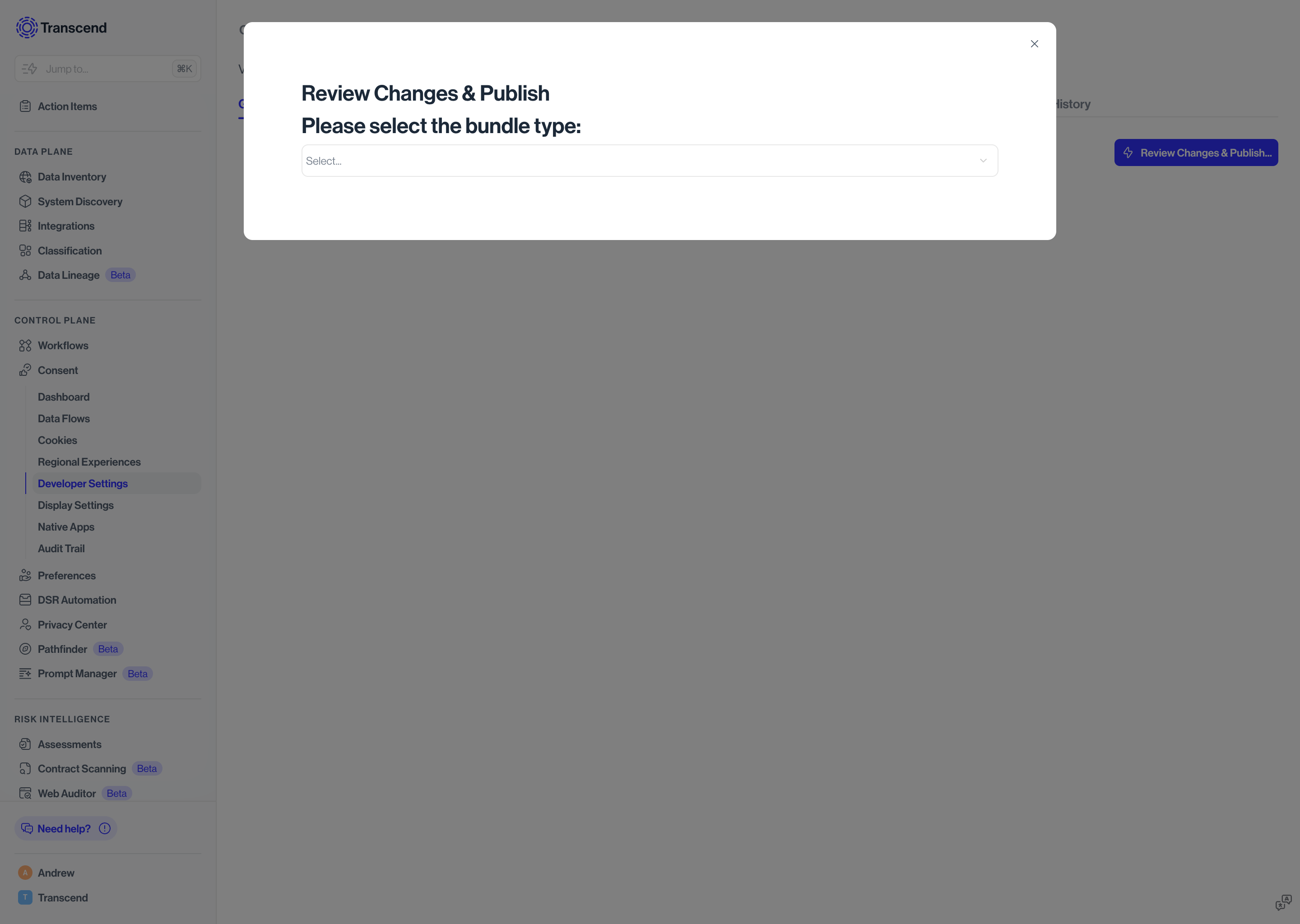
Or use the CLI:
transcend consent update-consent-manager --bundleTypes=TEST --deploy
transcend consent update-consent-manager --bundleTypes=PRODUCTION --deploy
The CLI also upgrades airgap.js
This command always updates the bundle to the latest airgap.js version before it deploys. Plan for that upgrade when you deploy to production.
To confirm the deploy, open Consent Management → Developer Settings → Deploy History. To undo one, see Roll back bundle versions.
Use an MCP server instead
Two Model Context Protocol (MCP) servers cover the same steps. Both run on your machine and sign in through OAuth. You can use an API key instead. See MCP servers.
| Server | Tools for this guide |
|---|---|
@transcend-io/mcp-server-config | config_pull, config_diff, config_preview_push, config_push, config_get_schema |
@transcend-io/mcp-server-consent | consent_write_consent_manager, consent_write_sites, consent_list_data_flows, consent_bulk_triage, consent_preview_deploy, consent_deploy_bundle (environment TEST or PRODUCTION) |
config_diff and config_preview_push are read-only previews, like a dry run. config_push asks you to confirm with a change summary. Run a preview first and review the file diff in Git before you approve a push. The push rules above apply to it too.
consent_preview_deploy shows what a deploy changes. consent_deploy_bundle asks you to confirm before it deploys.
Next steps
- Inventory a site first. See Inventory a site in report-only mode.
- Turn on blocking. See Block unknown requests.