Agentic Assist
Agentic Assist is an AI assistant in Transcend that automates routine compliance work, from drafting assessments to triaging cookies. It's grounded in your data, follows your policies, and only takes actions you've explicitly approved.
Agentic Assist works through skills. Each skill is a focused capability that automates a specific type of compliance work.
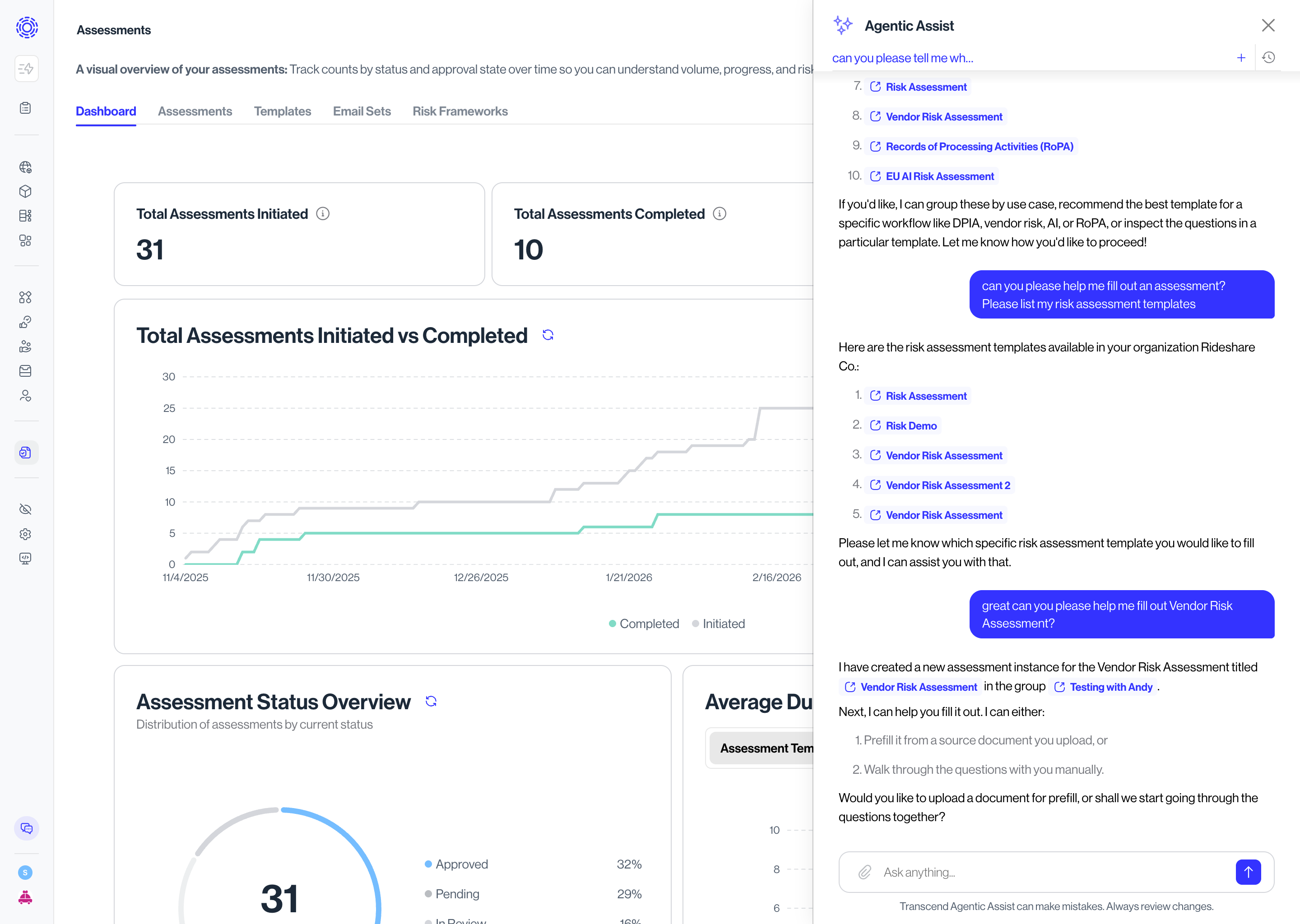
Available today
- Assessments — Drafts answers to assessment questions based on information you provide. You review the AI's drafts before anything is finalized or shared.
- Consent: Triage — Reviews new cookies and trackers detected on your sites and proposes categorizations and consent treatment for your review.
How it works
You don't need to be technical to use Agentic Assist. The flow is:
- You ask, or the system suggests. You can ask Agentic Assist to take on a task ("draft answers to this vendor assessment").
- The AI uses your data. Agentic Assist pulls context from within your Transcend instance. Its output reflects how your organization actually operates.
- You review before anything is finalized. Every AI-generated output is presented as a draft. You decide what to accept, edit, or reject.
- Nothing consequential happens without approval. Agentic Assist doesn't submit, send, or change anything externally without explicit human sign-off.
Single-tenant isolation
Agentic Assist runs on a per-customer basis. Your AI assistant only sees your organization's data. There is no shared model that learns across tenants.
Killswitch & Human in the loop by default
Administrators can disable Agentic Assist for the entire organization, instantly, at any time. If something goes wrong, or you want to pause AI activity for any reason, you have a hard stop available.
Agentic Assist proposes; humans dispose. Outputs that affect compliance posture or external-facing artifacts always require human approval before they take effect.
User scopes
Access to Agentic Assist follows the same role-based access controls as the rest of Transcend. You can grant or revoke AI capabilities per user or per team and restrict which skills specific users can access ,only assigning scopes for tools that you want individuals to have access to in Agentic Assist. Only Full Admins can enable Agentic Assist in Administration.
Enabling Agentic Assist
To turn Agentic Assist on, a full admin in Transcend navigates to Administration → AI Settings and toggles on Enable AI for Organization. Note that only users with the full admin role can opt in to Agentic Assist. Full admins can toggle Agentic Assist off from the same screen at any time.
Frequently asked questions
Does Agentic Assist train on my data? No. Your data is not used to train shared models. Agentic Assist uses your data only to complete your work, in a single-tenant configuration.
What AI providers does Transcend use? We use established enterprise AI providers under contracts that prohibit training on your data.
Can the AI take actions on my behalf? Only with human approval. Agentic Assist generates drafts and recommendations; a human user must accept those before they take effect.