Configure Email Settings for the Privacy Center
Set the sender name, address prefix, reply-to address, and domain for the emails your Privacy Center sends.
After you finish this guide, Privacy Center emails use the sender name, address, reply-to address, and domain that you choose. This is an optional step of Configuring the Privacy Center.
This diagram labels the fields that you can configure in Email Settings:
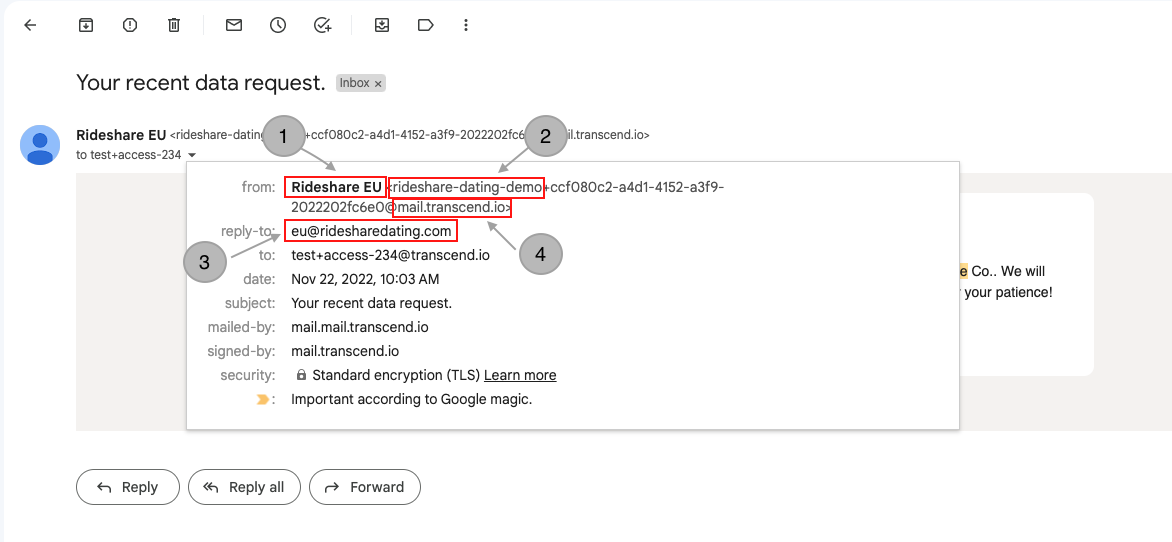
| Location in diagram | Field name | What it controls |
|---|---|---|
| 1 | Email alias | The sender name visible in email clients |
| 2 | Email prefix | The local portion of the email address, prefixes the unique ID used for reliably tracing email replies. This is only configurable when custom Email Domains are configured |
| 3 | Reply to | The email address that will be used when the end-user replies to this email |
| 4 | Email domain | The domain from which the email is sent |
These fields are configurable in two ways:
Global Configuration
This configuration is static across all DSRs and preferences, and is split between two pages: Email Settings and Email Domains.
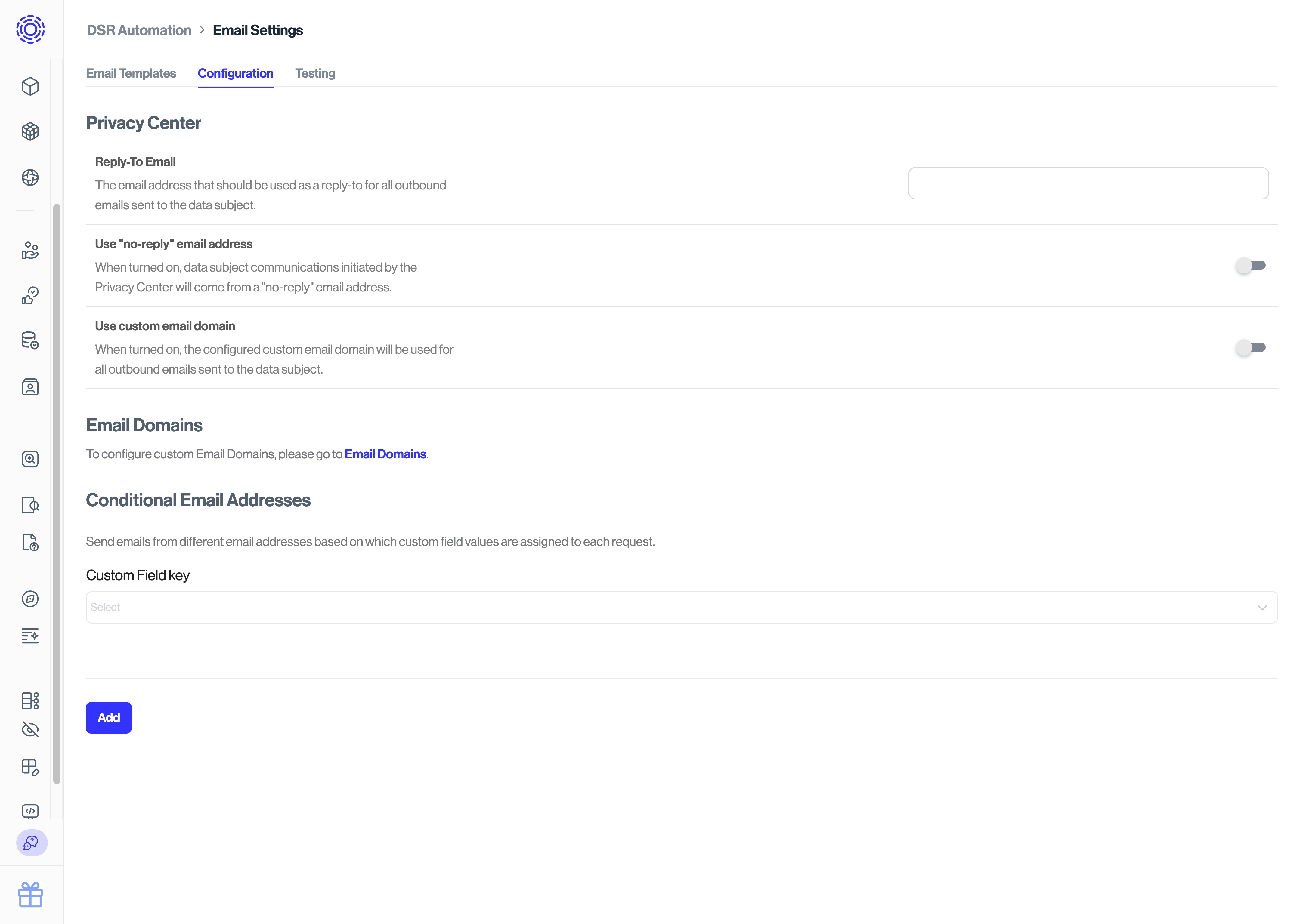
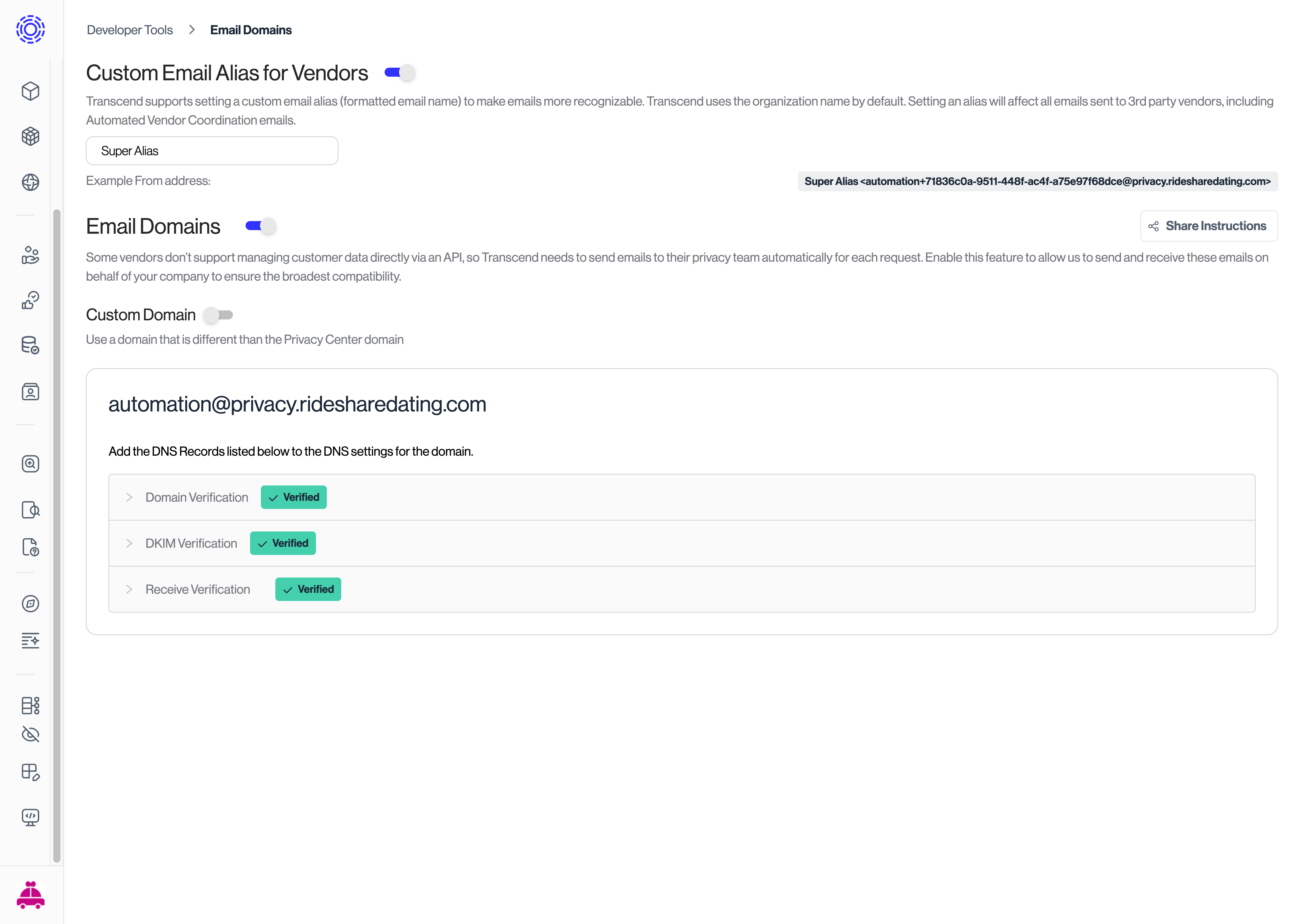
The Privacy Center section of the Configuration tab has Reply-To Email, Use "no-reply" email address, and Use custom email domain. Email Prefix appears when Use custom email domain is on. To set up a custom email domain, see DNS Record Configurations.
The global configuration has no email alias field. When no conditional configuration sets an alias, Transcend uses your Meta title text. If there is no Meta title message, the alias is "<your organization name>" Privacy Center.
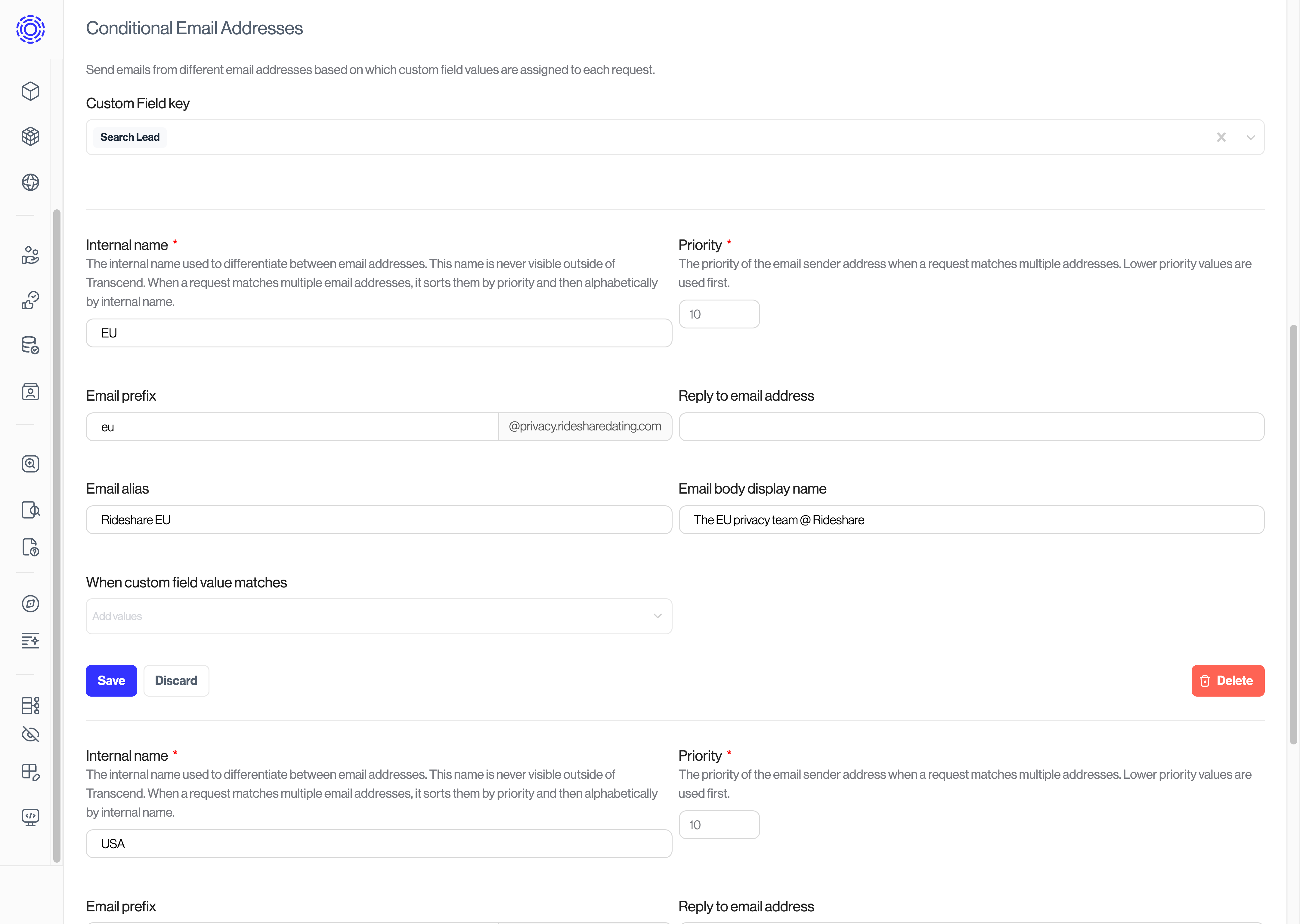
Conditional Configuration
Based on the custom field values assigned to each request, Transcend uses the closest-matching conditional email address configuration when sending Privacy Center emails.
Each conditional configuration has its own Email prefix, Reply to email address, and Email alias. When Reply to email address is set, it replaces the global Reply-To Email for matching requests.
Conditional configurations have one additional field: Email body display name. This field populates a special template variable which can be used in Email Templates as {{ prettySenderName }}. This is most often used when conditionally configuring emails to be sent from teams within your organization. When no conditional configuration matches, {{ prettySenderName }} is the email alias.
Conditional configurations take priority over the Global configuration when any custom field values match. If multiple configurations match a request, then the configuration with the highest number of matching custom field values is used, otherwise the lower priority is used, otherwise the first one alphabetically by internal name is used.