Custom Functions Technical Overview
Custom Functions are serverless TypeScript functions that execute on Sombra™ as part of a workflow. Transcend manages the function runtime; self-hosted Sombra still requires the normal gateway infrastructure and operations. Common use cases include:
- Custom DSR integrations for enrichment and processing
- Integration with task management platforms, such as ServiceNow or Zendesk
- Inbound syncs to Transcend Preference Store from a third party, such as Braze or Algonomy
Note: Custom Functions require single-tenant Sombra. You select your gateway when creating the function.
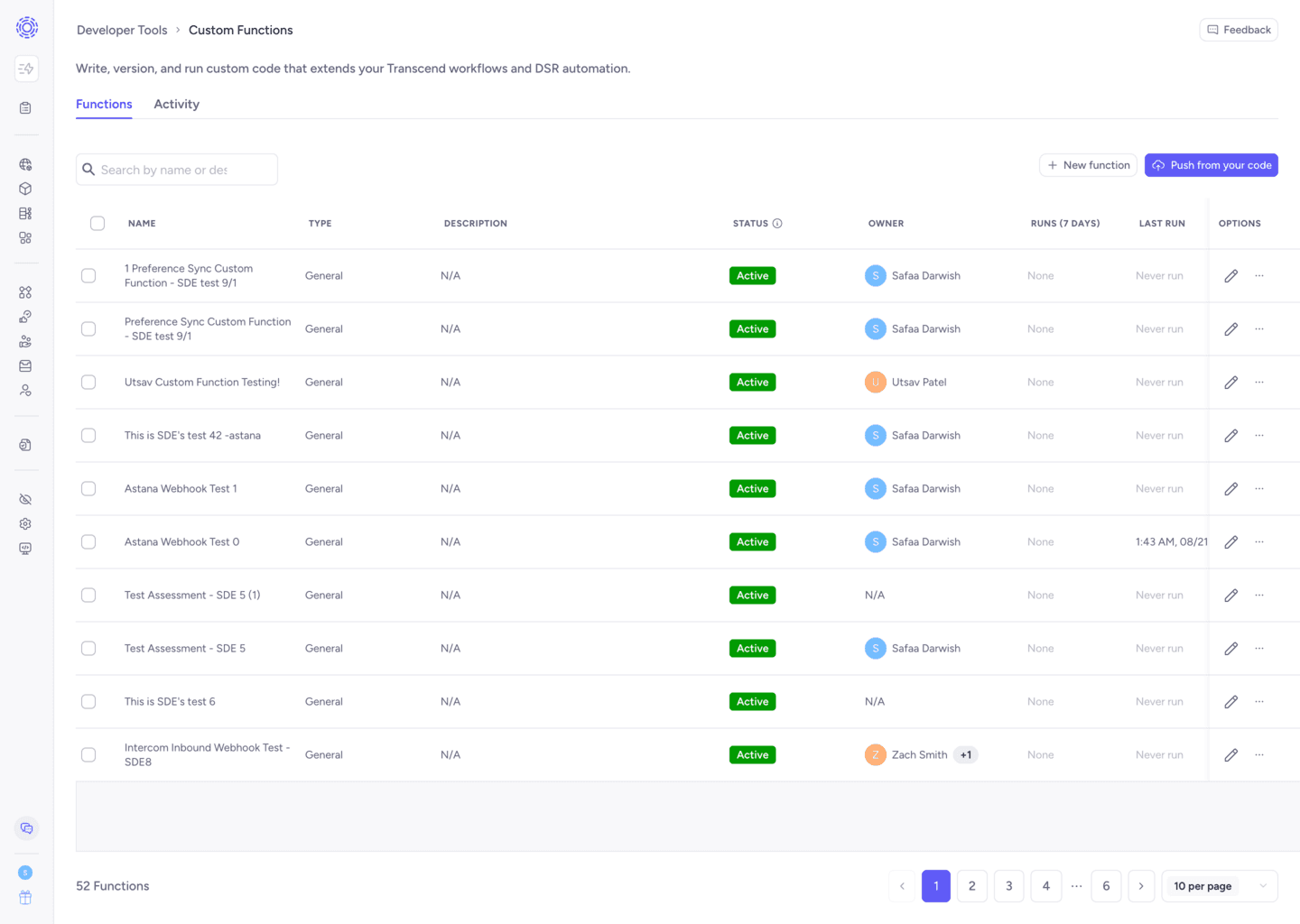
Custom Functions are written in TypeScript and execute in a Deno 2 runtime. Each invocation starts a new Deno subprocess with restricted permissions. This example shows a General function:
// deno-lint-ignore require-await
export default async function customFunction({
  payload,
}: CustomFunction.GeneralArgument): Promise<void> {
  console.info('Payload keys:', Object.keys(payload));
}- General functions and DSR data-point processing use the default export. DSR preflight checks call a named
enricherexport, which a preflight-only function may expose without a default export.- You can also write code outside of the main function—the whole file will be executed.
- The selected export must be callable. It may be named or anonymous, synchronous or asynchronous, as long as it returns
voidorPromise<void>.
- Third-party modules are available only when enabled for both the function and Sombra, and they must be compatible with the sandbox permissions.
Deno has broad support for Web APIs, including fetch. We recommend using fetch to make calls to your services.
const username = 'john.doe';
const response = await fetch(
  `https://api.example.com/v1/users?username=${encodeURIComponent(username)}`,
  {
    method: 'GET',
    headers: {
      Authorization: `Bearer ${environment.API_KEY}`,
    },
  },
);

if (!response.ok) {
  throw new Error(
    `Failed to get user (${response.status}): ${await response.text()}`,
  );
}

const user = await response.json();
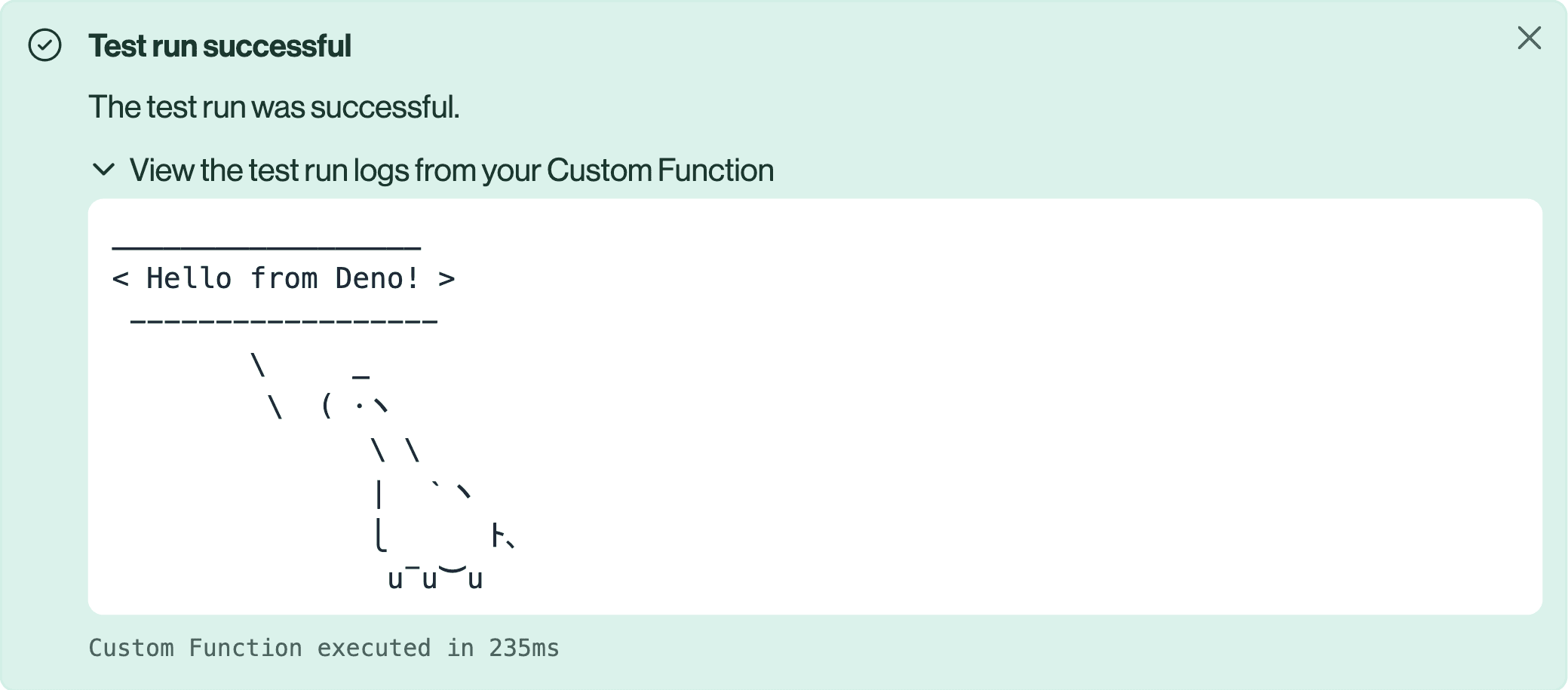
console.info('Retrieved user:', user.id);When third-party imports are enabled, you can import modules from a remote registry. In a CLI manifest, set allow-third-party-imports: true. Sombra must also enable third-party imports globally. Deno downloads compatible modules on first use and caches them for later runs. See Deno's module documentation for details.
import { say } from 'jsr:@morinokami/deno-says/say';

// deno-lint-ignore require-await
export default async function customFunction(): Promise<void> {
  say('Hello from Deno!');
}
The Custom Function editor supports IntelliSense, which will show you the Custom Function argument types, return types, and the globals available in the Deno runtime.
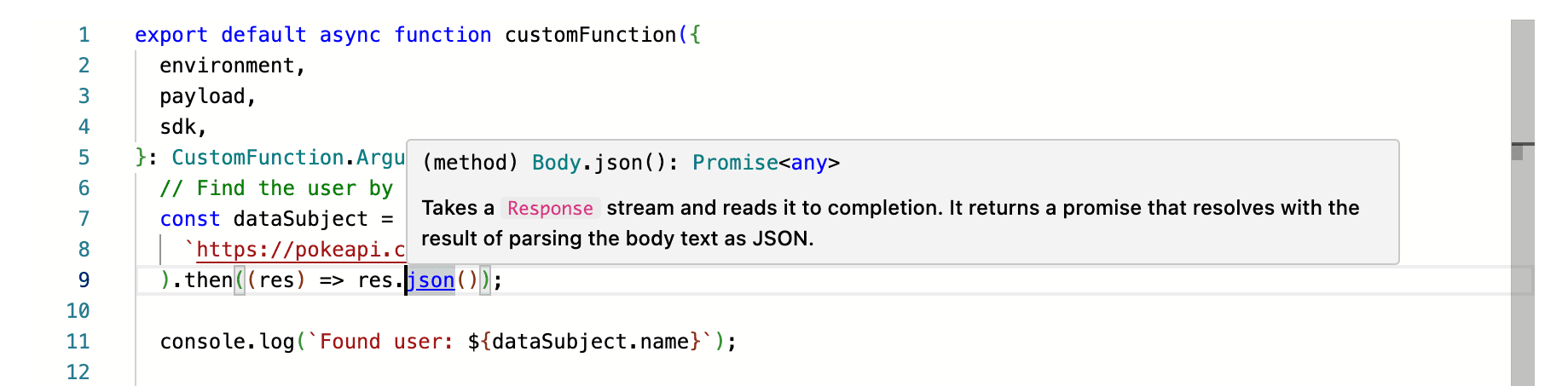
There are four arguments to your Custom Function:
environment: The configured environment variables available to this invocation. Store credentials as secret variables in the Environment Variables tab rather than in source code.payload: The workflow input. General functions receive trigger-defined, free-form JSON pluscoreIdentifier. A DSR default export receives the New Privacy Request Job request body, while anenricherexport receives the preflight webhook shape. Use the matching argument type for IntelliSense.sdk: A wrapper for Sombra customer-ingress requests. It supplies the customer-ingress base URL, internal Custom Function authorization, and workflow nonce. Transcend platform API endpoints still require the appropriate bearer token in your request headers.kv: A string key-value interface. Persistent changes are supported for DSR functions; Rules Automation runs do not persist key-value changes.
For access, erasure, and multi-action DSR handling, see Custom Function Usecase Guide.
Use the Environment Variables tab for static configuration and credentials such as API keys. Values configured as secrets are write-only in the dashboard.
Environment-variable values are encrypted before storage and injected into the selected Sombra runtime for execution. Do not store secret values in Custom Function source code.
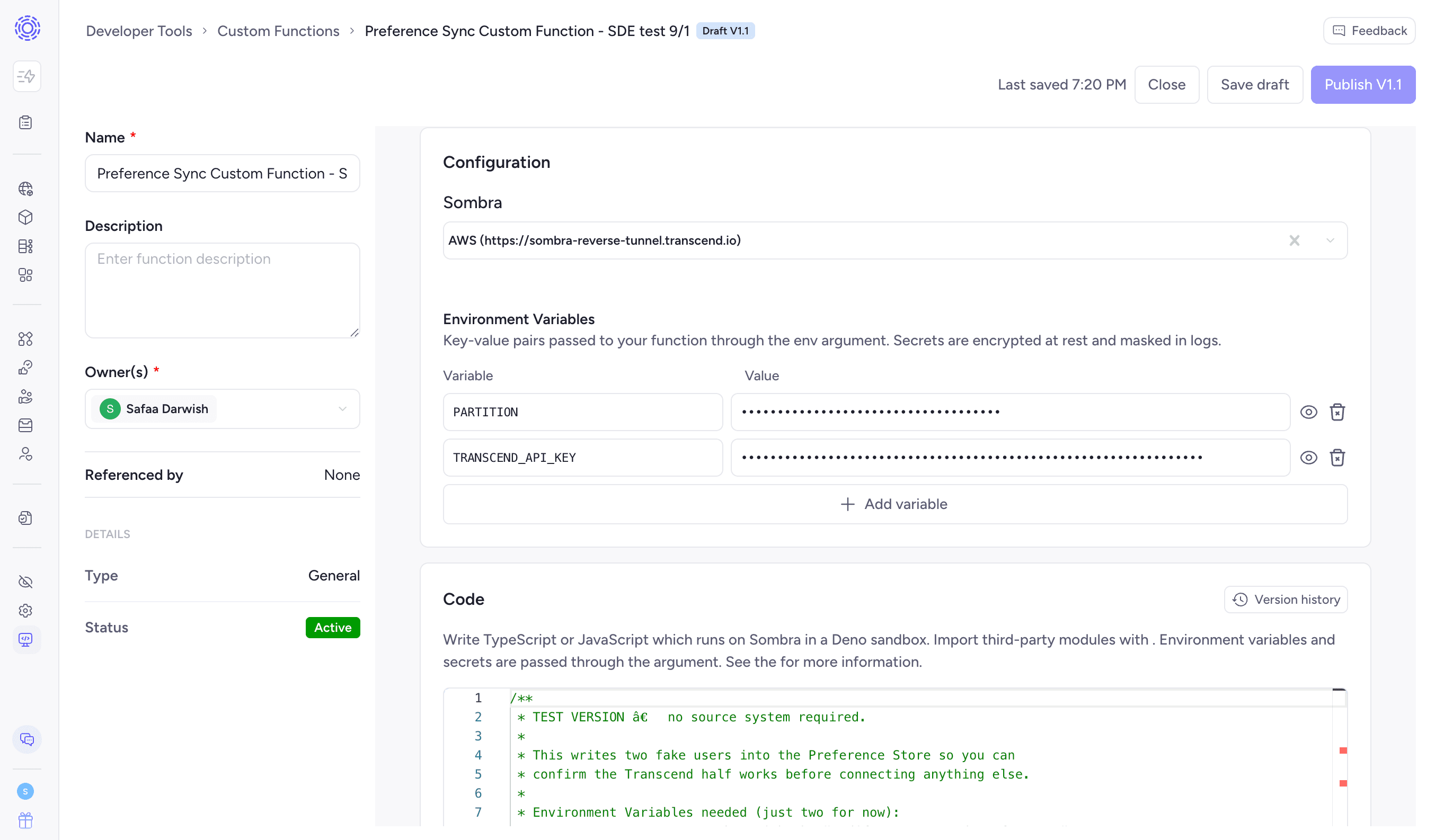
Environment variables are accessible through the environment argument to a Custom Function.
export default async function customFunction({
  environment,
}: CustomFunction.Argument): Promise<void> {
  const response = await fetch('https://api.example.com/opt-out', {
    method: 'POST',
    headers: {
      'Content-Type': 'application/json',
      Authorization: `Bearer ${environment.API_KEY}`,
    },
    body: JSON.stringify({ key: 'value' }),
  });

  if (!response.ok) {
    throw new Error(
      `Opt-out failed (${response.status}): ${await response.text()}`,
    );
  }
}
Environment variables are also loaded onto the process.env object, but this is only intended for third-party modules such as SDKs which read from process.env. In your own code, we recommend you only access these values through the environment argument, and not via process.env (or Deno.env.get()).
- Environment variables are static and cannot be updated by the function. DSR functions can use the Key-Value Store for dynamic values that must persist across runs.
- Environment variable names:
- May start with a letter or underscore and may otherwise contain letters, digits, and underscores. Use CONSTANT_CASE by convention. Environment-variable names are case-sensitive.
- Special environment variable names are reserved:
DENO_*,HTTP_PROXY,HTTPS_PROXY,NPM_CONFIG_REGISTRY,NO_COLOR,NO_PROXY, andNODE_EXTRA_CA_CERTSare reserved by the Custom Function runtime and cannot be configured as user variables.- Deno itself also defines special environment variables for the runtime.
- Accessing environment variables:
- You cannot access Sombra's system environment variables. You can only access the environment variables you've defined in the Environment Variables tab.
- Using the
environmentargument (recommended): You can access all the environment variables you've defined in the Environment Variables tab via theenvironmentargument, and you can access specific environment variables throughenvironment.YOUR_ENV_VAR_NAME. - Using
process.envorDeno.env(not recommended):- Environment variable access is restricted to those set in the Environment Variables tab.
- You cannot access a specific environment variable which is not defined in your Environment Variables tab. Calling
process.env.UNAVAILABLE_ENV_VAR_NAMEorDeno.env.get('UNAVAILABLE_ENV_VAR_NAME')will throw aNotCapableerror. - You cannot list all environment variables (e.g.,
console.log(process.env)orDeno.env.toObject()); doing so will throw aNotCapableerror. - You can access a specific environment variable which is defined in your Environment Variables tab through
process.env.YOUR_ENV_VAR_NAMEorDeno.env.get('YOUR_ENV_VAR_NAME').
Log redaction is defense in depth, not a guarantee. Never log the
environmentobject, credentials, or personal data.
DSR Custom Functions can use a key-value (KV) store to persist strings such as OAuth refresh tokens across runs. Rules Automation runs receive the same interface for compatibility, but changes from those runs are not persisted.
export default async function customFunction({
  kv,
}: CustomFunction.Argument): Promise<void> {
  const value = await kv.get('last_run_time');
  console.info('Previous run time:', value);

  await kv.set('last_run_time', new Date().toISOString());
}- The Key-Value store can only hold string values.
- There is a limit of 2048 characters allowed for each value in the store. In addition, we allow storing a maximum of 128 keys, with each key limited to 128 characters in length.
- Custom Functions cannot share the same KV. Each Custom Function has one unique KV database.
- During one invocation, the key-value state is isolated from parallel invocations of the same function. DSR state is hydrated at the beginning of the run and persisted at the end. Therefore, within one execution,
kv.get()is not changed by a parallel execution:
  const firstValue = await kv.get('my_key');

  // In this time, a parallel execution might have called `kv.set('my_key', 'new_value')`
  await waitFor(1000);

  const secondValue = await kv.get('my_key');

console.log(firstValue === secondValue); // guaranteed to be true- The default runtime ceiling is 30 seconds. A per-function timeout and Sombra's global execution ceiling can both apply; the effective limit is the lower value. Self-hosted Sombra operators can configure the global ceiling.
- The runtime does not grant general filesystem access. Read access is limited to Deno's dependency cache.
- The function can access only user-defined environment variables and runtime-provided values; arbitrary host environment variables are not exposed.
- You cannot spawn child processes.
- You cannot access system information.
- You cannot call foreign functions (e.g., a C++ library).
- You must run a passing test at least once to publish a function.
Deno permissions are narrowly scoped. Network access follows the function's allowed-host configuration: an empty list permits localhost only, specific entries form an allowlist, and * permits unrestricted network destinations. Configure allowed hosts through repository or CLI authoring; the current Admin Dashboard does not expose this setting. The runtime also grants access only to user-defined environment variables and read access to Deno's dependency cache; it does not grant general filesystem access.
- Custom Functions require a single-tenant Sombra gateway. The gateway may run multiple subprocesses on its configured infrastructure.
- Each Custom Function invocation is run in a new sandboxed process.
For information on how to globally configure Custom Function executions on your self-hosted Sombra cluster, check out Custom Function environment variables.
When connecting to an API that requires OAuth to issue an access token, you should use the Client Credentials flow wherever possible, since it is intended for server-side authentication.
This is a helper function to request an access token with OAuth. It will be used in the following examples.
interface AccessTokenRequest {
  tokenUrl: string;
  clientId: string;
  clientSecret: string;
  grant:
    | { type: 'client_credentials' }
    | { type: 'refresh_token'; refreshToken: string };
  scope?: string;
}

interface AccessTokenResponse {
  access_token: string;
  token_type: string;
  expires_in?: number;
  refresh_token?: string;
  scope?: string;
}

async function requestAccessToken({
  tokenUrl,
  clientId,
  clientSecret,
  grant,
  scope,
}: AccessTokenRequest): Promise<AccessTokenResponse> {
  const body = new URLSearchParams({
    grant_type: grant.type,
    ...(grant.type === 'refresh_token'
      ? { refresh_token: grant.refreshToken }
      : {}),
    ...(scope ? { scope } : {}),
  }).toString();
  const credentials = `${encodeURIComponent(clientId)}:${encodeURIComponent(clientSecret)}`;

  const response = await fetch(tokenUrl, {
    method: 'POST',
    headers: {
      'Content-Type': 'application/x-www-form-urlencoded',
      Authorization: `Basic ${btoa(credentials)}`,
    },
    body,
  });

  if (!response.ok) {
    throw new Error(
      `Access token request failed (${response.status}): ${await response.text()}`,
    );
  }

  return response.json() as Promise<AccessTokenResponse>;
}Client Credentials is the preferred OAuth flow when the provider supports it because it is designed for server-to-server authentication.
/** Cache a client-credentials access token in persistent DSR KV state. */
async function ensureFreshAccessToken({
  environment,
  kv,
}: CustomFunction.Argument): Promise<void> {
  const expiresAt = (await kv.has('expires_at'))
    ? Number(await kv.get('expires_at'))
    : 0;

  if ((await kv.has('access_token')) && expiresAt > Date.now()) return;

  const { access_token, expires_in } = await requestAccessToken({
    tokenUrl: environment.OAUTH_TOKEN_URL,
    clientId: environment.OAUTH_CLIENT_ID,
    clientSecret: environment.OAUTH_CLIENT_SECRET,
    grant: { type: 'client_credentials' },
  });

  await kv.set('access_token', access_token);
  await kv.set(
    'expires_at',
    (Date.now() + (expires_in ?? 0) * 1000).toFixed(0),
  );
}

export default async function customFunction({
  environment,
  kv,
}: CustomFunction.Argument): Promise<void> {
  await ensureFreshAccessToken({ environment, kv });

  const accessToken = await kv.get('access_token');
  const response = await fetch('https://service.example/api/v1/', {
    method: 'POST',
    headers: { Authorization: `Bearer ${accessToken}` },
    body: JSON.stringify({ userId: '123' }),
  });
  if (!response.ok) {
    throw new Error(
      `Service request failed (${response.status}): ${await response.text()}`,
    );
  }
}
This cache relies on persistent DSR key-value state. Rules Automation runs do not persist key-value changes. Concurrent DSR invocations can refresh the same token simultaneously, so make refresh and token rotation idempotent.
Some OAuth APIs don't support the Client Credentials Grant, and only support the OAuth Authorization Code Grant paired with the Refresh Token Grant (for example, the Bullhorn API). This means you need to initially use a browser to authorize the application and get the initial refresh token. In this case, you can use the OAuth refresh token flow to refresh the access token in the Custom Function.
In this flow, you can use the KV store to store the refresh token, and use it to refresh the access token.
1. Go through the OAuth Authorization Code Grant flow manually in your browser to get an access token and a refresh token.
2. Load the refresh token into the Environment Variables tab of the Custom Function as INITIAL_REFRESH_TOKEN.
3. In your Custom Function, use the refresh token to get a fresh access token.
/**
 * Update the KV with a fresh access token if we don't have one, or if it's expired
 * Uses 'refresh_token' grant type
 */
async function ensureFreshAccessToken({
  environment,
  kv,
}: CustomFunction.Argument): Promise<void> {
  const expiresAt = (await kv.has('expires_at'))
    ? Number(await kv.get('expires_at'))
    : 0;

  if ((await kv.has('access_token')) && expiresAt > Date.now()) {
    // We have a valid access token, so we don't need to refresh it
    return;
  }

  // Get the latest refresh token from the KV store
  const latestRefreshToken =
    (await kv.get('refresh_token')) ?? environment.INITIAL_REFRESH_TOKEN;

  // Request a new access token using the refresh token grant
  const { access_token, refresh_token, expires_in } = await requestAccessToken({
    tokenUrl: environment.OAUTH_TOKEN_URL,
    clientId: environment.OAUTH_CLIENT_ID,
    clientSecret: environment.OAUTH_CLIENT_SECRET,
    grant: {
      type: 'refresh_token',
      refreshToken: latestRefreshToken,
    },
  });

  // Update the KV store with the new access token
  await kv.set('access_token', access_token);
  await kv.set(
    'expires_at',
    (Date.now() + (expires_in ?? 0) * 1000).toFixed(0),
  );

  if (refresh_token) {
    // Update the refresh token if it was returned
    await kv.set('refresh_token', refresh_token);
  }
}

export default async function customFunction({
  environment,
  kv,
}: CustomFunction.Argument): Promise<void> {
  await ensureFreshAccessToken({ environment, kv });

  // Get the access token from the KV store and use it to make a request
  const accessToken = await kv.get('access_token');
  const response = await fetch('https://service.example/api/v1/', {
    method: 'POST',
    headers: {
      Authorization: `Bearer ${accessToken}`,
    },
    body: JSON.stringify({ userId: '123' }),
  });
  // Rest of your code
}