Vendor AI Usage
Vendor AI Usage helps identify Shadow AI from your SaaS by collecting and verifying publicly available information about vendors' AI usage: which features they offer to customers, which model providers they are affiliated with, and where their public AI and privacy documentation lives. Use it to audit AI exposure across vendors you already track in Transcend.
AI usage data is researched and maintained by Transcend for cataloged vendors and undergoes a rigorous QA process. It appears in these places:
- Data Inventory → Vendors: a durable view after a vendor is in your inventory.
- System Discovery: the AI Usage tab while you triage discovered systems.
- In the Admin Dashboard, go to Data Inventory → Vendors. The following columns will appear.
- AI Features
- High-Risk AI Features
- Affiliated Model Providers
- AI & Privacy Documentation
Use the column picker if you previously hid any of these columns.
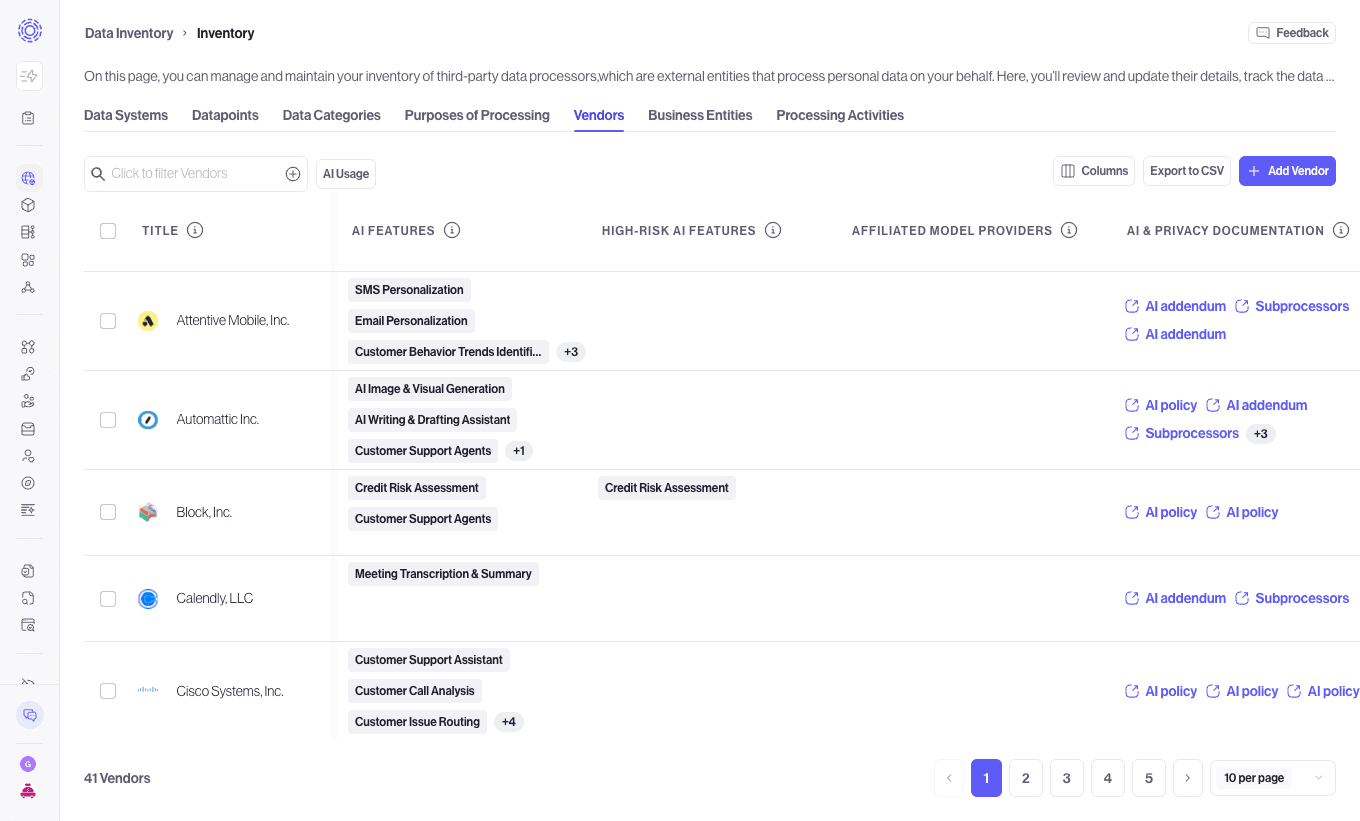
AI Features Identified lists the publicly announced, customer facing AI features from that vendor such as copilots, summarization, and generative assistants.
If an AI Feature is inaccurate, use the Flag as Inaccurate button to hide it from the feature list. This feedback is used by Transcend to improve our categorization.
High-Risk AI Features is the subset of AI features in high-risk categories. Use the filter to focus on auditing the riskiest vendors.
Default flags are set on the basis of whether a feature falls under high risk category according to the European Union Artificial Intelligence Act (EU AI Act), such as AI that makes decisions about individuals.
High risk flags can be added or removed to better reflect business risk posture.
Affiliated Model Providers lists model developers the vendor is affiliated with, such as OpenAI, Google, Anthropic, or a proprietary model.
This information is sourced from the disclosed Sub-processor documentation and marketing collateral such as partnership announcements or case studies.
AI & Privacy Documentation contains public links to the vendor's AI and privacy materials. Link types can include AI Policy, AI Disclosure, DPA (Data Processing Agreement), Terms, Sub-Processors, and Other. If no links were found, the cell shows None found.
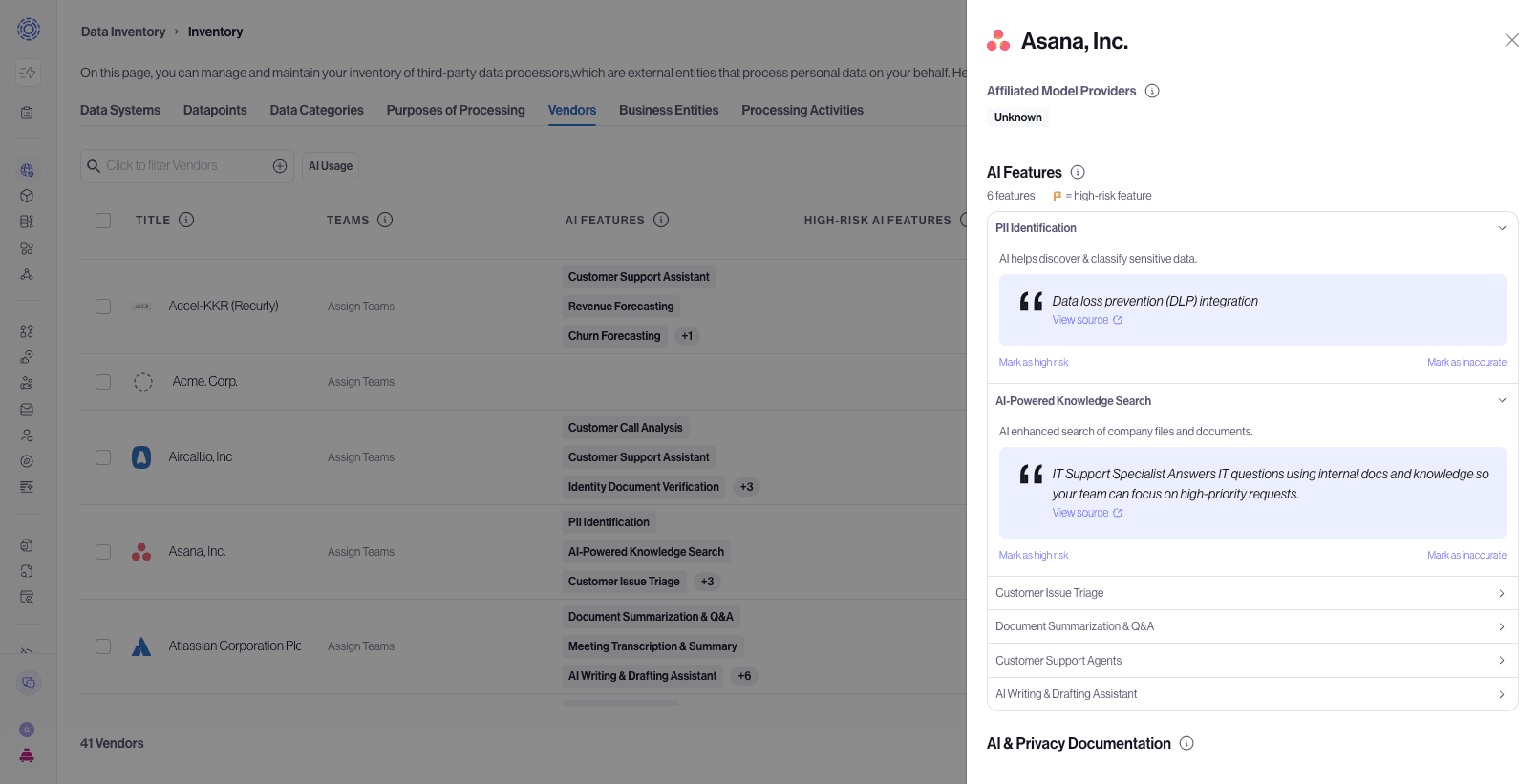
Click a vendor row to open the AI Usage drawer for the full feature list, affiliated model providers with source evidence when available, and documentation links.
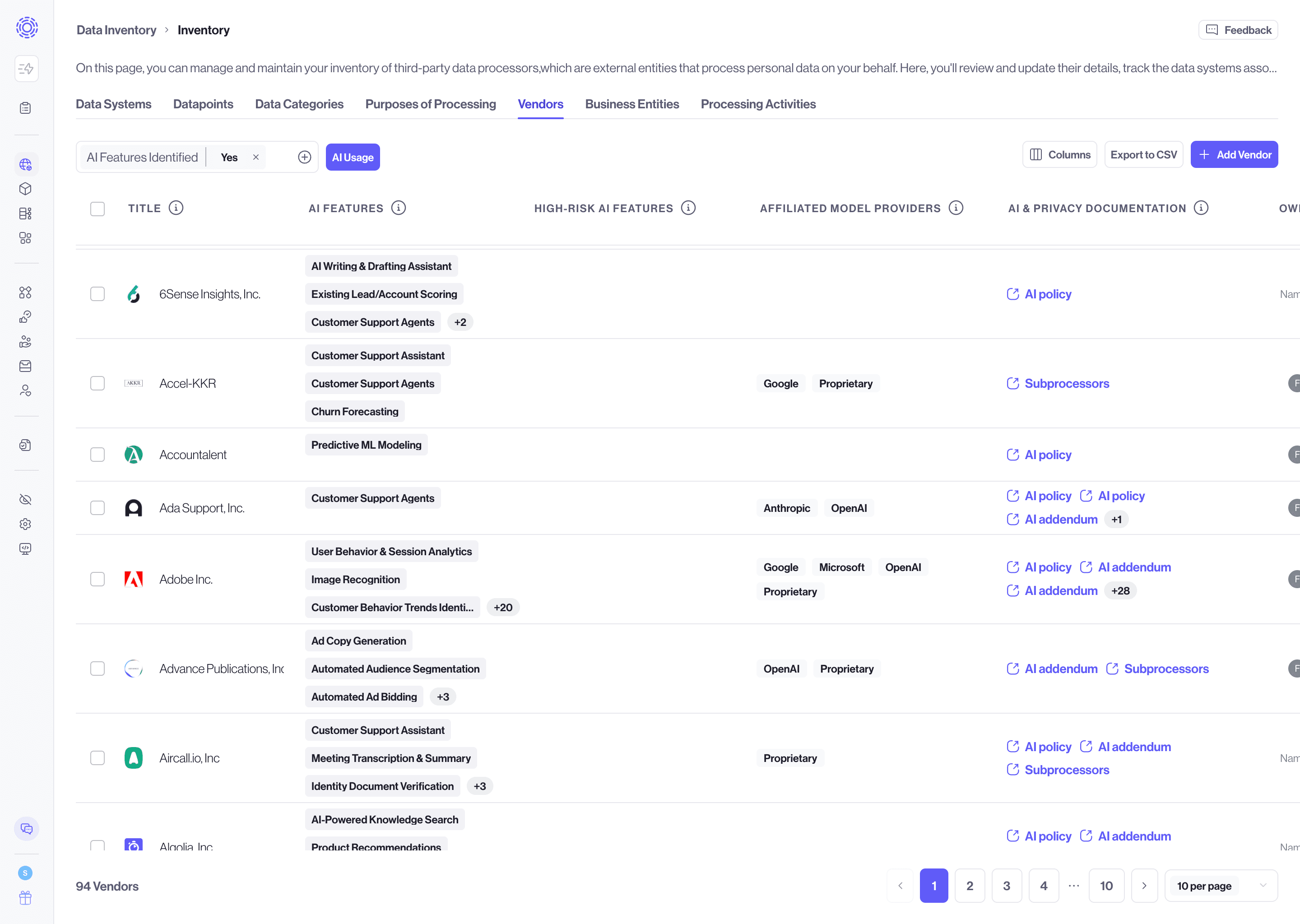
Use the AI Usage quick filter to focus on vendors with known AI features:
- On Data Inventory → Vendors, select the AI Usage quick filter.
- The table keeps vendors where AI features have been identified.
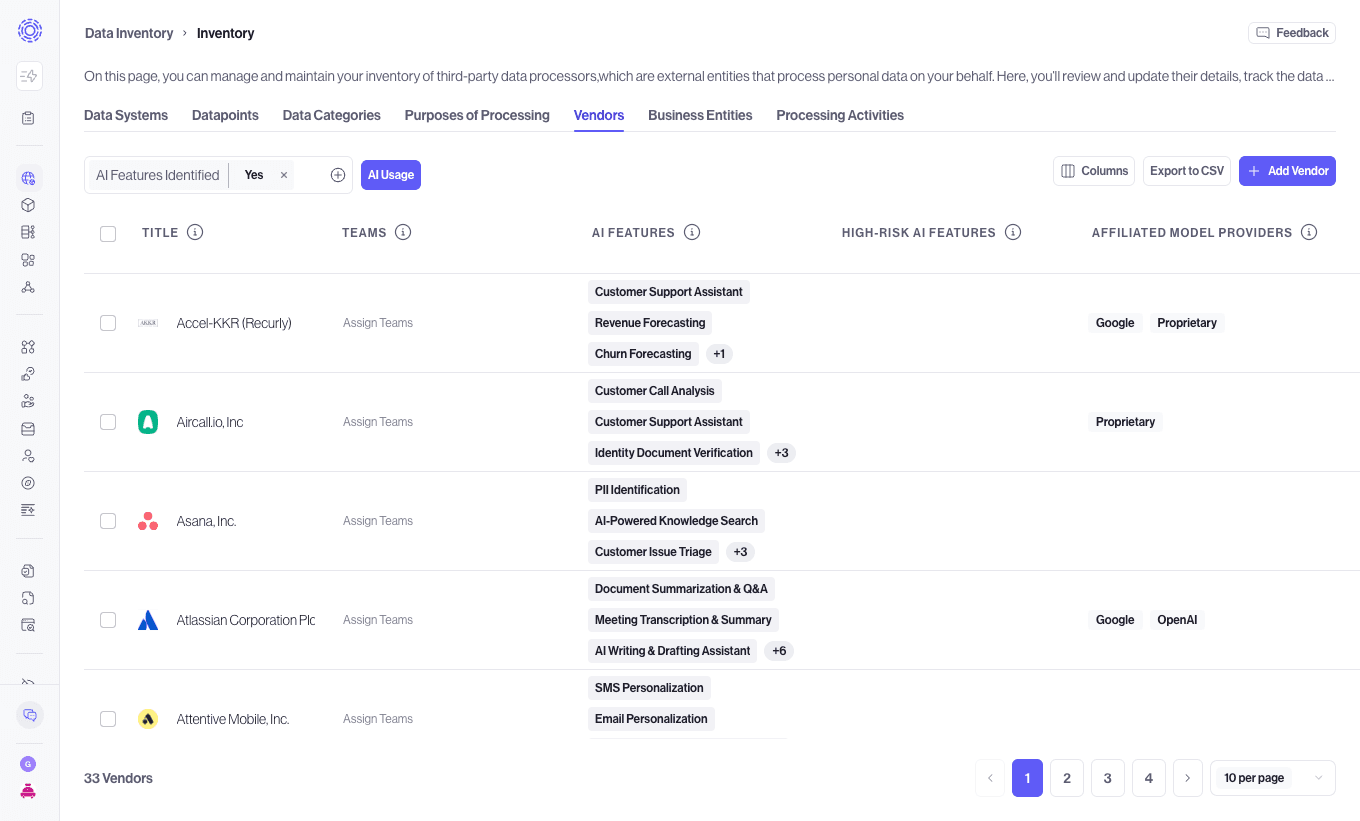
You can refine the results further with the filter panel:
- AI Features Identified: Yes or No.
- High-risk AI features: Yes or No.
- Affiliated Model Providers: match one or more providers.
Clear the AI Usage quick filter, or remove the filter chips, to return to your full vendor list.
Use Export to CSV on the Vendors table. The export includes the AI columns for vendors in your current filtered view, so you can share AI exposure with security, procurement, or legal reviewers outside the Admin Dashboard.
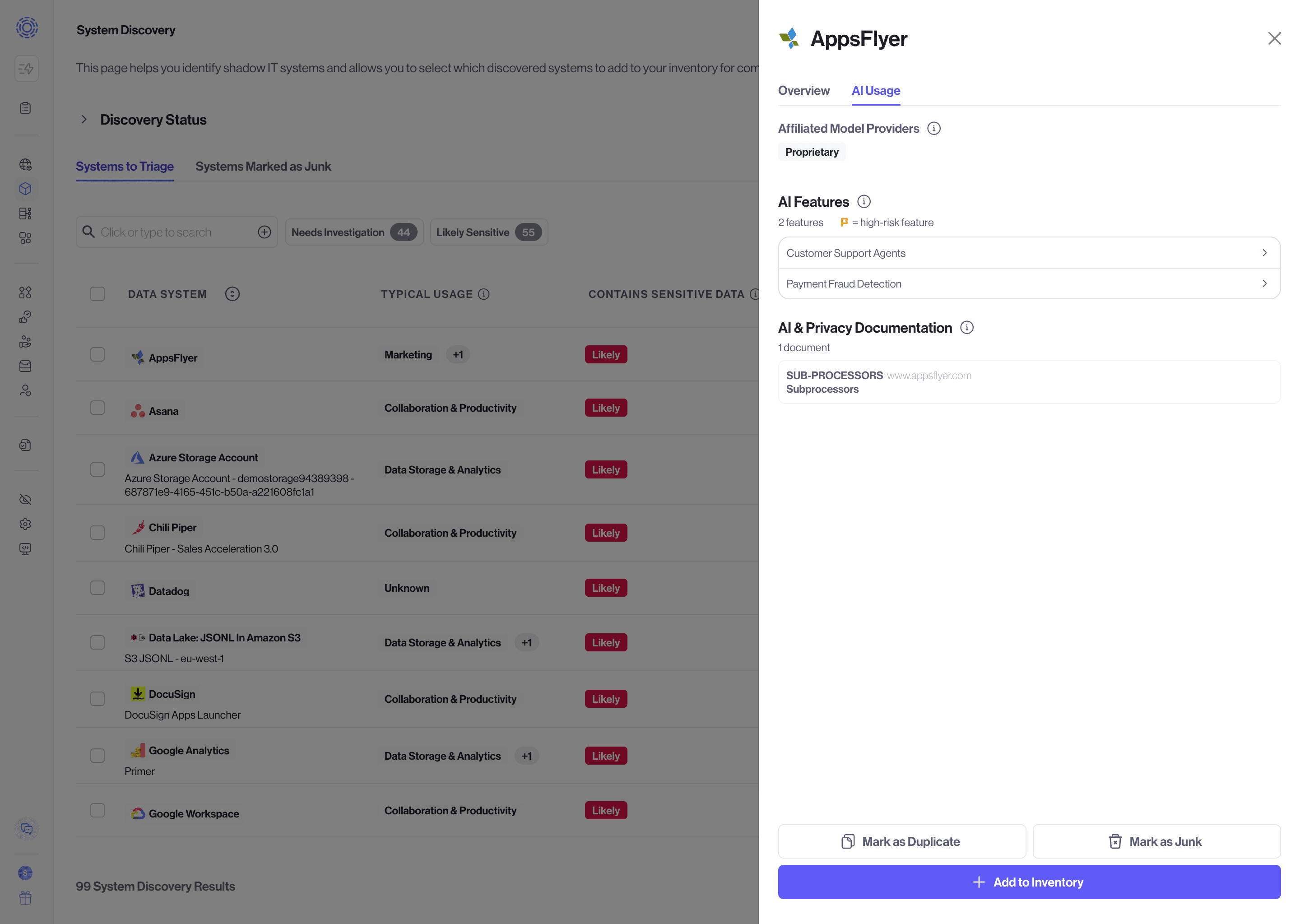
Before a discovered system is added to inventory, you can inspect Vendor AI Usage:
- Go to System Discovery.
- Open a discovered SaaS system by clicking on the row of that system.
- Select the AI Usage tab in the drawer.
Review affiliated model providers, AI features including high-risk flags, and AI and privacy documentation. Features that Transcend flags as high-risk are marked in the interface.
- Filter vendors by AI Usage and optionally set High-risk AI features to Yes.
- Open vendors with high-risk features or sparse documentation.
- Follow AI Policy and DPA links from AI & Privacy Documentation and compare them to your contracts.
- Export the filtered list for audit or procurement preparation.
- Start a vendor risk assessment from your usual Assessments workflow when a vendor needs deeper review.
- Coverage depends on whether Transcend has researched the vendor. Vendors without catalog AI data show empty AI columns or None found for documentation links.
- AI feature catalogs are updated on a regular cadence. The UI shows freshness timestamp and evidence sources next to features.
- Vendor AI Usage describes features the vendor offers. It does not yet record which of those features your organization has enabled in each product.
- While the QA process is thorough, AI can make mistakes. Please check outputs before using them in legal documents.