Understanding Integrations: Discovery
Transcend's Discovery products auto-populate your Data Inventory: a centralized, up-to-date catalog of your company's systems (represented as data systems) and personal data (represented as datapoints and sub-datapoints).
A company's Data Inventory view starts with data systems, which can be included in a few ways:
1. Manually added: when a Transcend user adds a system to a list. Once added, this is an unconnected integration.
2. Automatically connected: Integrations can be automatically connected through a company's Integrations page.
3. Automatically discovered: Transcend System Discovery automatically identifies and recommends systems that a company should add and then connect.
When an integration is connected, relevant datapoints and sub-datapoints for that system can populate into the Data Inventory view.
One of the biggest challenges in data visibility is identifying *which* data systems need to be included. System Discovery plugins search a connected integration (for example AWS, Okta, Segment, or Salesforce Connected Applications) to find additional platforms and systems, then recommend them as data systems. You review and approve recommendations into Data Inventory, then configure them for Classification scans, DSR Automation, and more.
For setup details, see Introduction to Plugins.
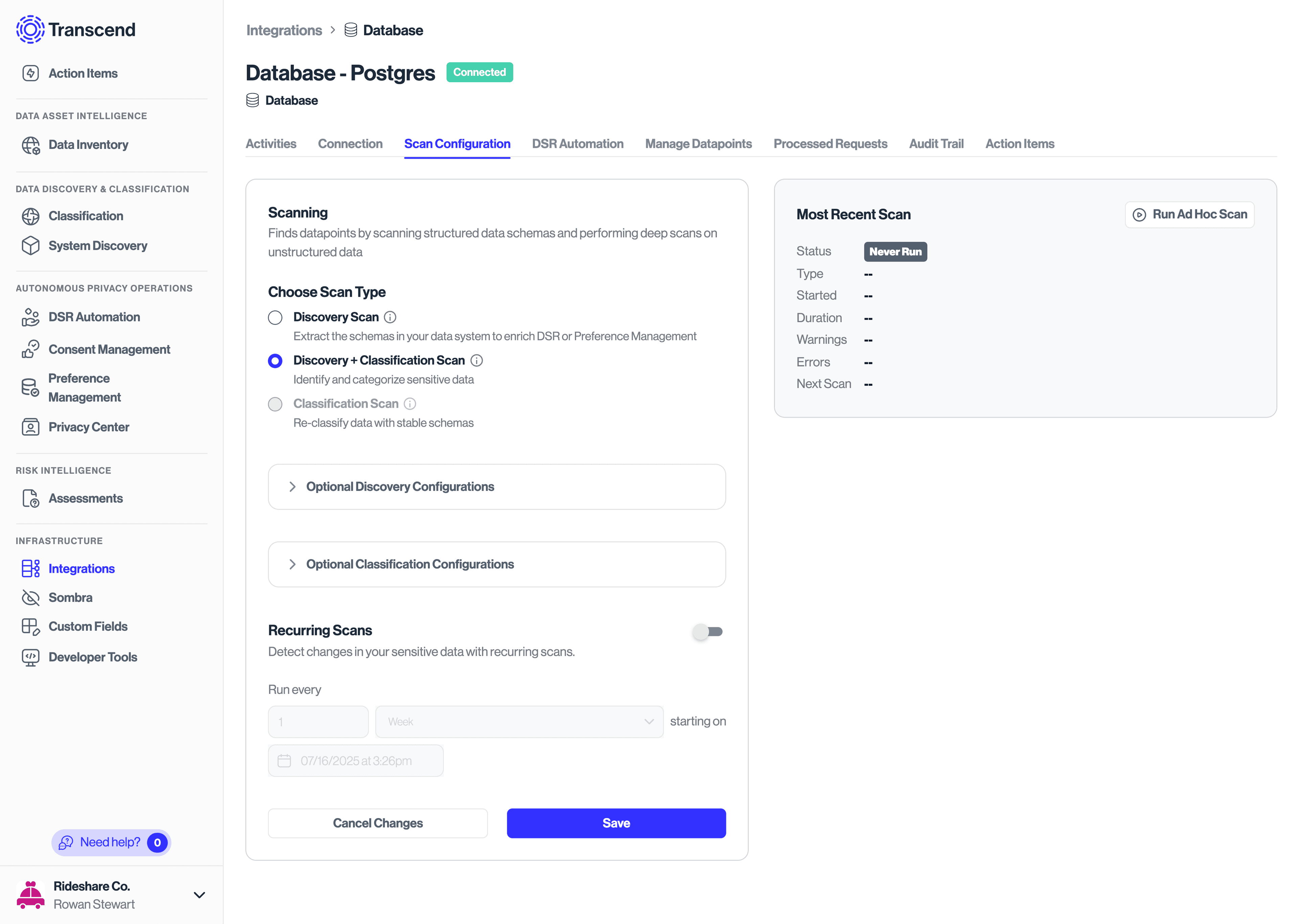
For data systems with customizable or opaque schemas (internal databases, warehouses, object stores, Salesforce custom objects, and similar), Transcend discovers schemas and classifies sensitive data through Classification scans on the integration’s Scan Configuration tab.
Choose a scan type:
- Discovery Scan — Extract schemas (objects/tables and properties/columns) without classifying contents.
- Discovery + Classification Scan — Discover schemas and classify sensitive contents (recommended when the system may contain personal data).
- Classification Scan — Reclassify without rediscovering schema. Requires at least one prior Discovery or Discovery + Classification scan.
You can run an ad-hoc scan to test, then enable Recurring Scans so Transcend continues to pick up schema and content changes.
Many SaaS systems ship with predefined datapoints from their API. Classification scans are especially valuable when schemas are customizable or implementation-specific.
See Configure a Classification Scan and the full Classification guides.