Classification
Classification uncovers and classifies sensitive data across your data systems, enabling comprehensive data mapping and governance.

Transcend Classification discovers schemas and samples content in connected data systems, then recommends data categories and processing purposes for what it finds. You configure and run this work as scans on each integration’s Scan Configuration tab.
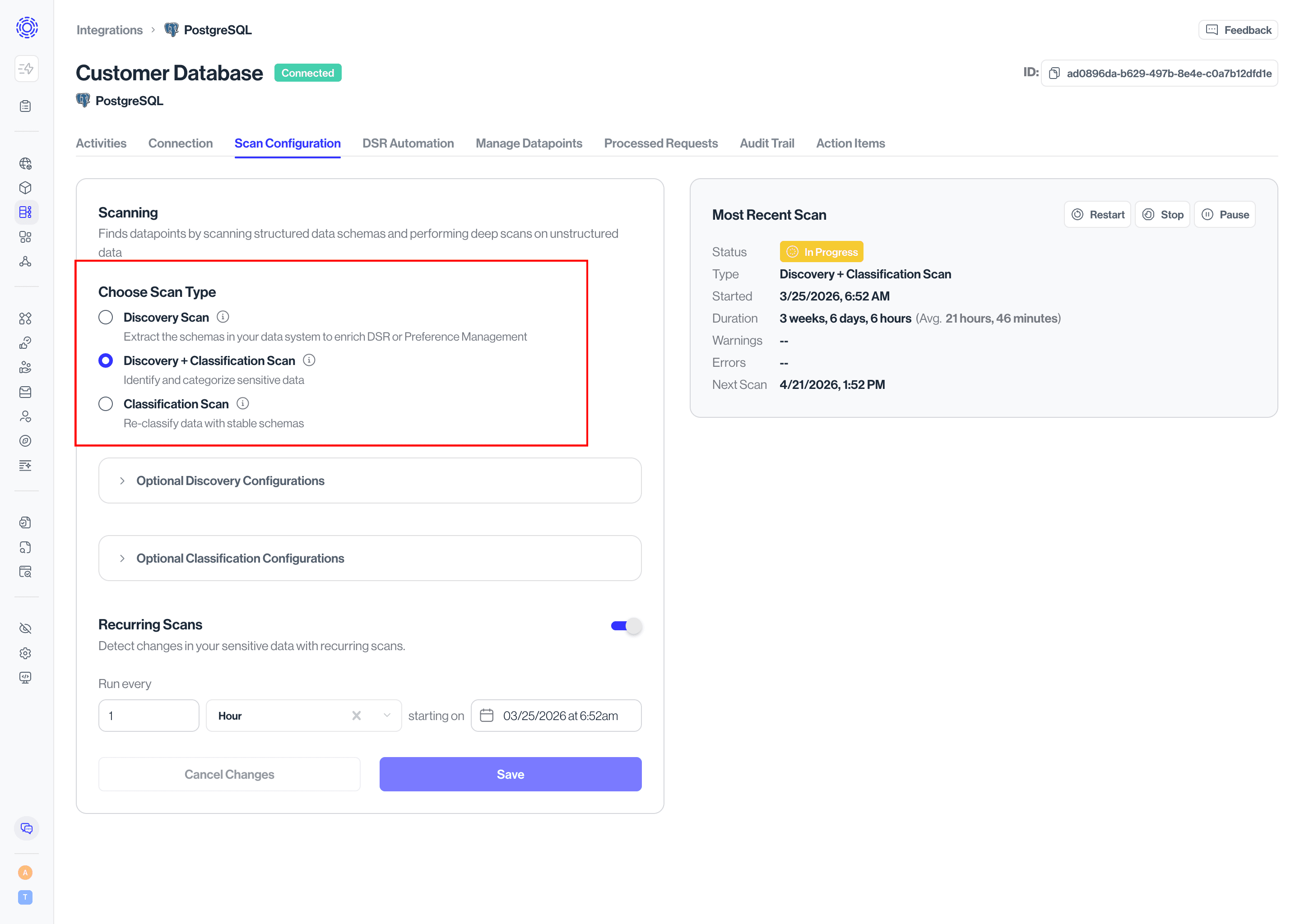
- Discovery Scan — Scans schemas (tables, collections, files) without classifying contents. Useful when you need schema coverage for DSRs or Preference Management.
- Discovery + Classification Scan — Discovers schemas and classifies sensitive contents. Recommended for systems that may hold personal data.
- Classification Scan — Re-samples and reclassifies without rediscovering schema. Available only after at least one Discovery or Discovery + Classification scan has completed.
- Run Ad-Hoc Scan — Start a one-off scan from the Most Recent Scan widget to test configuration.
- Recurring Scans — Enable a schedule so Transcend keeps discovering and classifying as your systems change.
- Go to Infrastructure → Integrations and open a connected data system.
- Open the Scan Configuration tab.
- Choose a scan type, set optional scope/sampling options, then run an ad-hoc scan or enable recurring scans.
For step-by-step setup, see Classification Quickstart and Configure a Classification Scan.
Classification Quickstart Guide
Get started with Transcend Classification
Classification Technical Overview
Learn how Transcend classifies sensitive structured, semi-structured, and unstructured data at scale.
Scans
Understand how to connect and setup your data systems for Classification scans
Classification Categories
Review, update, and add Classification categories to properly identify your classified datapoints
Troubleshooting
Information on how to troubleshoot common issues with Classification scans, results, and more