Consent Purpose Provenance
Preference Management records provenance on each purpose in a preference record: the Transcend channel that wrote the last consent change, and the upstream system your integration named. The Admin Dashboard shows both on the purpose card, and both are available for audit and reporting. When a consent change triggers a Preference Workflow, Transcend also stamps why that purpose's consent flipped on the resulting data subject request (DSR).
Related: Storing Consent Preferences and PUT /v1/preferences.
- Open Preference Management and find the preference record.
- Open the record detail. Each purpose appears as a card with a consent control.
- Read the card footer. It shows three values, separated by dots.


| Footer label | What it means |
|---|---|
| Consent last provided | When that purpose last changed. |
| Source system | The upstream system your integration named, for example Adobe. Only an API caller can set it, so it shows None for Admin Dashboard, Privacy Center, and Consent Manager edits. |
| Last updated via | The Transcend channel that wrote the update: Admin Dashboard, Privacy Center, Consent Manager, or API. Transcend sets this from the write path, so you cannot choose it. |
On PUT /v1/preferences, include an optional sourceSystem on each purpose you update to name the upstream system that drove the change. Leave it out when there is no upstream system to name. These writes show Last updated via as API.
Example purpose fragment:
{
  "purpose": "EnterpriseMarketing",
  "enabled": true,
  "timestamp": "2026-08-24T18:00:00.000Z",
  "sourceSystem": "Adobe"
}
Use an API key with the Modify User Stored Preferences scope. For self-hosted Sombra, also send x-sombra-authorization as described in the API reference.
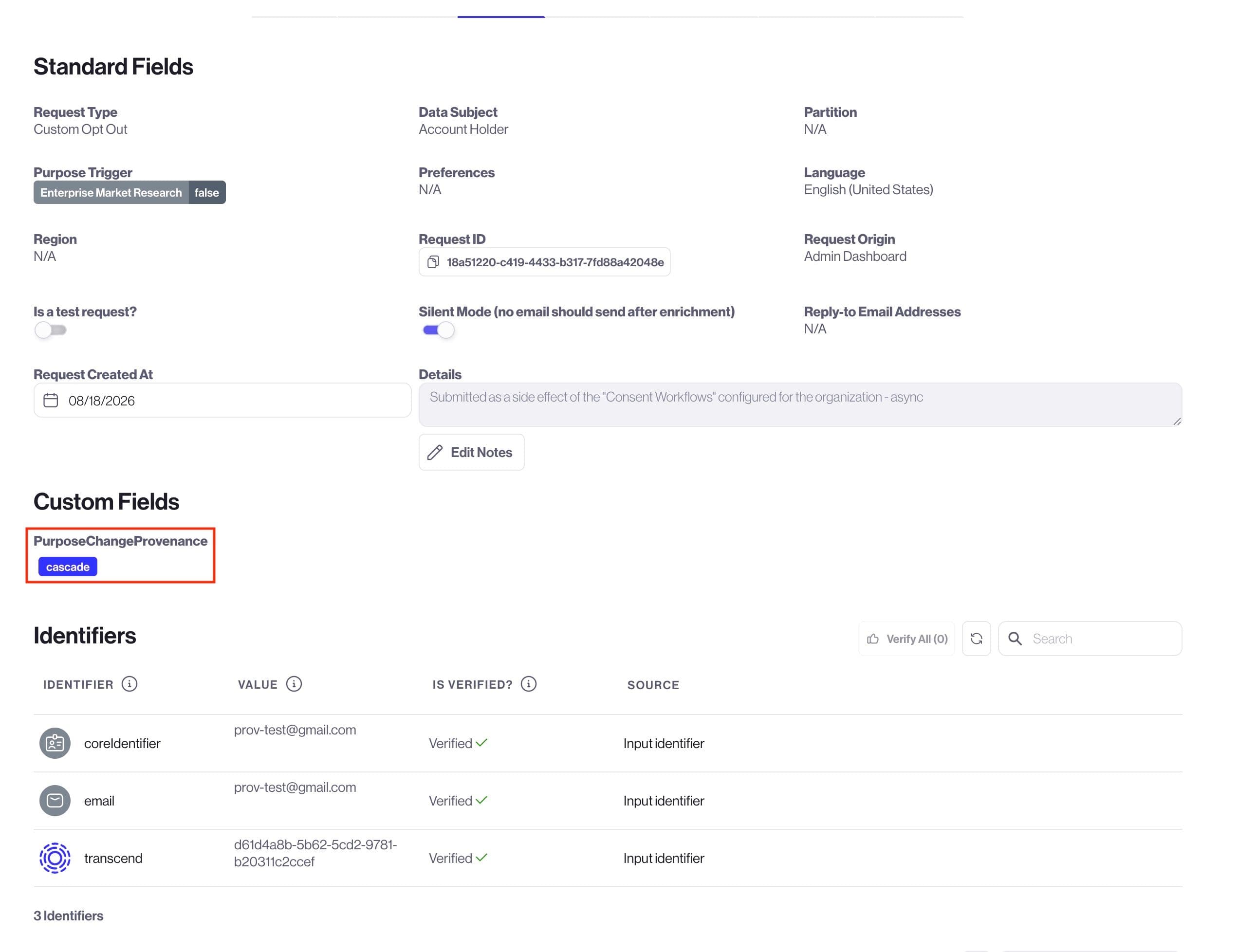
When Preference Management flips a purpose's consent value and a consent workflow creates a data subject request (DSR), Transcend stamps a request custom field:
| Custom field key | Values |
PurposeChangeProvenance | manual · cascade · expiration |
Most organizations only see manual. The cascade and expiration values appear only if consent rules are enabled for your organization (for example linked-purpose cascade or purpose expiration). Contact Transcend if you are unsure whether those rules apply to you.
| Value | When it is stamped |
manual | Default for all tenants. A consumer, admin, API, or Preference Center write changed the purpose consent value directly. Also used when no other cause is recorded. |
cascade | Only if linked-purpose consent rules are enabled. Consent rules clamped the purpose because a parent was revoked (requires or cascade rule). |
expiration | Only if purpose expiration is enabled. The expire sweep flipped consent after the purpose's expiresAt elapsed. |
Provenance describes why purpose consent flipped, not metadata-only updates. Stamping
expiresAton a still-granted purpose does not produce anexpirationtag. That value is reserved for the expire sweep that actually flips consent.
- Ensure a custom field named
PurposeChangeProvenanceexists under Infrastructure → Custom Fields (type Single Select, enabled on DSR Automation Inbox → Requests, with valuesmanual,cascade, andexpiration). See Managing Custom Fields. - After a consent change that triggers a Preference Workflow, open the resulting request under DSR Automation → Incoming Requests and read the
PurposeChangeProvenancevalue. See View the Status of a Request.
Consent-workflow DSRs expose request custom fields to database integrations as templatable variables. The attribute key is camelCased, so PurposeChangeProvenance becomes {{customField_purposeChangeProvenance}}. See Database Integration Set Up for DSR Automation.
Example pattern:
CASE {{customField_purposeChangeProvenance}}
  WHEN 'cascade' THEN /* parent-driven clamp - only if consent rules are enabled */
  WHEN 'expiration' THEN /* time-bounded consent ended - only if expiration is enabled */
  ELSE /* manual / default */
END
You do not pass PurposeChangeProvenance in the PUT /v1/preferences body. Preference Management stamps it when the workflow is created. Other workflow custom attributes you supply are preserved alongside it.