Authorized Agent Requests
Under some privacy laws, a data subject can authorize another person or organization to submit a data subject request on their behalf. You can learn more about this request type in our blog post on authorized agent privacy requests.
Authorized Agent support lets these requestors use your Privacy Center instead of sending requests through email or another manual intake channel. The authorized agent verifies their own email address, provides the data subject's identifiers, uploads documented proof that they are authorized to act for the data subject, and submits the request through your already configured data subject request workflow.
This article focuses on the Privacy Center authorized agent flow described below. If you route authorized agents to a privacy inbox email instead of self-serve Privacy Center submission, see Email intake workaround at the end of this page.
Before turning this on, make sure:
- Your team has a process for reviewing the proof of authorization and confirming that the identifiers supplied by the authorized agent belong to the represented data subject.
Authorized Agent setup has two parts. The Privacy Center must allow Authorized Agent authentication, and at least one data subject type must allow Authorized Agent submissions.
In the Admin Dashboard, go to Privacy Center > Authentication Methods. Turn on Authorized Agent authentication for the Privacy Center.
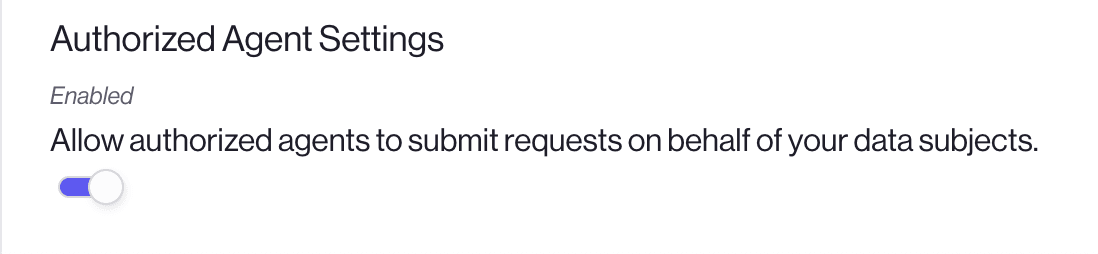
This tenant-level setting controls whether authorized agents can start the Authorized Agent login flow from your Privacy Center. Turning it off prevents new Authorized Agent logins, even if individual data subject types still allow Authorized Agent submissions.
If you are self-hosting Sombra, add authorized_agent to DATA_SUBJECT_AUTHENTICATION_METHODS in your Sombra environment (for example, session,authorized_agent). See Sombra authentication for details.
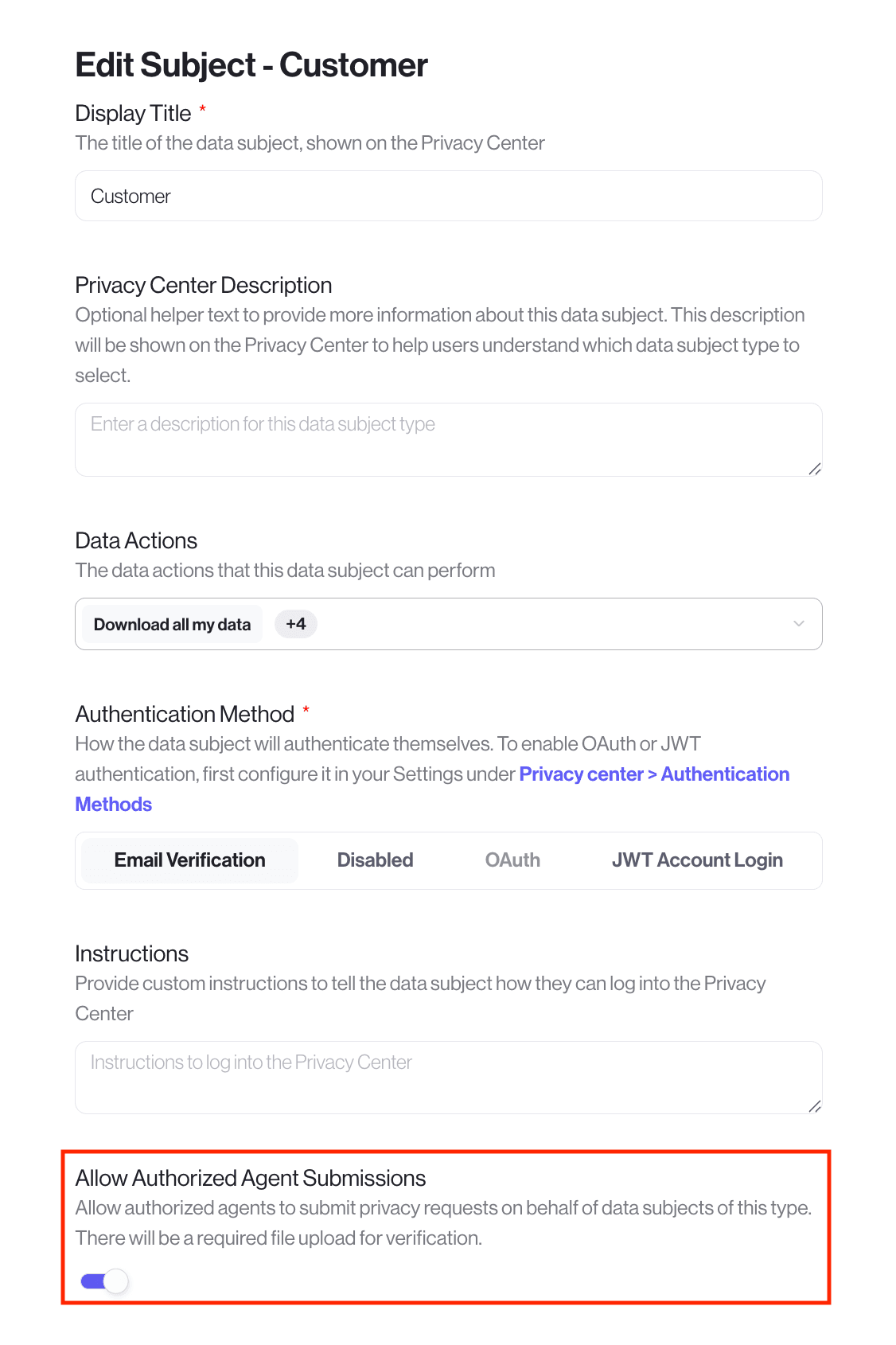
In the Admin Dashboard, go to Workspace Configuration > Data Subjects. Edit each data subject type that should accept requests from authorized agents and turn on Allow Authorized Agent Submissions.
The Privacy Center only shows the Authorized Agent path when at least one data subject type has this setting enabled. When an authorized agent chooses to submit on behalf of someone else, they can only select data subject types that allow Authorized Agent submissions.
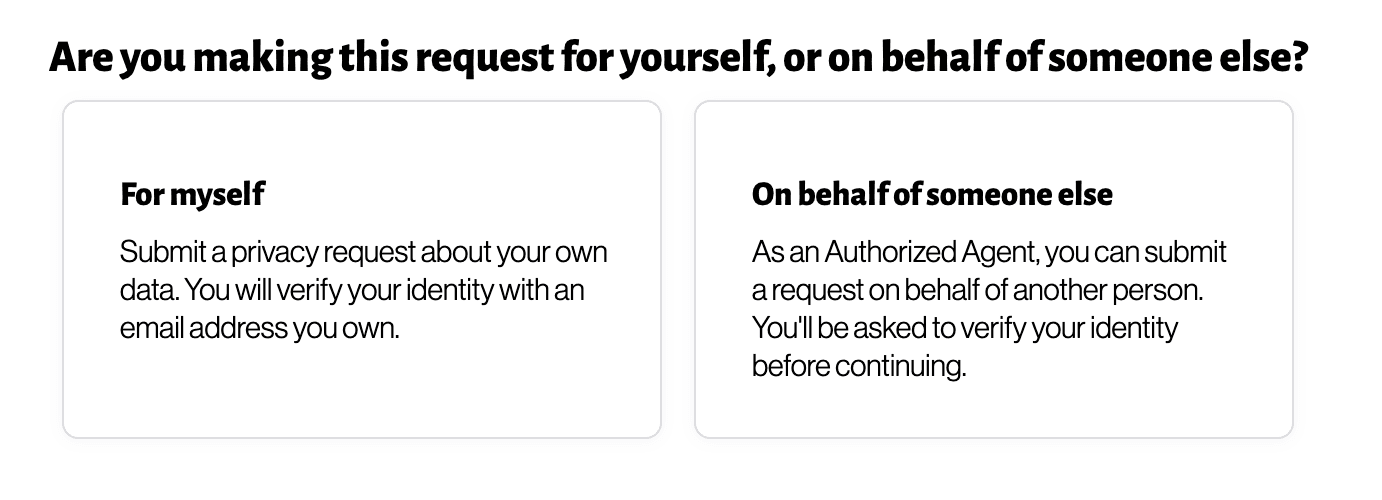
When Authorized Agent support is enabled, the Privacy Center adds an intake step before the usual data subject request flow.
- The requestor clicks Make a Privacy Request.
- The Privacy Center asks whether the requestor is submitting for themselves or on behalf of someone else.
- If they choose the option "on behalf of someone else", the Privacy Center shows only data subject types that allow Authorized Agent submissions.
- The authorized agent then verifies their own email address with a magic link.
- The authorized agent enters the represented data subject's identifiers, such as the data subject's email address.
- The authorized agent uploads documentedproof that they are authorized to submit the request.
- The authorized agent submits the request.
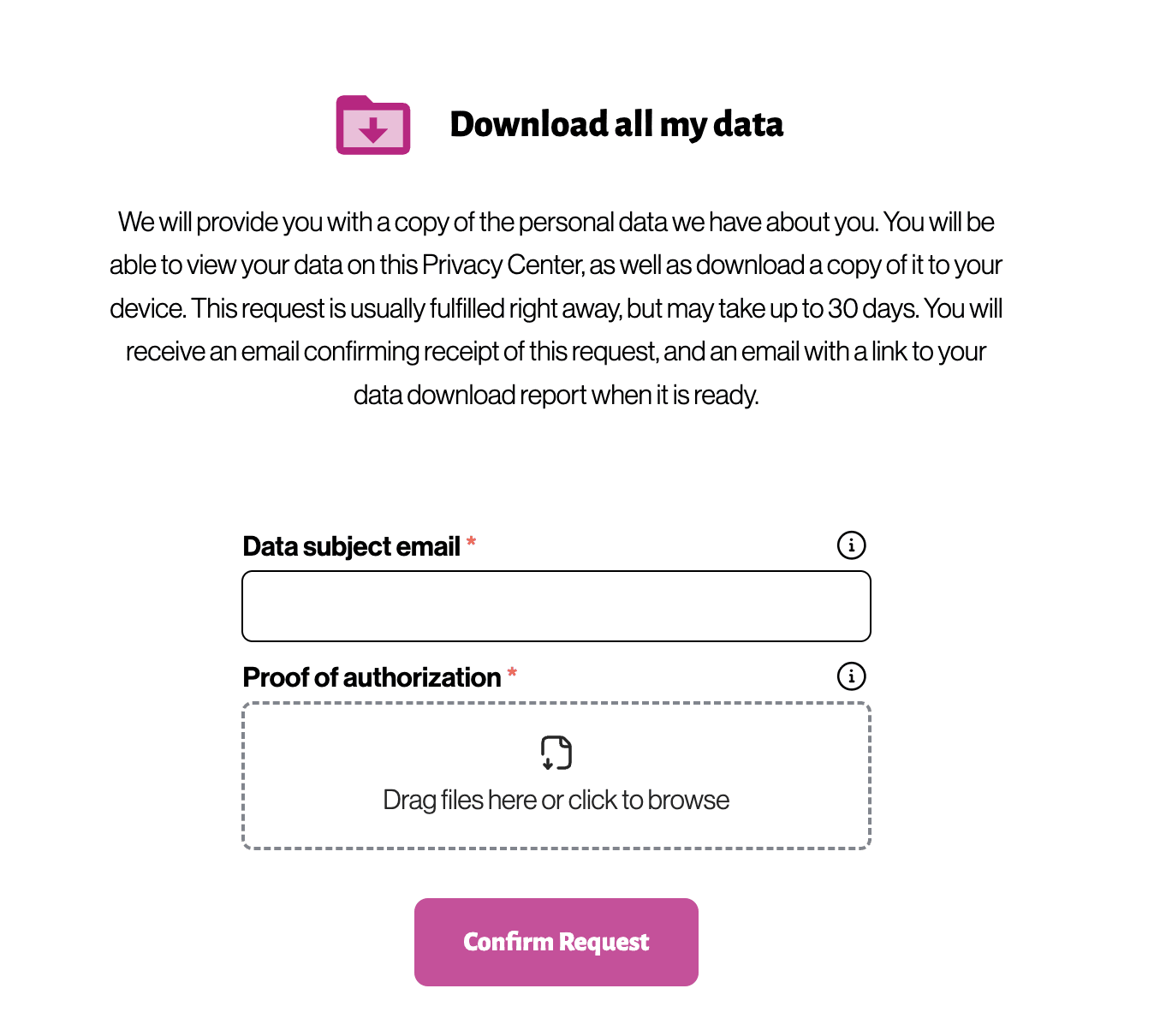
For an Authorized Agent request, Transcend verifies the authorized agent's email session by having the agent log in. This confirms that the agent who submitted the request has a valid email.
Transcend does not automatically treat the data subject identifiers supplied by the authorized agent as verified. Those identifiers are collected so your team can review the request, verify that the proof of authorization confirms that the agent can create a request on behalf of the data subject, and decide whether the request should proceed.
This is different from a standard Privacy Center submission, where the data subject verifies their own identity before submitting the request. See End-User Identity Verification for more information about standard Privacy Center verification methods.
Before processing an Authorized Agent request, review:
- The authorized agent's email address
- The uploaded proof-of-authorization document
- The data subject identifiers supplied by the authorized agent
- Any workflow or policy requirements your organization uses to confirm agent authority
Only mark the supplied identifiers as verified when you have confirmed that the authorized agent is allowed to act for the data subject.
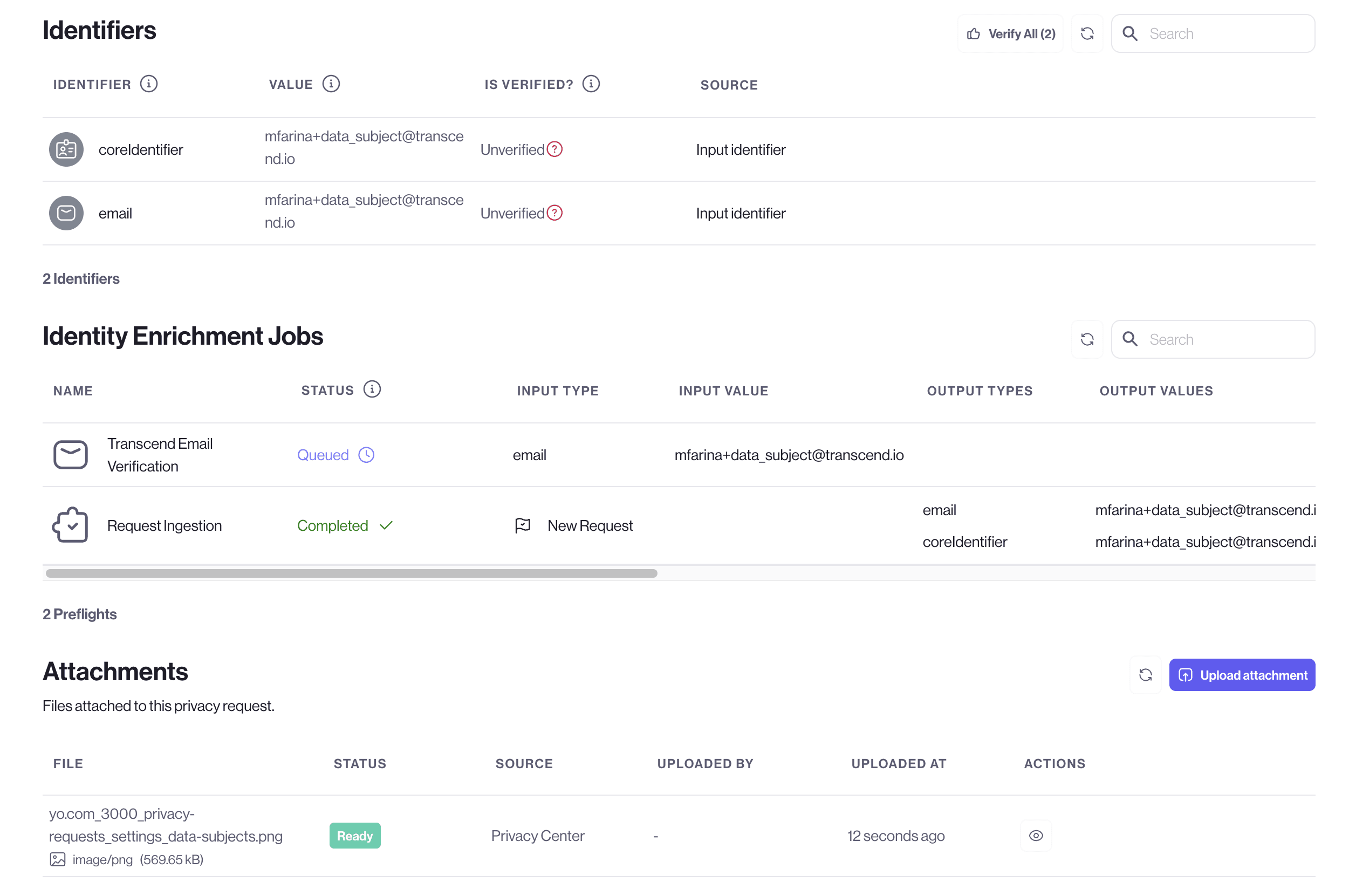
Authorized Agent requests are visible in the Admin Dashboard like other data subject requests. The request record separates the data subject's email from the Authorized Agent Email, so your team can see both the represented person and the agent who submitted the request.
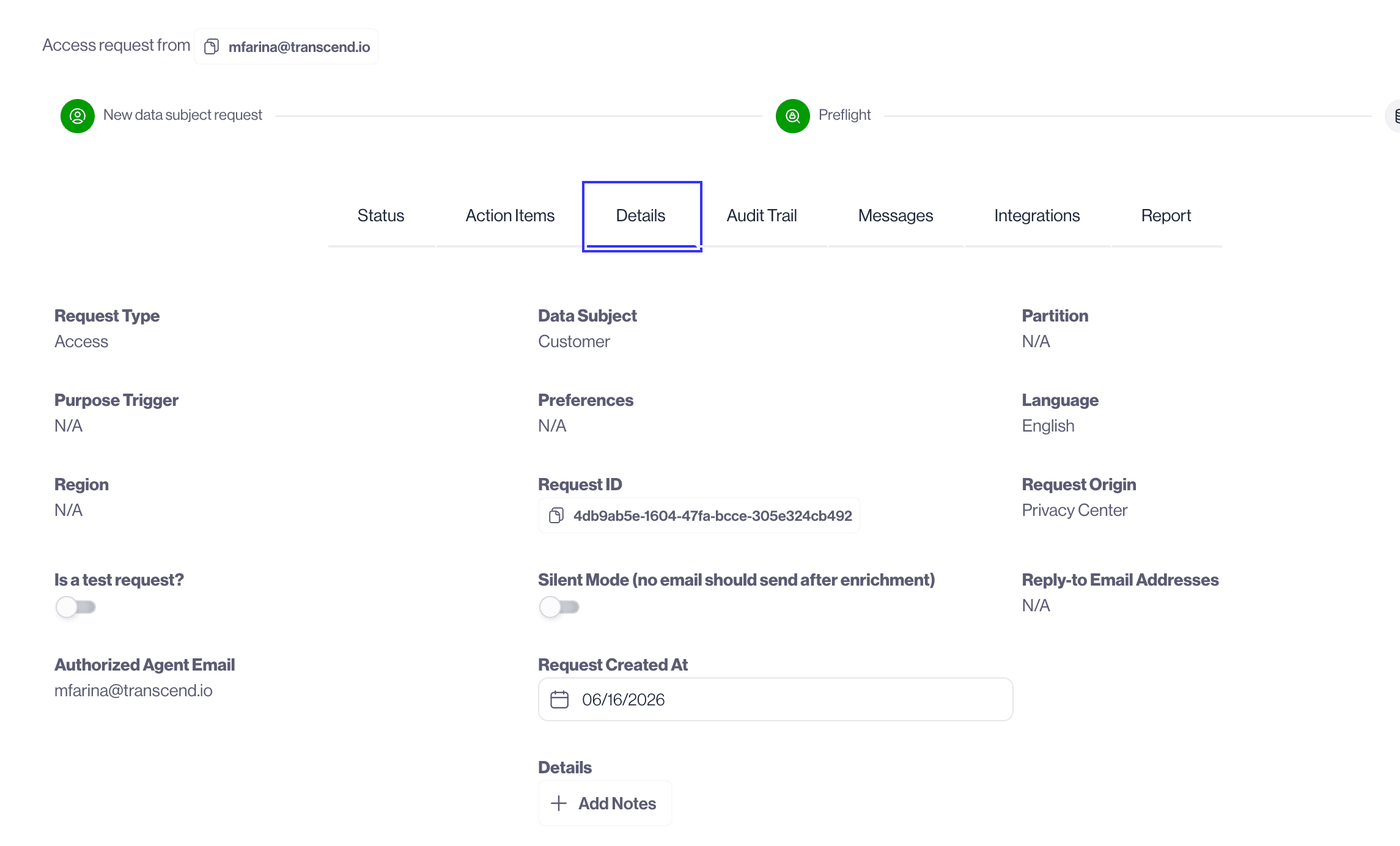
Most request communications and status updates are sent to the authorized agent. If your workflow sends an identity-verification email for a data subject identifier, that verification email is sent to the data subject email. The authorized agent can return to the Privacy Center to view requests they submitted on behalf of others, and they can revoke those requests from the Privacy Center. Authorized agents cannot see or revoke requests submitted by other agents or by the data subject directly.
Some customers use a dedicated data subject type with the Disabled authentication method to route authorized agents to an email inbox instead of the native Privacy Center Authorized Agent flow. This workaround prevents self-serve submission and displays instructions directing agents to email your privacy team.
Use this pattern when you want to verify authorization before a request exists in Transcend, or when native Authorized Agent submission is not enabled for your Privacy Center.
- Create or use a data subject type for authorized agents with the Disabled authentication method.
- Display clear instructions explaining that authorized agents must email your privacy team and include proof of authorization. For example: "If you are submitting a request on behalf of someone else, please contact us at privacy@yourcompany.com with a signed authorization or Power of Attorney."
- The agent emails your team with the data subject’s identifiers and authorization documents.
Requests created from your inbox or through manual Admin Dashboard submission are regular data subject requests, not native Authorized Agent Privacy Center requests. They will not give the agent Authorized Agent request history or agent-scoped revoke access unless the agent submitted through the native Privacy Center flow.
Your privacy team reviews the agent’s proof of authorization and any required identity verification for the data subject before creating the request in Transcend.
Once verification is complete, create a regular request in Transcend using one of the following paths:
Configure your support inbox to create Transcend requests when an authorized agent email arrives:
Map the data subject’s email or other core identifier from the inbox payload to the request’s end-user identifier. If you want the agent copied on lifecycle emails, add the authorized agent’s email under Reply-to email address(es). This does not create native Authorized Agent scoping.
Follow the manual request submission steps.
When manually submitting a request received from an authorized agent, use your organization's review process to confirm the agent's authority and the data subject identifiers before processing the request.
- Use the data subject’s identifiers (email, core identifier, etc.) as the end user you are looking up. Do not use the authorized agent’s identifiers.
- Add the authorized agent’s email under Reply-to email address(es) to CC them on confirmation emails, status updates, and resolution communications.
- We recommend turning on email verification for the data subject when manually submitting authorized agent requests, so the data subject can confirm their identity before processing begins.