Data System Rate Limits
Overview
Transcend can control the number of requests we send to your Data Systems, called Data System Rate Limiting. This system uses the Fixed Window rate limiting technique to control the number of requests sent in a window of time.
This feature is currently in beta. If you notice any issues with your workflows not processing as expected, please reach out to Transcend Support.
Manage Rate Limits
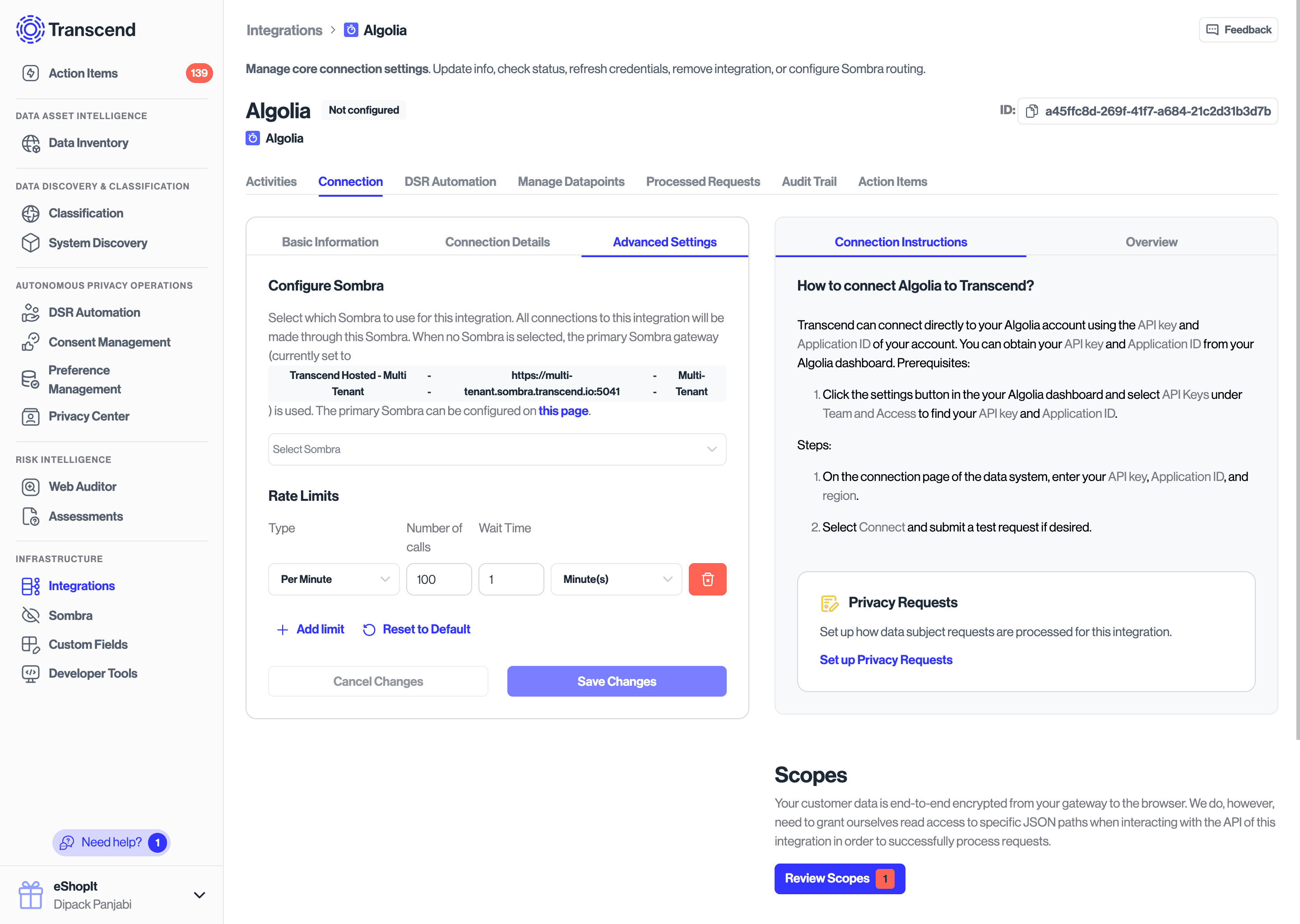
We support applying rate limits to all data system types. To manage your rate limits, go to the "Advanced Settings" tab on the "Connection" tab for your data system. If the integration has pre-defined rate limits, they will show up like in the figure below.
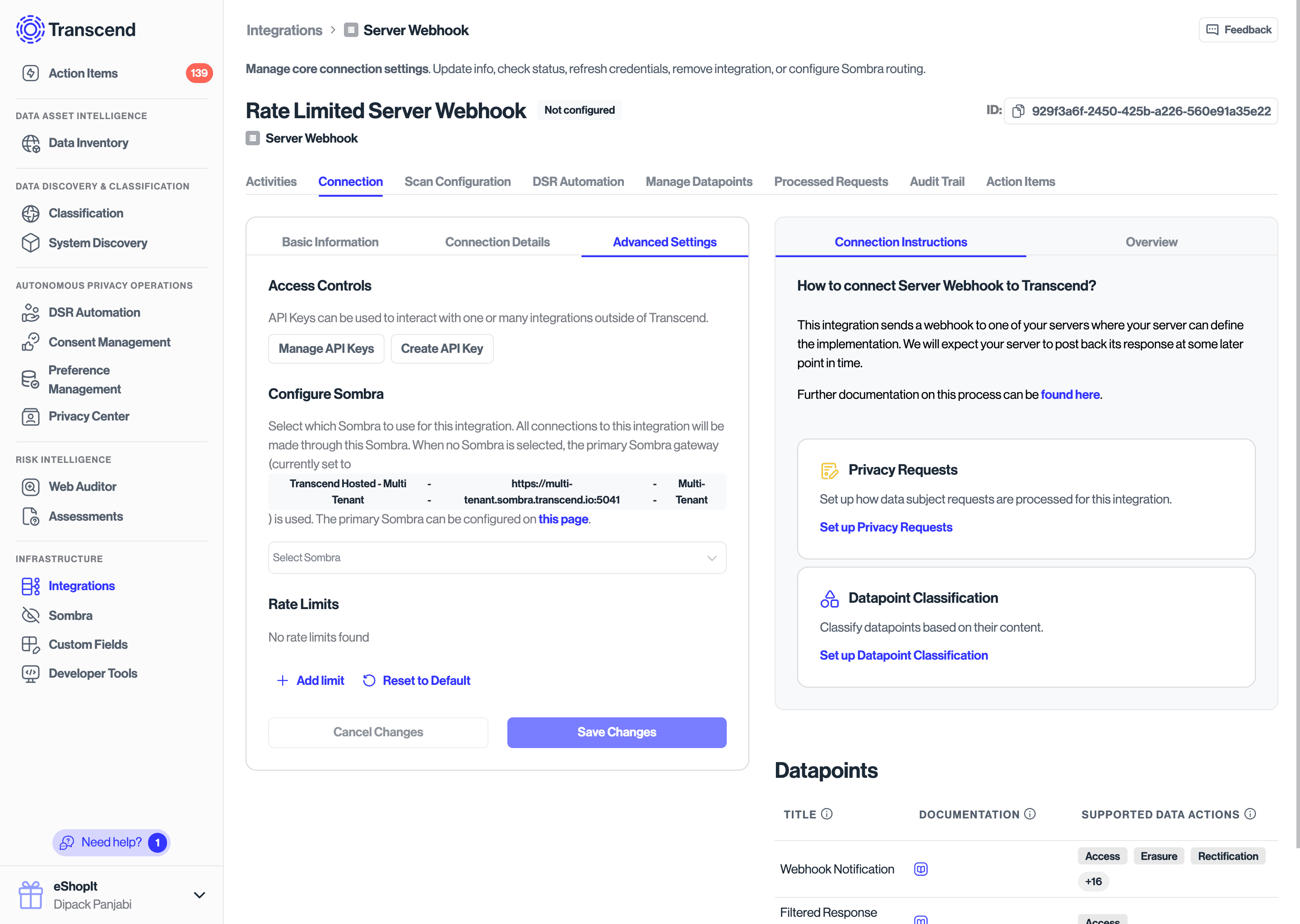
If your integration does not have pre-defined rate limits, you will see none listed under the Rate Limits tab. In this case, requests to the data system will not be throttled.
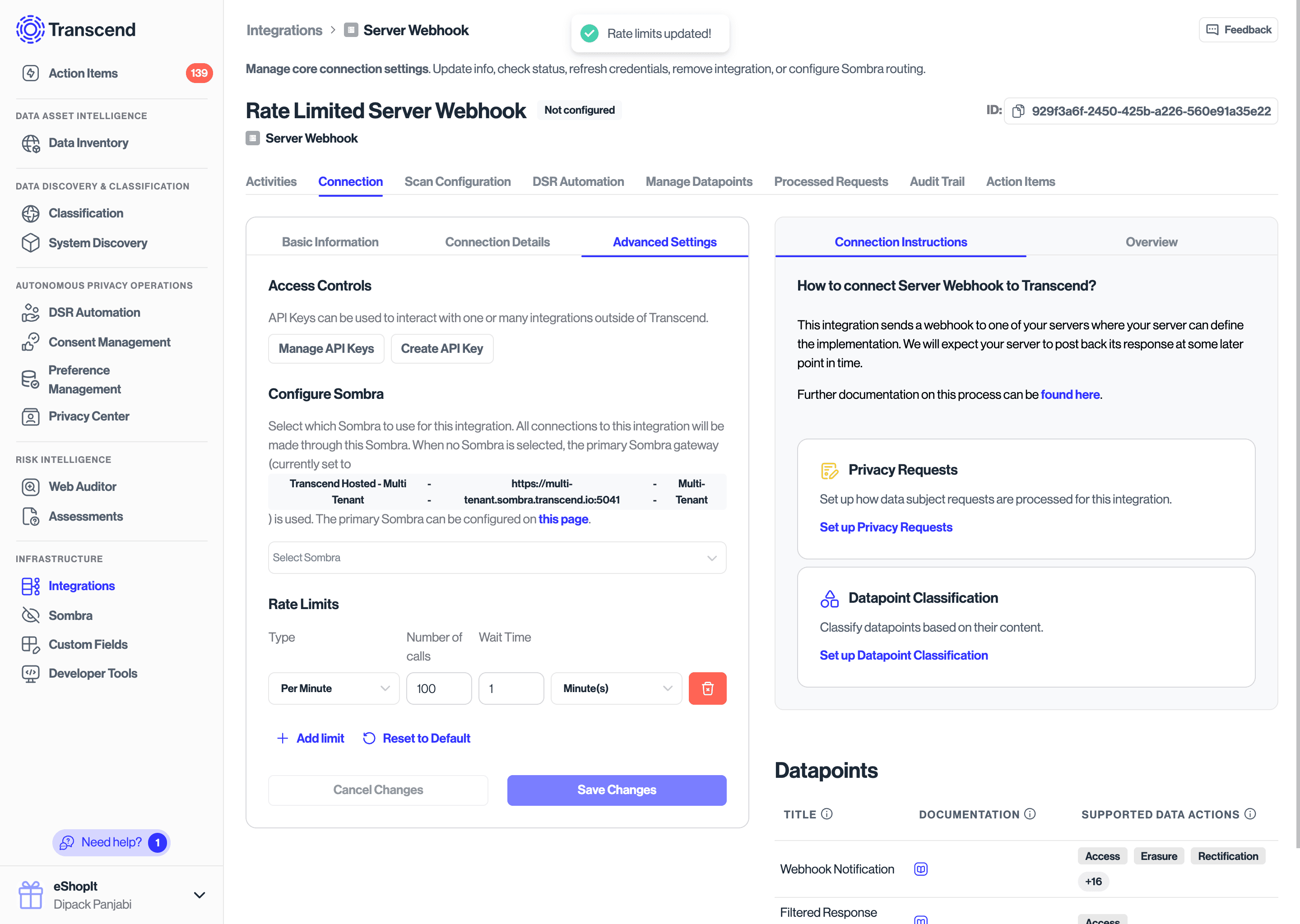
You can define custom rate limits as well.
Pre-defined Rate Limits
Many integrations, like Slack, Salesforce, HubSpot, among others, have defined rate limits outlined in their documentation. Where possible, Transcend will use those documented rate limits to control the flow of requests to those data systems out of the box.
However, in certain cases, you might find that your organization's rate limits differ from the publicly documented limits, in which case you can update the rate limits as described above.
Rate limits defined by Transcend cannot be deleted, but you can change or disable them. A changed limit is treated as your own; use Reset to Default to go back to the Transcend value.
Database integrations
Database integrations start with Transcend-defined limits of 100 requests per minute and 5,000 requests per hour. These limits are a conservative ceiling that protects Sombra and your database when many integrations run at once, not a throughput target. Before raising them, turn on connection pooling on your Sombra; raising limits without pooling sends more short-lived connections to your database and can slow processing down. See Database Integration Throughput.
How does Transcend use these limits?
These rate limits are currently applied only during DSR workflows. All other processes, like Structured or Unstructured Discovery, are unrestricted.
Transcend uses a distributed, asynchronous method of running DSR workflows, which starts with a component referred to as the "scheduler". The scheduler periodically polls a pool of jobs, and each job has an associated cost. We use these costs, in association with your data systems' defined rate limits (if any), to determine if a job should be run.
If we determine that a job cannot be run right now, the job is put back into the pool, and proactively scheduled to a time in the future such that it falls into the next rate limit window.
The rate limits are defined as a Fixed Window, i.e. we only allow a certain number of requests per time period. For example, if you have a per-minute rate limit of 100 requests, we will schedule a maximum of 100 requests in a one minute period. The actual number of requests received by your data systems may vary slightly due to the asynchronous nature of our processing.
Is a rate limit slowing my requests?
Open the integration and go to Activities > Monitoring. Two tiles count open privacy requests that are waiting:
- Transcend Rate Limited: requests deferred by the Transcend rate limits on this integration. Your configured limit is the bottleneck.
- Vendor Rate Limited: requests deferred because the vendor rejected API calls for exceeding its own rate limit (for example, an HTTP 429 response). The vendor is the bottleneck.
Use the tiles to decide what to change:
- Transcend Rate Limited is above zero and Vendor Rate Limited is zero: raise the limit, as long as the data system can handle more traffic. For database integrations, turn on connection pooling first.
- Vendor Rate Limited is above zero: raising the Transcend limit will not help. Lower it to match the vendor's actual limit, or ask the vendor for a higher quota.
- Both are zero but requests are still slow: rate limits are not the bottleneck. For database integrations, see Database Integration Throughput.