Add DSR Processing Documentation to an Integration
DSR processing documentation lets you publish integration-specific instructions directly in Transcend for the people who fulfill data subject requests. Admins author the content once on an integration's DSR Automation tab; assignees then see the same instructions in the bulk respond view and on individual data subject requests, without digging through email templates.
This is especially useful for Automated Vendor Coordination (AVC) and other Prompt-a-Person integrations, where assignees previously relied on instructions embedded in notification emails.
Documentation you add here is stored on the integration itself. It is separate from email templates and from catalog connection instructions, though catalog instructions can still appear as a fallback when you have not authored custom documentation.
- Navigate to Integrations.
- Open the integration you want to configure.
- Select the DSR Automation tab.
- In the DSR Processing Documentation callout, choose Add documentation (or Edit documentation if content already exists).
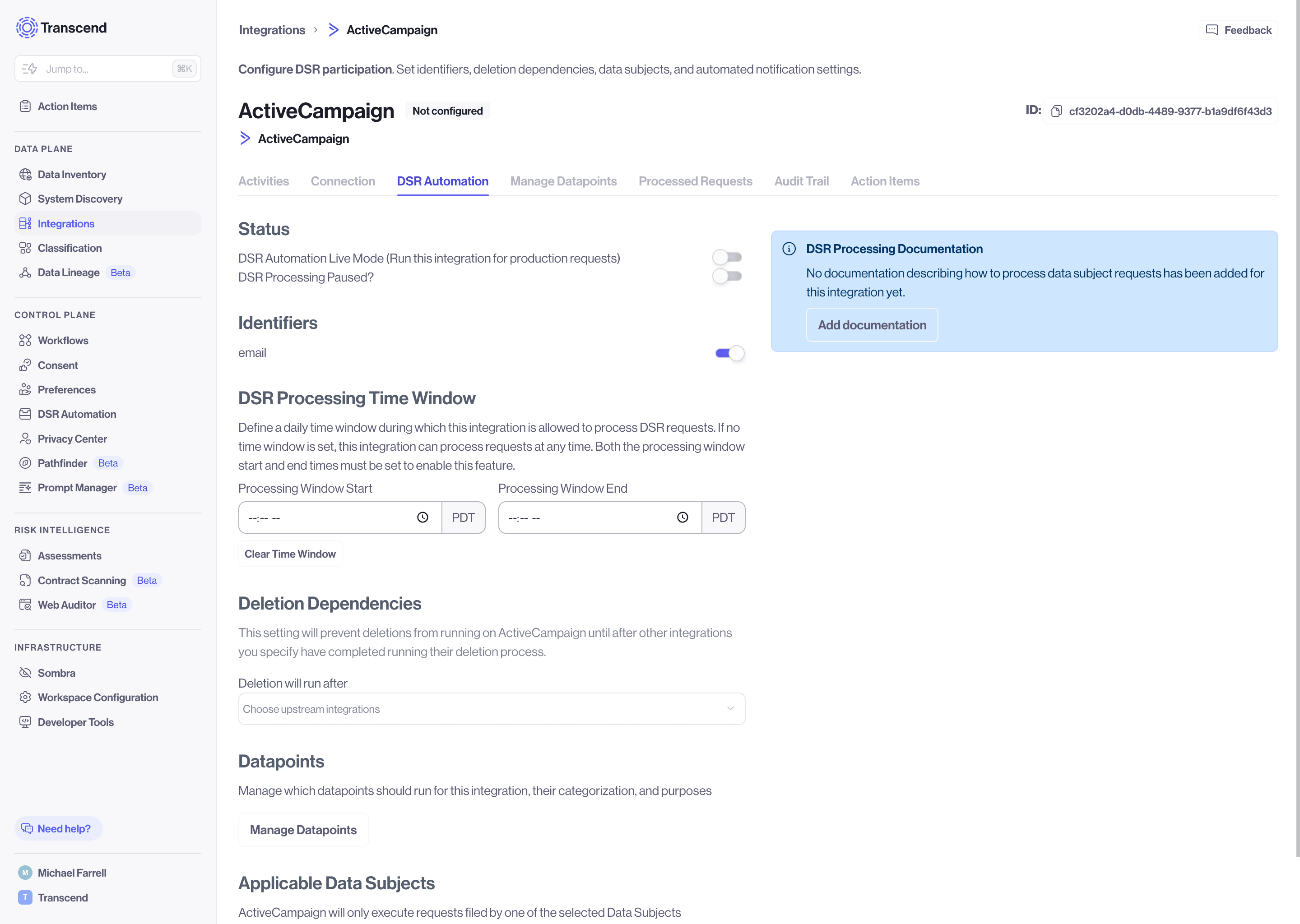
- Write step-by-step instructions in the modal editor. Use headings, lists, and links as needed, then save.
- To remove documentation, open the editor, delete all content, and save. An empty editor clears the stored documentation for that integration.
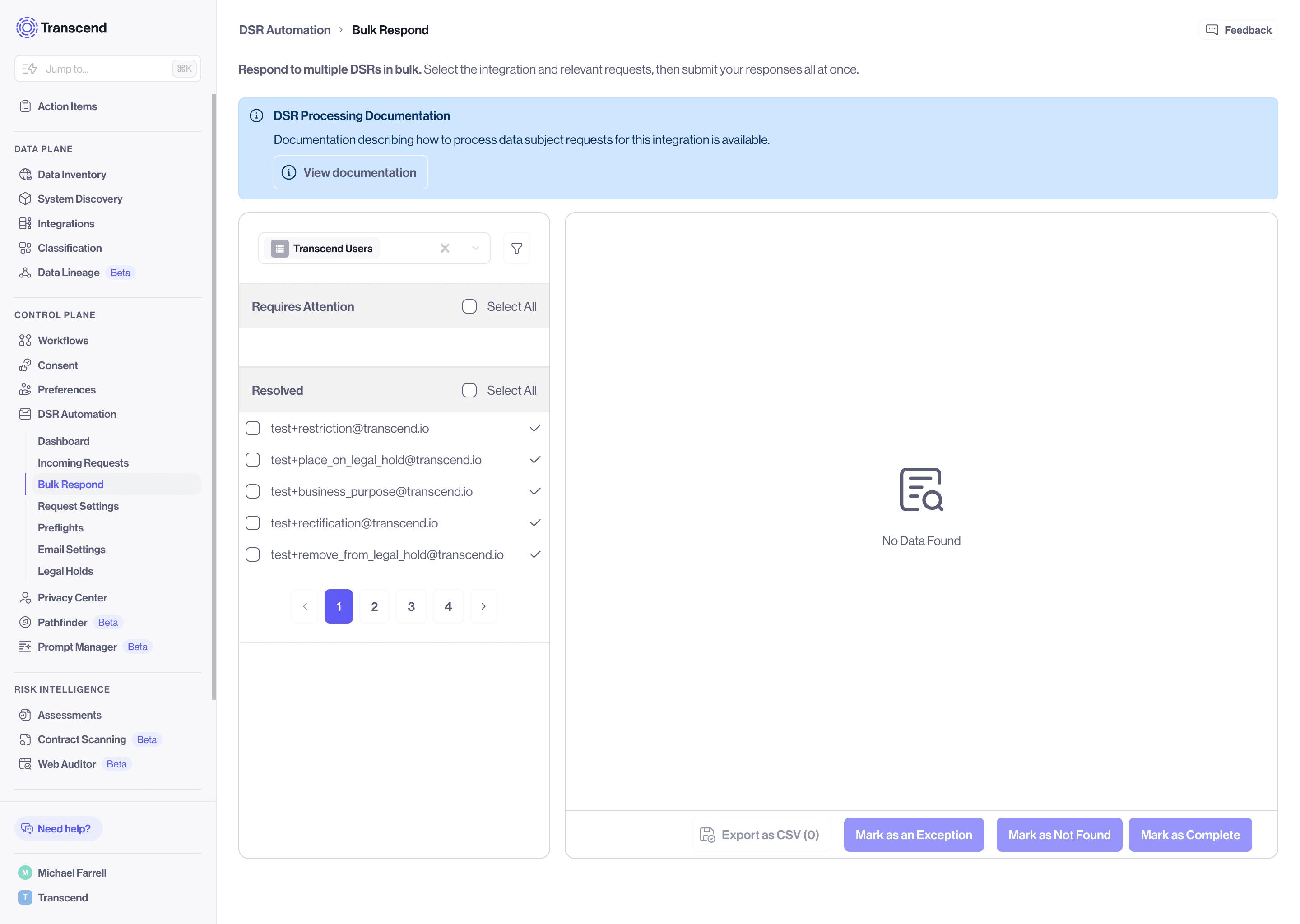
After you save documentation for an integration, assignees can open it from a read-only DSR Processing Documentation callout in two places:
- Bulk respond — when viewing outstanding requests for that integration
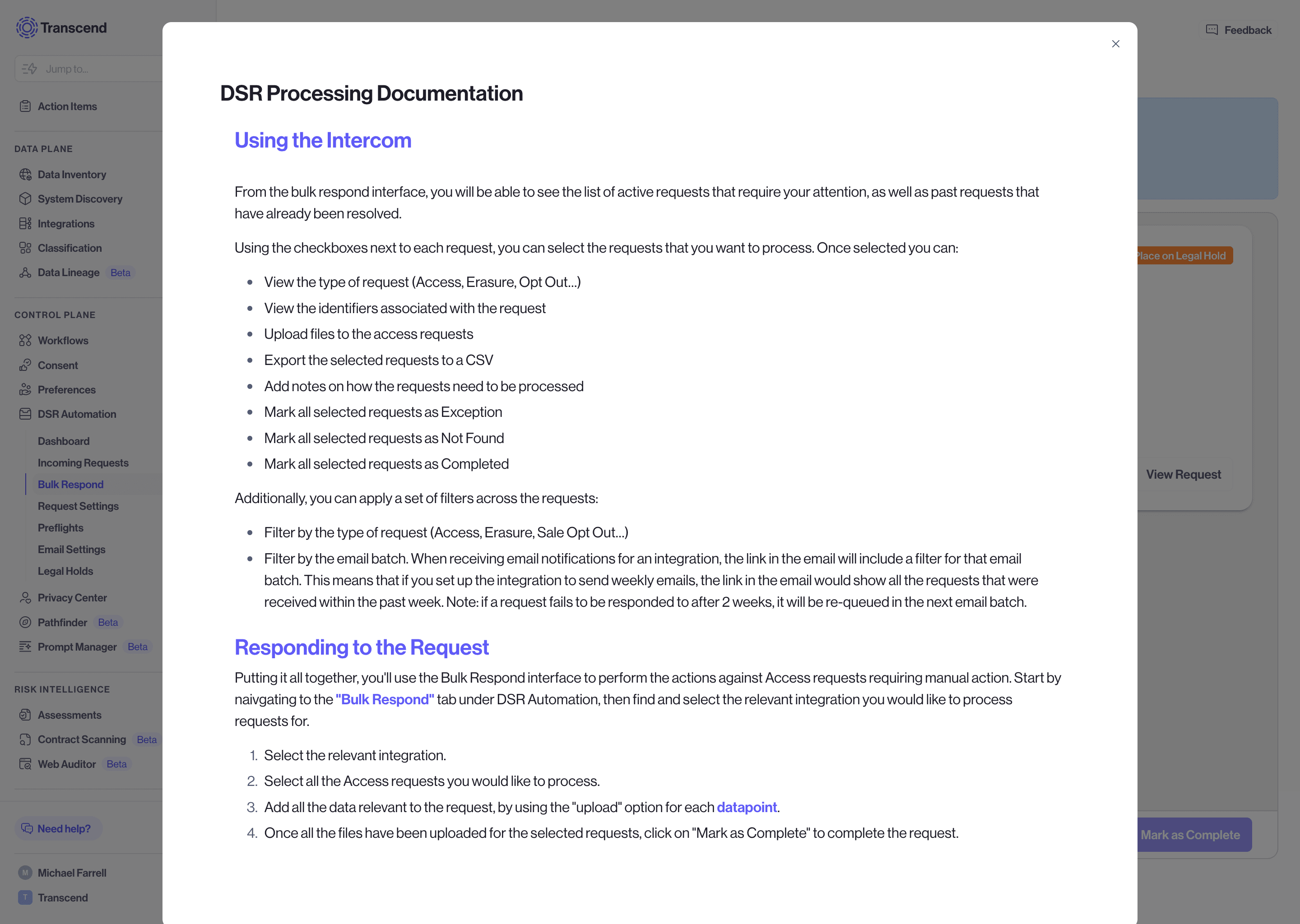
- Individual request view — in the integration header while working a single data subject request
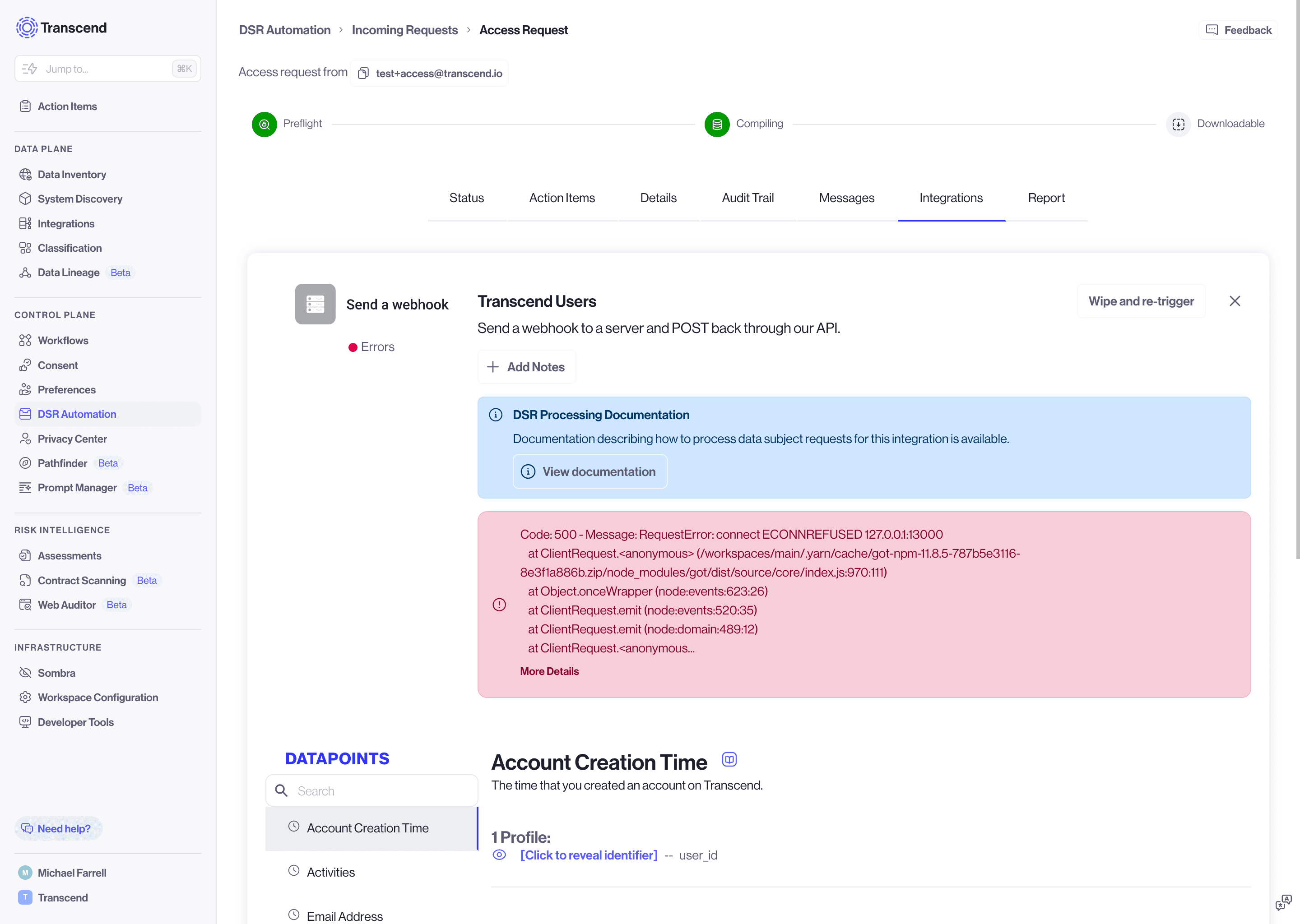
Assignees click View documentation to open the same content in a modal. They do not need access to the integration settings page or the original email notification.
- Keep instructions action-oriented. Number the steps an assignee should take inside the vendor tool or internal system.
- Include links to internal runbooks or vendor portals when helpful.
- You can still use email templates for notification copy. Move procedural steps into DSR processing documentation so assignees have them in context while responding.
- For AVC integrations, pair this feature with the email and authentication settings described in Automated Vendor Coordination.
If you have not authored custom documentation for an integration, Transcend may still show catalog connection instructions to assignees when those instructions exist for the integration type. Once you add custom documentation, that customer-authored content takes precedence.