Data System Rate Limits
Overview
Transcend can control the number of requests we send to your Data Systems, called Data System Rate Limiting. This system uses the Fixed Window rate limiting technique to control the number of requests sent in a window of time.
This feature is currently in beta. If you notice any issues with your workflows not processing as expected, please reach out to Transcend Support.
Manage Rate Limits
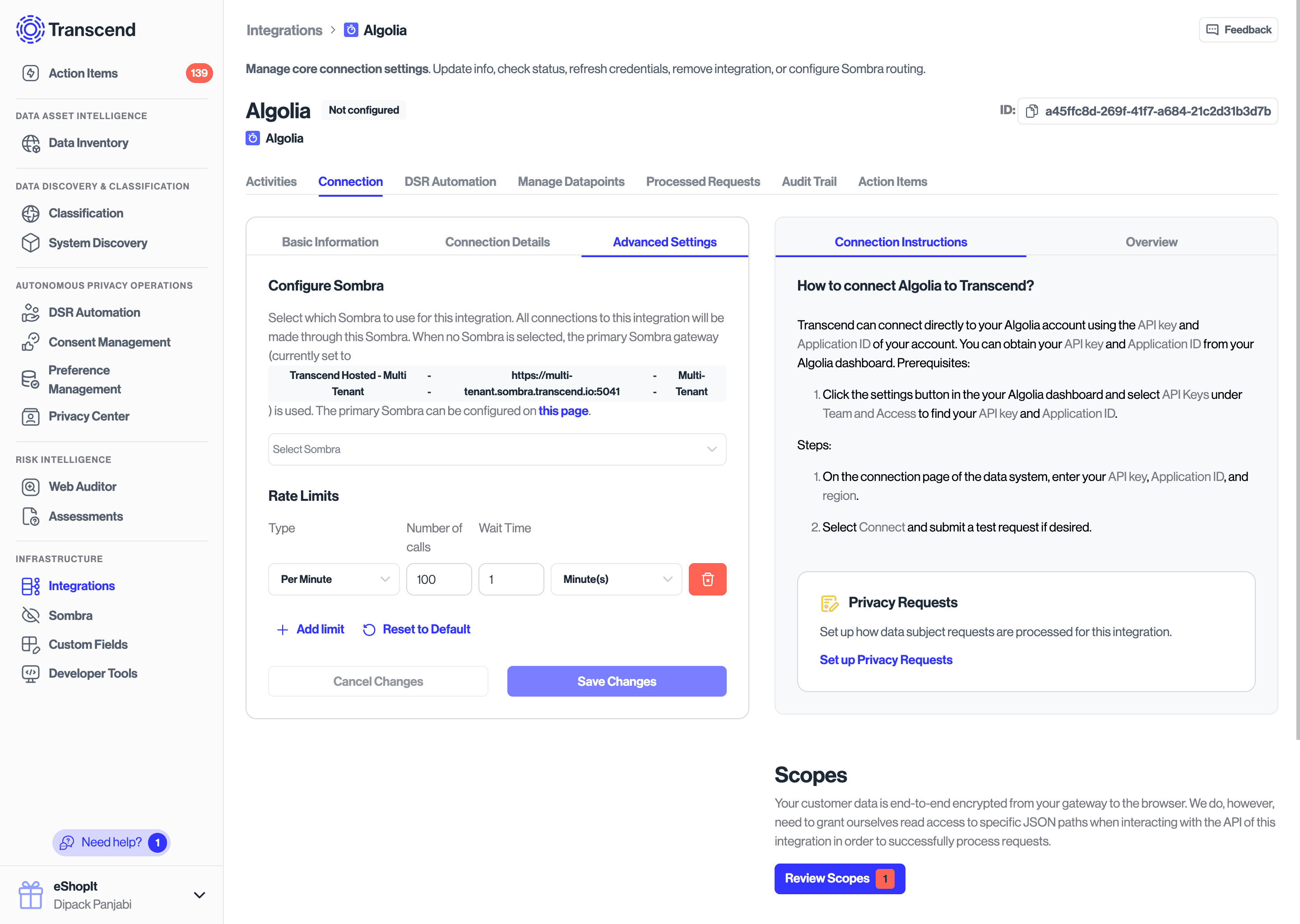
We support applying rate limits to all data system types. To manage your rate limits, go to the "Advanced Settings" tab on the "Connection" tab for your data system. If the integration has pre-defined rate limits, they will show up like in the figure below.
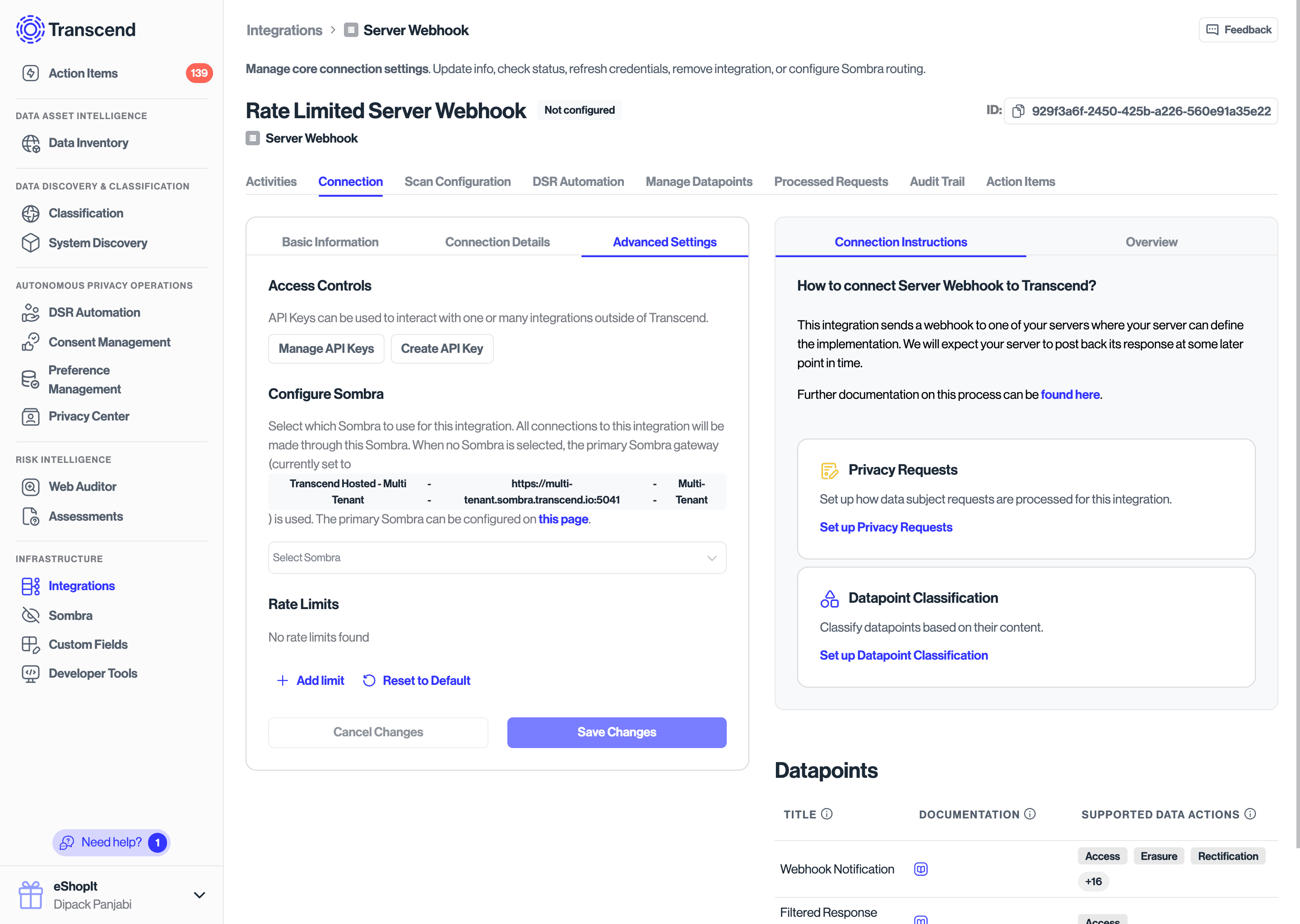
If your integration does not have pre-defined rate limits, you will see none listed under the Rate Limits tab. In this case, requests to the data system will not be throttled.
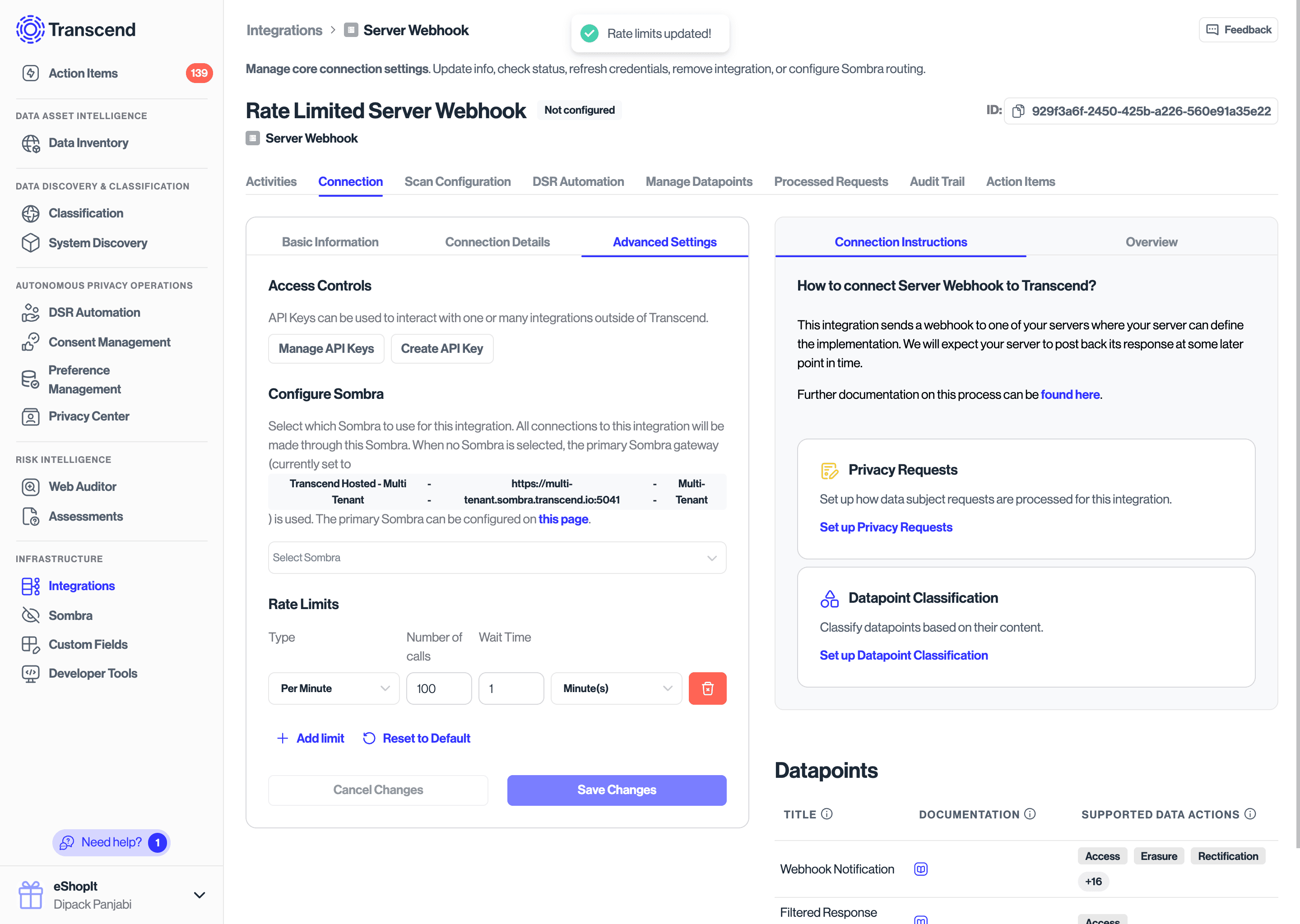
You can define custom rate limits as well.
Pre-defined Rate Limits
Many integrations, like Slack, Salesforce, HubSpot, among others, have defined rate limits outlined in their documentation. Where possible, Transcend will use those documented rate limits to control the flow of requests to those data systems out of the box.
However, in certain cases, you might find that your organization's rate limits differ from the publicly documented limits, in which case you can update the rate limits as described above.
How does Transcend use these limits?
These rate limits are currently applied only during DSR workflows. All other processes, like Structured or Unstructured Discovery, are unrestricted.
Transcend uses a distributed, asynchronous method of running DSR workflows, which starts with a component referred to as the "scheduler". The scheduler periodically polls a pool of jobs, and each job has an associated cost. We use these costs, in association with your data systems' defined rate limits (if any), to determine if a job should be run.
If we determine that a job cannot be run right now, the job is put back into the pool, and proactively scheduled to a time in the future such that it falls into the next rate limit window.
The rate limits are defined as a Fixed Window, i.e. we only allow a certain number of requests per time period. For example, if have a per-minute rate limit of 100 requests, we will schedule a maximum of 100 requests in a one minute period. The actual number of requests received by your data systems may vary slightly due to the asynchronous nature of our processing.