Tableau Integration Set Up for DSR Automation
Configure your Tableau integration to work with Data Subject Access Requests.
With Transcend's Tableau integration, you can fulfill Access DSRs directly against published Tableau datasources by configuring a custom Access query payload on each datapoint.
Because Tableau is primarily a visualization and aggregation layer, we generally recommend using Tableau for access requests only. If you need to support erasure, rectification, or other write-style privacy actions, those should usually be configured against the underlying system of record, such as Snowflake, PostgreSQL, BigQuery, or another source database connected to Tableau.
The first step in setting up Access DSR Automation for Tableau is creating datapoints for the published datasources that may contain personal data. In most cases, you should create one datapoint per published Tableau datasource that you want Transcend to query during an access request.
If you are using datapoint schema discovery, Transcend can help discover published datasources and their fields within your Tableau environment. You can then enable the specific data actions you need on each datapoint.
As you configure datapoints, make sure each one maps to the correct Tableau datasource and that the datasource includes a field you can reliably use to identify an individual, such as an email address, internal customer ID, or another exact identifier.
Transcend's Tableau integration currently supports querying data for access and right-to-know requests. These are configured using the Access data action on a datapoint.
Unlike some other integrations, Tableau does not use a SQL query or a generic select / from / where payload for DSR Automation. Instead, Tableau uses a small JSON configuration that tells Transcend:
- which Tableau fields to return
- which Tableau field should be used to match the subject identifier
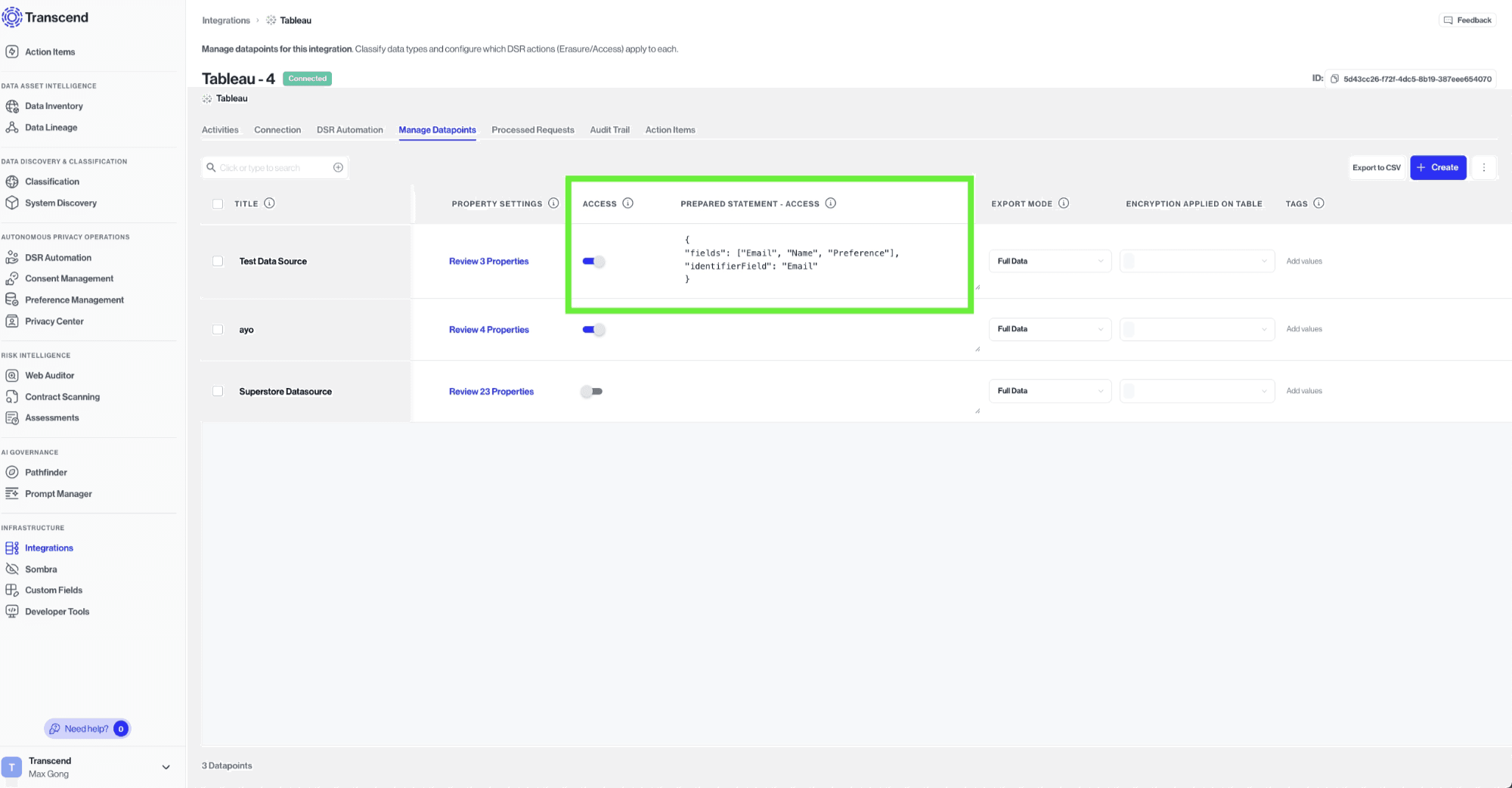
For each datapoint with the Access action enabled, you can define a custom payload that describes how Transcend should query the published Tableau datasource.
The Tableau payload requires the following fields:
fields: an array of Tableau field captions to include in the access responseidentifierField: the Tableau field caption that should be used to filter the datasource to the correct individual
{
  "fields": ["Email", "First Name", "Last Name"],
  "identifierField": "Email"
}fields: A list of Tableau field captions to return in the access response. These should match the field captions as they appear in the published datasource.identifierField: The Tableau field caption that Transcend should use to find records for the data subject.
Here is an example payload for a Tableau datasource that stores user profile data:
{
  "fields": ["Email", "First Name", "Last Name", "Account Status"],
  "identifierField": "Email"
}
In this example, Transcend will query the datasource, return the listed fields, and use the Email field to locate the correct user's records.
- Run data discovery to automatically discover your datasources and save them as datapoints.
- Use field captions exactly as they appear in the Tableau datasource.
- Choose an
identifierFieldthat is unique or close to unique for each person. - If Tableau is backed by a warehouse or database that already has a stronger privacy integration, prefer that underlying system for non-access request types.
There are a few important limitations to keep in mind when using Tableau for DSR Automation:
- Tableau is a reporting layer, not always the canonical source of truth for personal data.
- Returned results depend on what fields are exposed through the published datasource.
- Access queries should be configured carefully to ensure only the relevant individual's data is returned.
- Tableau is best suited for Access requests, while write-oriented actions are typically better handled in the source system behind Tableau.
If you are unsure whether Tableau or the underlying database should handle a privacy request, we recommend starting with the underlying system of record whenever possible.